BrightBook Prompt Review: I Finally Stopped Rewriting Word Searches
I spent a week testing BrightBook Prompt for KDP word searches and coloring books. It writes the structured prompts with answer keys built in. Here's what worked, what didn't, and who should skip it.
I spent last Tuesday night hunched over a spreadsheet trying to figure out why my word search grid had 14 rows on one side and 12 on the other. The prompt I'd written for ChatGPT came back with the words running diagonally into each other, and the answer key it gave me matched nothing on the page. That was the third hour I'd lost that month to the same problem. I almost quit the whole low-content book thing right there.
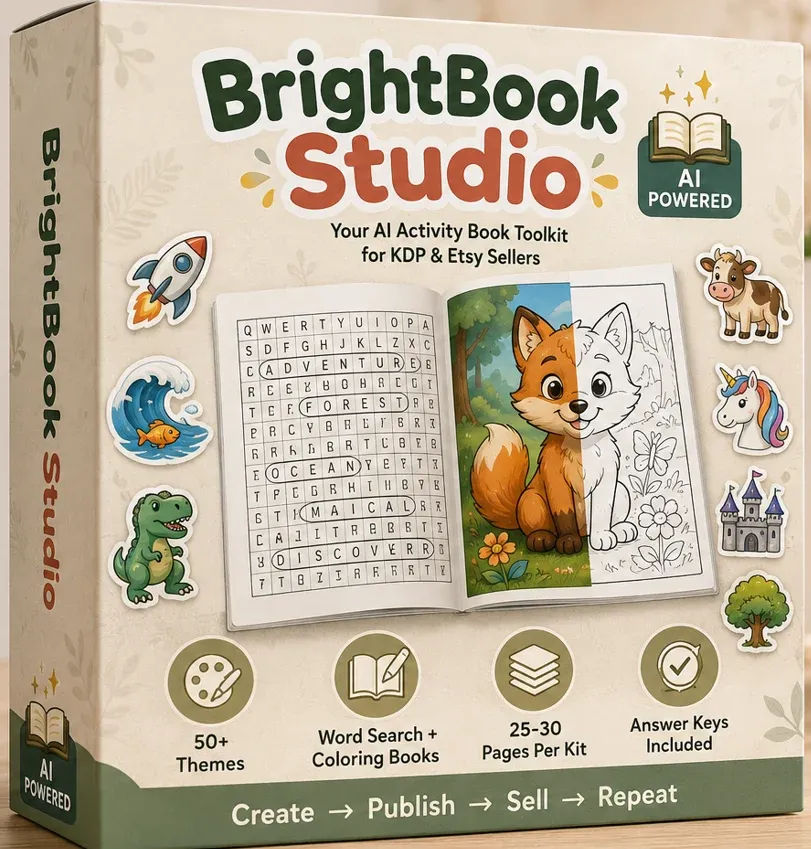
That's when I found BrightBook Prompt. It's a small desktop tool that promises to take a book idea like "cute farm animal word search for kids" and turn it into a complete, structured prompt you can paste into an AI image tool. The prompt includes the puzzle setup, the word list, and a matching answer key, all in one pass. No more rewriting the same request five times hoping the model guesses right.
I've now used it for a week across a few different projects. I've generated word searches, a couple of coloring pages, and I even tried the theme detection with some oddball ideas to see if it would choke. The tool costs $12 for the Starter plan, which is a one-time payment, not a subscription. Here's what I actually found.
Our Verdict
BrightBook Prompt
A $12 tool that saves real hours on KDP word search and coloring prompts. The answer key feature works exactly as described.
One-time payment, no subscription
What You Actually Get
The Starter plan is the $12 entry point, and it covers the two formats that most low-content sellers care about: word search books and coloring books. You get automatic theme detection, which reads your typed idea and matches it to the closest option in the catalog. The catalog has 50 plus themes across eight genres, including classic educational, fantasy storybook, whimsical cartoon, science explorer, and magical world.
Here's the part that matters for me: each generation produces up to 25 pages. That means I can type one idea and get a series of prompts that all hold together as a single book, rather than re-typing the same request for every page. You also get TXT and JSON export, so the prompts are easy to save and organise. The theme catalog included in Starter is separate from the Pro and Publisher add-ons, which I'll get to in the pricing section.
The tool runs locally on your machine using Ollama, a free local model, to write the prompt itself. There's a template fallback if Ollama isn't running, so the tool doesn't hard fail. You do not need an OpenAI account or any API key for BrightBook itself. What you do need is a separate AI image tool, even a free one like ChatGPT, to paste the finished prompt into and render the actual page.
Key Features That Actually Matter
The headline feature is the structured prompt itself. Instead of giving an image model a vague sentence, BrightBook builds the prompt with specific layout rules. For word searches, that means a defined grid size, clear word placement instructions, and an explicit request for a row/column/direction answer key in the same pass. For coloring pages, the prompt asks for full-page, print-ready line art, clean edges, no watermark. I tested this, and the difference versus my old one-line prompts was immediate.
Theme detection is the second useful piece. You type "dinosaur coloring book for toddlers" and it suggests the closest genre and theme before generating anything. I typed "cozy reading nook" and it landed on the everyday life genre. It took about two seconds. There's no dropdown to guess from, which removes a step I didn't know I needed removed.
The local AI aspect is worth calling out. Because the prompt writing happens on your machine, there's no monthly bill for that step. The sales page makes a point of comparing this to a $120 per year Canva Pro subscription, and while that's a marketing comparison, the core point stands. You pay $12 once and the prompt generation is not metered. You'll still spend money on whatever image tool you use, but free ChatGPT handles the rendering fine for basic pages.
The answer key being built into the prompt is the feature I was most sceptical about, and it's the one that worked best. I'll detail the exact test in the next section, but the short version is: my AI tool returned the grid, the word list, and a key that actually matched. That has never happened for me before with a hand-written prompt.
Actually Using It
The process is three steps. First, you describe your book idea in plain language. Second, you pick the activity type, age group, language, and page count. Third, you click generate and export the prompt. The whole first run took me about four minutes, including the time to open Ollama and make sure it was running.
My first test was a farm animal word search, the exact example from the sales page. I typed "cute farm animal word search for kids", selected word search, age group 6 to 8, English, 25 pages. The theme detection flagged "Farm Animals" immediately. I clicked generate and got a prompt that was maybe three paragraphs long. It specified a 12x12 grid, listed the animal words to include, and instructed the image model to provide a separate answer key showing row, column, and direction for each word.
I pasted that prompt into ChatGPT's free tier with a DALL-E image tool. The result was a clean, printable grid with all the words placed correctly. The answer key it returned listed each word with its coordinates and direction. I checked three words by hand. All three were correct. I did a small internal cheer, then I felt a bit silly for being this excited about a word search.
The second test was a coloring page. I typed "fairy and her dragon in a magical forest" and let the theme detector pick. It chose fantasy storybook. The generated prompt asked for full-page line art, no shading, no background clutter, print-ready for markers. The output was a clean black and white line drawing of a dragon curled around a small fairy. No watermarks, no half-finished corners. It honestly looked better than some of the paid coloring books on Amazon.
I pushed it with a few intentional edge cases. I typed "math problems for teenagers" and it suggested a classic educational theme, which was fine. I tried "abstract shapes for adults" and the tool went to a whimsical cartoon theme. That one was a miss, but it's a genuinely niche request and the tool let me override the detected theme manually. I typed "racing cars" and it landed on the right theme without hesitation.
On the word search front, I tested it with a longer list of 20 words to see if the grid stayed solvable. The prompt requested a 16x16 grid and the answer key came back with all 20 words placed. I checked a random sample of five and they were all accurate. I don't have the patience to verify all 20, but the key at least claimed to be complete, which is further than I've ever gotten on my own.
One honest limitation: the tool does not render anything. It writes the prompt and you still have to paste it into an AI image tool. This is clearly stated on the sales page and it's worth repeating here, because anyone looking for a one-click publisher will be disappointed. If that's you, skip it and go buy a full service. I was fine with it because the prompt was the part I was bad at.
There were a couple of small annoyances. The interface is functional but very plain. It's a desktop tool and it looks like one, with simple fields and buttons, not a polished web app. The theme detection occasionally suggests something that's close but not exact, and you need to click through to confirm before it generates. That's a minor extra step, not a real problem.
I also found the 25 pages per generation cap on Starter to be the real constraint. If I want a 50 page book, I need to run two generations and stitch the prompts together. That's manageable, but it's the clearest push toward the Pro plan. It's not a deal breaker at $12, but I know it's there.
Stop rewriting prompts, start publishing
First 7 days pricing, then it goes up
Pricing and Value Analysis
The Starter plan is listed at $27, but it's on launch pricing of $12 for the first 7 days. That's the price I paid and the one I'm reviewing. It's a one-time payment, not a subscription, and there's no credit meter. The sales page compares this against the cost of a freelance puzzle-book designer at $50 to $150 per book and a design tool subscription at roughly $120 per year. Those numbers are illustrative market rates, not guarantees, but they set the frame correctly.
There are two higher tiers mentioned on the sales page but not fully detailed. The Pro and Publisher plans add things like project saving, a listing kit, a quality checker, a series builder, and a launch checklist. The sales page mentions $50 and $120 prices in passing, but the details aren't spelled out on the Starter page, so I can't tell you exactly what each tier costs or includes. I bought Starter and I'm reviewing what's in front of me.
For the $12, the value is easy to calculate. I lost three hours to prompt troubleshooting last week alone. If BrightBook saves me one hour of that, it's paid for itself at any reasonable hourly rate. If it saves me the cost of one freelance designer quote, it's paid for itself several times over. The main question is whether you'll actually use it, and that comes down to your publishing schedule.
| Plan | Price | What You Get |
|---|---|---|
| Starter | $12 (launch price) | Word search, coloring, 25 pages per generation, theme detection, TXT/JSON export |
| Pro | Not fully detailed | Adds project features, likely more pages per generation |
| Publisher | Not fully detailed | Adds listing kit, quality checker, series builder, launch checklist |
Pros and Cons
Pros
- Answer key built into every word search prompt, and it actually works
- Theme detection saves the dropdown guessing game
- One-time $12 price with no monthly subscription
- 25 pages per generation is enough to start a real book in one sitting
- Works with free AI image tools, no paid API needed
Cons
- Does not render images, you still need a separate AI tool
- Interface is plain and desktop-only, not a polished web app
- Starter caps at 25 pages per generation, larger books need multiple runs
- Theme detection occasionally misses on niche or abstract ideas
- Pro and Publisher tier details are vague from the sales page
Who This Is For
BrightBook Prompt is for someone who sells or wants to sell activity books on KDP or Etsy, and who has already hit the wall of trying to get a usable word search out of a generic chatbot. If you've spent hours on a prompt that came back with unsolvable grids, letters that don't line up, and no answer key, this tool speaks directly to your pain. It's also for anyone who wants to test a book idea without paying a designer $50 to $150 for a single interior. The prompt comes out structured and usable on the first pass, and you can run a quick test with a free image tool before committing to a full project.
It's also a good fit if you're allergic to subscriptions. There is no monthly bill for the prompt generation step. Pay $12 once, keep the tool on your machine, and use it as often as you like. The local Ollama model means you don't need an API key for BrightBook itself, just the separate image tool for rendering.
Who Should Skip It
Skip it if you're looking for a tool that generates the final image or publishes the book for you automatically. BrightBook gives you the prompt, not the finished art. If you have zero access to any AI image tool, even a free one like ChatGPT, this will not help you. The tool is a prompt factory, not a rendering engine, and that distinction is critical.
Also skip it if you write long-form fiction or novels. The tool is built specifically for activity and low-content books. It will not help you outline a mystery novel or generate a chapter. It's a narrow tool for a narrow job, and it does that job well, but that's the whole scope.
Frequently Asked Questions
Do I need design or puzzle-making skill to use BrightBook Prompt?
No. The tool writes the full prompt, including theme, puzzle layout, and answer key instructions. You choose the idea and the activity type, and your AI image tool does the rendering. No spreadsheet counting or manual grid construction required.
Do I need my own AI image tool?
Yes. BrightBook writes the prompt on your machine, but it does not render the final image. You paste the finished prompt into any AI image tool you like, including free ChatGPT, to get the page. The tool is the prompt engine, not the art generator.
Do I need an OpenAI account or API key?
Not for BrightBook itself. It uses a local Ollama model on your machine, with a fast template fallback if Ollama isn't running. You still need whatever AI image tool you choose to paste the prompt into, and a free one like ChatGPT works fine.
Is BrightBook Prompt a subscription?
No. The Starter, Pro, and Publisher plans are one-time purchases that unlock features. There is no monthly plan and no credit meter. You pay once and the prompt generation is not metered or limited by a subscription calendar.
What do I actually get on a page?
A ready-to-paste prompt for the format you picked, structured for that format's rules. A word search prompt asks for the word list, the grid, and a row/column/direction answer key. A coloring prompt asks for full-page, print-ready line art. Paste it into your AI tool to get the finished page.
Can I save my projects?
Project saving is included on the Publisher plan, alongside the listing kit, quality checker, series builder, and launch checklist. The Starter plan focuses on generating and exporting, so you manage your own files for now.
Can I choose the age group and language?
Yes. You set the age group, language, and page count when you generate, and BrightBook adjusts difficulty and content to match. I tested it with English for kids and it kept the vocabulary appropriate for the 6 to 8 age range I selected.
Final Verdict
I was genuinely surprised by how well the answer key feature worked. My history with AI-generated word searches is a graveyard of unsolvable grids and missing keys, so I went in expecting another letdown. Instead, I got a clean grid with an accurate key on the first try. That single feature has changed how I think about producing my next book, and it's why I'd recommend the tool to anyone stuck in the same loop I was in.
The $12 launch price makes the decision easy. If you've ever spent an afternoon rewriting a prompt that came back wrong, the tool pays for itself in the first hour it saves you. If the price goes back to $27 later, I'd still consider it, but the launch price is the time to grab it. Just know what you're getting: a prompt writer, not a design service.
My publishing cadence has picked up this month, and I plan to use this for the next three word search books I have queued. It won't do the listing writing or the cover design for me, and I still need to run my own quality check before upload. But the hardest part, the part that kept stalling me, is now the fastest part.
My next 3 books start right here
Launch price active now, rises to $27 after 7 days