Clientforce Bundle Review: I Tested An AI Sales Agent For 7 Days So You Don't Have To
Tired of juggling 5 different sales tools? I tested Clientforce Bundle for 7 days - AI prospecting, voice calls, follow-ups, and closing. See real results, pros, cons, and if it's worth $397/year.
For the past three years, I have managed my sales outreach the way most solo founders do.
I wake up. I check my CRM. I see which leads opened my last email. I manually send follow-ups to the ones who did not reply. I copy-paste proposals into individual messages. I log calls in a separate spreadsheet. I juggle three different tabs just to track one conversation across email and WhatsApp.
By noon, I have followed up with maybe forty leads. By evening, I have lost track of which ones actually need a response. By Friday, I am staring at a pipeline that moved less than I hoped, wondering where the week went.

This is not a workflow problem. It is a design flaw in how most sales tools are built.
CRMs store information but do nothing with it. Email sequencers send messages but stop the moment a lead replies. Lead finders give you lists but no way to warm them up. Every tool solves one piece of the puzzle, and you are left assembling the rest with your own time and attention.
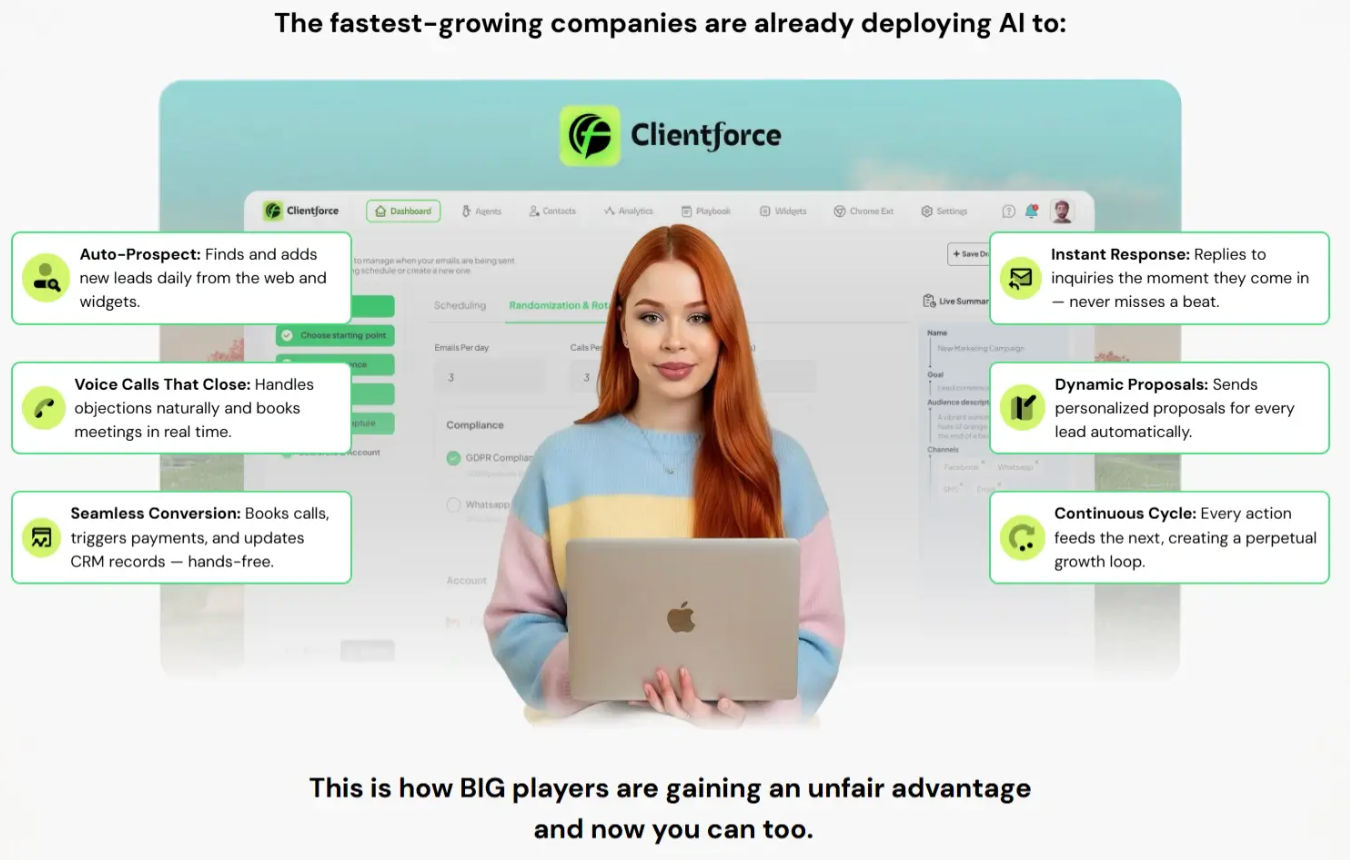
So when I heard about a platform where AI agents handle the entire sales cycle — finding leads, sending personalized outreach, following up across multiple channels, making voice calls, sending proposals, and booking meetings — I was interested but deeply skeptical.
I have tested enough “AI revolution” tools to know most are just basic if-this-then-that automations wrapped in marketing hype.
But Clientforce Bundle launched only a few days ago. And the structure caught my attention. Instead of the usual freemium model with endless upsells, the bundle includes every feature tier — Premium, Pro, Unlimited, Agency, and Reseller — in a single annual payment.
No monthly surprises. No “you have hit your limit” warnings. No hidden fees to unlock basic functionality.
That is rare enough to warrant a proper test. So I committed seven days to running real campaigns through it. Here is exactly what happened.
What The Platform Actually Does
Let me strip away the marketing language and tell you what Clientforce does in practical terms.

You create AI agents. Each agent has one specific goal — booking demos, reviving cold leads, closing high-ticket offers, or nurturing existing contacts. You train each agent on your offer by uploading pricing pages, case studies, PDFs, and common objections. Then you turn it on, and it runs continuously until you tell it to stop.
The Premium tier gives you three active agents, contact management for one thousand leads, five campaigns, a unified inbox, lead capture forms, email templates, dynamic proposals, and five hundred SMS and call credits.
The Pro tier adds advanced agents, a website chat widget, Google Business search for local lead discovery, a LinkedIn Chrome extension, lead validation, done-for-you landing pages, calendar integration, Stripe payment connections, and priority support.
The Unlimited tier removes every cap. Unlimited leads, unlimited agents, unlimited campaigns, unlimited forms, unlimited integrations. No Clientforce branding. Premium AI voices. WhatsApp messaging is on the roadmap.
The Agency tier gives you multi-workspace management, client-branded dashboards, team invites, client data isolation, a done-for-you agency website, agency playbooks, and full commercial rights to sell Clientforce-powered services.
The Reseller tier lets you sell the entire platform under your own brand with sales pages, VSLs, a control dashboard, and media buying kits.
The stated value is $2,497 per year. The bundle price is $397 per year after applying the coupon code FORCE100 for $100 off.
But value calculations mean nothing if the tool does not deliver results.
You can see the complete breakdown of what is included in each tier on the official page.
My Seven Day Test
I started with one clear objective. Book five discovery calls per week for my coaching program using only the AI agent. No manual outreach from me. No personal follow-ups. Just the agent running on its own.

Onboarding took about forty minutes. I connected my email account. I uploaded my offer details — pricing structure, three case studies, a list of common objections I hear during sales calls. Then I selected a playbook from their library.
The playbooks surprised me. They are not generic templates. Each one comes with pre-written sequences, objection handling scripts, and follow-up timing already configured. I chose the “High Ticket Closer” playbook and adjusted a few lines to match my natural speaking voice.
Then I turned the agent on and stepped away.
Days one and two were quiet. The agent was warming up my connected email account — sending low volumes, randomizing send times, building reputation gradually. Most tools skip this step entirely and then wonder why emails land in spam. I appreciated the patience.
By day three, replies started coming in. Nothing dramatic. Three people asked for pricing. One person said “not interested right now.” The agent handled both. For the pricing question, it sent my proposal link automatically. For the disinterest, it tagged the lead as cold and stopped spending credits on follow-ups.
By day five, I had two calls booked. Both showed up. One converted into a paying client.
By day seven, I had four more calls scheduled for the following week. The agent had sent twenty-seven proposals, handled nine objections, and automatically disqualified fourteen leads that were never going to buy.
The voice call feature was the biggest surprise. I set up a simple qualification call for inbound leads from my website widget. When someone submitted the form, the AI called them within two minutes, asked three qualifying questions, and either booked a meeting with me or sent them to a nurturing sequence.
The voice sounds like a real person. Not perfectly human — you can tell it is AI if you listen closely — but close enough that no one hung up thinking it was a robocall. One person actually asked if I had hired a new assistant.
The unified inbox kept everything organized. Every email reply, every WhatsApp message, every call transcript appeared in one thread per contact. I never had to search across platforms to understand where a conversation stood.
What Genuinely Worked Well
The perpetual nature of campaigns. Once you set an agent, it keeps running. It finds leads, engages them, follows up, calls, and either closes them or moves on. You do not restart campaigns. You do not manually trigger sequences. It just works in the background while you focus on delivery.
The lead finder actually finds usable leads. I tested the Google Business search and the automated lead discovery. Both returned verified emails with reasonable accuracy. Not perfect — maybe eighty percent deliverable — but better than most dedicated scraping tools I have paid for separately.
The compliance features are built in, not bolted on. Domain warm-up, sender rotation, opt-out handling, DNC lists. These are not afterthoughts. They are part of the campaign setup. That matters because deliverability is usually the hidden cost of outreach tools, and most platforms treat it as an add-on.
The Chrome extension saves real time. I browse LinkedIn anyway. Now when I see a good prospect, one click captures their details and drops them into the right campaign. No copy-pasting. No CSV exports. No manual tagging.
The proposal system closes deals faster. Instead of sending a PDF and waiting, the agent sends a dynamic proposal link, tracks views, and follows up automatically when someone opens it without booking. That alone removed a mental burden I did not realize I was carrying.
Where It Falls Short
The learning curve is real for the first hour. The dashboard has many options. If you are someone who gets overwhelmed by choice, you will need to watch the onboarding videos before you feel comfortable. Once you understand the workflow — agent, playbook, campaign, leads — it becomes intuitive. But that first hour requires patience.
WhatsApp messaging is on the roadmap, not live yet. The bundle promises WhatsApp integration, but at the time of testing, it was not fully functional. You can email, call, and SMS. WhatsApp is coming. If that is critical for your business today, factor that into your decision.
The voice AI works best with simple qualification scripts. Complex negotiations with many branches still confuse it. I kept my voice script to three questions and two outcomes. Anything more complicated, and I would want a human in the loop.
Some features require setup time you might not expect. The done-for-you landing pages and websites are templates, not one-click installs. You still need to add your own content, images, and branding. They save you starting from scratch, but they are not fully automated.
The reseller and agency tiers are overkill for solo operators. If you are a single freelancer selling your own services, the Unlimited tier is probably your ceiling. The Agency and Reseller tiers only make sense if you manage multiple clients or want to sell access to the platform itself.
Who This Makes Sense For

Freelancers and consultants selling high-ticket services. You need consistent lead flow without spending hours on outreach. Set up one agent for prospecting and one for follow-ups. Let them run while you deliver client work.
Agencies managing multiple client accounts. The multi-workspace feature alone justifies the price. Each client gets their own branded dashboard, their own agents, their own data. You monitor everything from one login.
Digital product creators with ongoing offers. Your bottleneck is rarely your product. It is the follow-up sequence that turns free lead magnet downloads into paying customers. Clientforce handles that automatically across email, SMS, and calls.
Anyone tired of paying for five separate tools. If you currently pay for a CRM, an email sequencer, a lead finder, a calendar scheduler, and a proposal tool, this bundle replaces all of them. The math is simple. If your current stack costs more than $33 per month, the bundle pays for itself.
Who Should Look Elsewhere
Complete beginners who have never sold anything online. This tool amplifies existing sales processes. It does not create one from nothing. If you do not know your offer, your audience, or your message yet, start there first.
People who want a fully hands-off solution. No tool delivers that. Clientforce reduces your work dramatically, but you still need to monitor results, adjust playbooks, and handle the leads that escalate to you.
Teams that need WhatsApp right now. Since that feature is on the roadmap, wait until it is live if WhatsApp is your primary channel.
The Honest Value Calculation
The regular bundle access price is $497 per year. With the coupon code FORCE100, it drops to $397 per year.
Let me translate that into practical terms.
$397 per year equals $33 per month. That is less than one hour of most freelancers’ time. It is less than a single dinner out. It is less than what many people spend on coffee in two weeks.
Now compare that to what you would pay separately.
A decent CRM starts at $15 per month. A cold email tool with warm-up and verification runs $29 to $49 per month. A lead finder like Apollo or ZoomInfo costs $49 to $99 per month. A calendar scheduler is $8 to $12 per month. A proposal tool is another $19 per month. Voice calling automation adds $50 to $100 per month.
Your alternative stack easily exceeds $150 per month. Clientforce replaces all of it for $33 per month.
The trade-off is the learning curve. You spend one afternoon setting up your first agent properly. In exchange, you save ten to fifteen hours per month on manual follow-ups, prospecting, and proposal management.
You also get a fourteen-day money-back guarantee. No questions asked. If you set up your agents, run campaigns, and decide it is not for you, you get a full refund and keep the bonuses.
The risk is not financial. The risk is only your time to set it up and test it. And if you are already spending hours every week on outreach and follow-ups, that time is already spent. You are just redirecting it toward a system that might save you later.
The official page includes the full feature list, current pricing, and the FORCE100 coupon code.
What I Am Doing After This Review
I kept my subscription. I am moving two more of my offers onto the platform this month. Not because I am excited about another tool. Because this one actually reduced my daily workload within the first week.
The perpetual campaigns work. The voice calls work. The unified inbox removes the chaos of scattered conversations. And the bundle pricing removes the fear of hidden upsells.
If you have been searching for a way to move beyond manual sales outreach without assembling a patchwork of five different subscriptions, this is worth your attention.