Destination Printables Studio Review: Worth It for Etsy Sellers?
I ran Destination Printables Studio through a full Istanbul collection build. Here is who it helps, who should skip it and whether $14.95 is fair.
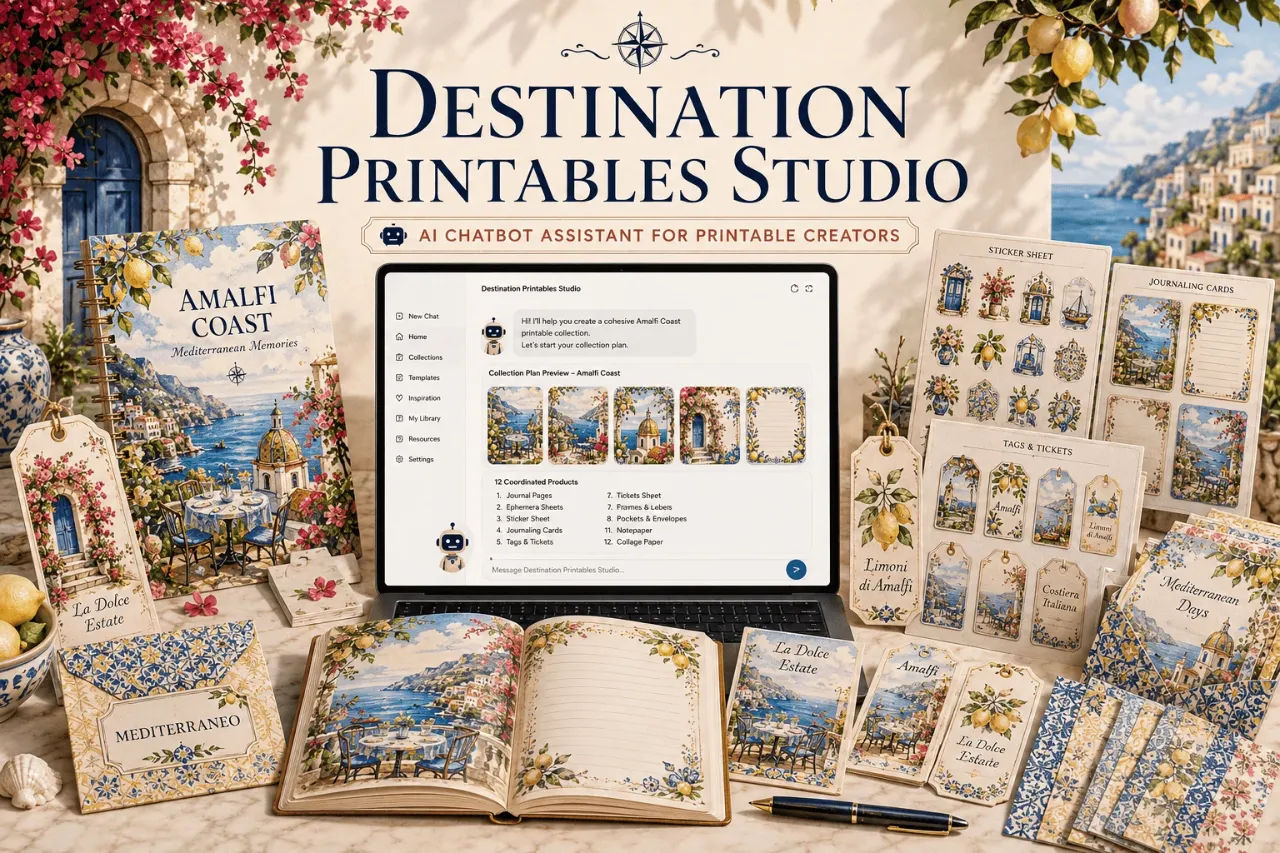
I have lost count of the evenings I have spent staring at a blank ChatGPT box, trying to will a printable collection into existence. I run a small Etsy shop selling travel-themed journal kits, and my process for a new city used to go like this: type "make me some London printables," get four generic images of Big Ben, ask for a matching sticker sheet, get a completely different illustration style, give up, and close the laptop.
So when I found Destination Printables Studio, the promise of a guided workflow that turns one destination into twelve coordinated products sounded like exactly the system I had been failing to build myself. It is a Custom GPT that runs inside ChatGPT, not a design app. You answer questions one at a time, and it writes detailed image-generation prompts for you to paste back into ChatGPT. I bought it, I tested it for a week, and this is my honest read.
The short version: it works, but it is a prompt-writing system, not a magic wand. You still have to generate the images yourself. What it removes is the decision paralysis and the style drift that made my old process useless.
Our Verdict
Destination Printables Studio
A guided ChatGPT workflow that turns a destination into a coordinated printable collection, built for Etsy and KDP sellers who struggle with blank prompts.
One-time payment, works inside ChatGPT
What You Actually Get
Destination Printables Studio is not a download of finished PNGs. The sales page is clear about this, and I think that clarity is worth respecting. You get access to a Custom GPT that runs inside ChatGPT. The system walks you through a fixed sequence of choices: country, destination, product type, collection focus, aesthetic, visual style, and size or format.
Once you finish the guided questions, the Studio produces a standalone image-generation prompt designed specifically for printable products. That prompt includes layout directions, product-specific specifications, notes on blank areas where you need them, and cohesive visual details tied to the destination you chose. You copy that prompt, paste it into a fresh ChatGPT conversation, and generate the artwork.
The package includes a few things beyond the basic flow. There is a Quick Create mode that fills in the remaining choices for you when you want speed. There is a Complete Collection mode that builds exactly twelve standalone prompts around one shared Destination DNA and Style Lock. And there is an Expand a Country mode that takes one product type and one country, then researches multiple destinations separately so Istanbul does not end up looking like Cappadocia.
Key Features
Destination DNA research. Before you write a single prompt, the Studio researches the destination. It builds from architecture, streets, food, cafés, botanicals, crafts, materials, and local visual cues. The goal is to avoid the swapped-landmark problem where you just put a different building in the same generic prompt.
Collection Focus. You choose what anchors the collection. Options include character-led directions, female, male, couple, family, children, friends. Non-character directions cover architecture, food, botanicals, lifestyle, animal, or an original mascot. There is also a destination mix and a no-main-subject option for atmospheric work.
Style Lock. This is the feature I cared about most. After you pick a focus, you lock the aesthetic, the palette, and the illustration technique. The options for technique are watercolor, gouache, ink and wash, vintage illustration, and storybook. Once locked, every product in the collection uses the same rendering language.
Complete Collection mode. Choose this and the Studio outputs twelve product prompts: journal page, ephemera sheet, clipart sheet, sticker sheet, journaling cards, tags sheet, tickets sheet, frames and labels, bookmark set, pockets and envelopes, washi strips, and pattern paper. All twelve share the same Destination DNA and Style Lock.
Actually Using It
I decided to build a collection for Istanbul. I already had a vague idea for a watercolor journaling card set, and I wanted to see if the Studio could take that and turn it into a full product line without me losing my mind.
The process starts with a chat. The Studio asked me for a country, then a destination, then a product type. I typed Turkey and Istanbul, and the research kicked in. It gave me a breakdown of Istanbul's visual world: Bosphorus ferries, Ottoman architecture, tea culture, ceramics, the street life around the Galata area. This part felt genuinely useful. I know Istanbul reasonably well, but having the Studio write it out as a structured creative brief reminded me of details I would have skipped, like the specific quality of light on the water or the way the tram lines cut through the old city.
Next came the Collection Focus. I picked a destination mix, which meant the collection would balance architecture, culture, food, botanicals, and lifestyle rather than centering on one hero subject. Then the Style Lock. I chose watercolor and a palette that leaned toward the deep blues of the Bosphorus and the warm ochres of the old city walls. The Studio confirmed the choices and then asked if I wanted a single product, Complete Collection, or Quick Create.
I picked Complete Collection. It took a few minutes of back and forth, and then it gave me twelve prompts. Each one was detailed. The journal page prompt specified the page layout, the bleed area, the blank space for writing, and the watercolor technique. The sticker sheet prompt included counts per sheet and spacing guidance. The washi strip prompt mentioned the pattern repeat direction. I did not have to add anything.
The first prompt I ran, the journal page, produced exactly the kind of image I used to spend an hour attempting to describe. The architecture was recognizably Istanbul, not just a generic mosque. The palette held across the next three generations. It felt like the system was doing the part of the work I hated, which was holding a consistent visual direction in my head across multiple outputs.
I did run into a limitation. The Studio writes prompts, it does not generate images. That means you need a paid ChatGPT account to run the Custom GPT and another way to turn the prompts into artwork. I used the same ChatGPT subscription and generated the images in a separate chat. If you were hoping for a one-click solution that spits out finished printable files, this is not it. The sales page says so, but I think it is worth repeating because the marketing around "printable collections" can blur the line.
Another thing that annoyed me: the guidance is fixed. You cannot skip steps. Quick Create helps, but if you already know exactly what you want, answering seven questions feels slow. I got used to it, and the consistency was worth the extra minute, but I did wish for a power-user mode that let me define everything in one message.
The Expand a Country mode is the hidden gem. I tested it with Japan, choosing clipart sheets as the product. The Studio produced separate directions for Tokyo, Kyoto, and Osaka, each with its own Destination DNA. Kyoto focused on tea culture and temple gardens. Tokyo leaned into the contrast of neon and old lanes. Osaka had a food-forward angle. Same product type, same creative framework, totally different visual identities. This is the mode I will use most going forward.
Istanbul, Paris, Kyoto: one system, twelve coordinated products
One-time payment, no subscription
Pricing and Value Analysis
The price on the sales page is $14.95 as a one-time payment. There is also a reference to $149, which I suspect is the full value of the course or the comparative cost of hiring a designer, but I cannot confirm what that higher number represents beyond what the page shows. I paid the $14.95 and there were no upsells that blocked access.
Compared to what I would pay a freelance illustrator for a single city collection, this is cheap. Compared to other AI prompt products I have bought, it is in the normal range. The value is not in the prompts themselves, it is in the repeatability. I can run this for a new city every week and have a full creative direction in under ten minutes.
| Option | Cost | What You Get |
|---|---|---|
| Destination Printables Studio | $14.95 one-time | Guided Custom GPT, Complete Collection mode, Expand a Country mode |
| Freelance illustrator | $100+ per city | Finished artwork, but slow and expensive to scale |
| Blank ChatGPT prompts | Free | Generic travel images, style drift, no product direction |
Pros and Cons
Pros
- Turns a vague destination idea into a structured product line
- Style Lock genuinely prevents palette and technique drift
- Complete Collection mode saves hours of planning
- Expand a Country mode produces distinct identities per city
- One-time payment, no subscription
Cons
- Does not generate images, only prompts
- Requires a paid ChatGPT account to run the Custom GPT
- Fixed seven-step flow cannot be skipped, even for experts
- No finished PNG library, so you still assemble the products yourself
Who This Is For
This is for Etsy sellers, KDP publishers, and printable creators who sell destination-inspired products and struggle with the planning half of the work. If you know you want to build a Paris journal kit but keep generating one-off images that do not match, the Studio gives you the system you are missing. It is also ideal for sellers who want to expand an existing shop into travel themes without hiring a designer or spending days on research.
Who Should Skip It
Skip this if you already have a rock-solid prompt library and a consistent personal style. The guided flow will feel like a constraint. Skip it if you do not have a paid ChatGPT subscription, because the product is useless without one. And if you are looking for ready-made printable files you can list today, this will disappoint you. It produces direction and prompts, not finished products.
Frequently Asked Questions
What is Destination Printables Studio?
Destination Printables Studio is a guided Custom GPT that runs inside ChatGPT. It walks you through questions about a destination, creative focus, visual style, and product format, then writes detailed image-generation prompts for coordinated printable collections like sticker sheets and journal pages.
Does Destination Printables Studio generate printable images?
No. It writes detailed prompts that you copy and paste into ChatGPT to generate artwork. The Studio handles research, direction, and consistency, but the actual image generation happens in a separate ChatGPT conversation using tools like DALL-E or image generation features.
Is Destination Printables Studio a one-time payment?
Yes. The price on the sales page is $14.95 as a one-time payment. There is no subscription mentioned for the Studio itself, but you do need an existing paid ChatGPT subscription to run the Custom GPT.
Who is Destination Printables Studio for?
It is built for Etsy sellers, KDP publishers, and printable creators who sell destination-inspired digital products. If you want to build coordinated journal kits, sticker sets, or ephemera collections around specific cities, the Studio handles the planning and direction work.
What does Complete Collection mode do?
Complete Collection mode takes one destination and one shared Destination DNA plus Style Lock, then builds twelve standalone product prompts. Those cover journal pages, ephemera sheets, clipart sheets, sticker sheets, journaling cards, tags, tickets, frames, bookmarks, pockets, washi strips, and pattern paper.
What is the refund policy for Destination Printables Studio?
I do not have confirmation of a specific refund window from the sales page. The checkout is described as secure and one-time, but you should contact the vendor through the sales page support if you need refund terms before purchasing.
Do I need Etsy experience to use Destination Printables Studio?
No. The Studio assumes you sell printables, but the prompts work for any digital shop. If you are new to Etsy, the product gives you a creative direction, but you will still need to learn listing, SEO, and customer expectations separately.
Final Verdict
I was skeptical that a prompt-writing system could fix the chaos in my process, but Destination Printables Studio did exactly what it promised. The Istanbul collection I built is the first one where every product actually looks like it belongs to the same place and the same visual world. The Style Lock alone is worth the price if you have ever generated a second product that clashed with your first.
It is not a finished-product solution, and it will not do the image generation for you. But for $14.95, it replaces the worst part of my workflow, the blank page and the vague prompt, with a repeatable system I can run for a new city every week. If you sell printables and have been limping along with generic travel prompts, this is the upgrade. If you were hoping for instant PNGs, buy something else.
The pricing is fair, the one-time cost is low, and the consistency gains are real. I will be running it for Lisbon next week.
Ready to build a destination collection that feels like one place?
Instant access, one-time payment