Dot Marker Profit Machine Review: Is This KDP Tool Worth $27 or Just Another Launch Hype?
Tired of spending hours placing dots manually? This honest review covers the new Dot Marker Profit Machine, including pros, cons, pricing, and whether it actually saves you time on KDP.
I have been in the digital product space for over seven years. I have reviewed hundreds of SaaS tools, AI generators, and “profit machines.”
Most of them share the same dirty secret.
They solve a problem you do not have.
They automate something you could do manually in thirty seconds. They add complexity where you need simplicity. They charge a monthly fee for a feature you use once.

So when I first heard about the Dot Marker Profit Machine, I did what I always do. I ignored it.
Another coloring book tool? Another KDP shortcut? Please.
But then I looked at the dot marker niche on Amazon. Search for “dot marker coloring book” yourself. The results are everywhere. Thousands of sales. Consistent demand. Parents buying these for toddlers like they buy diapers.
The problem is not demand. The problem is production.
Creating a dot marker book manually is soul-crushing work. You place one circle. Then another. Then you try to make them evenly spaced. You fail. You start over. You spend three hours on two pages.
I know because I have done it.
So I decided to test the Dot Marker Profit Machine with real money, real time, and zero affiliate hype. Here is my honest review.
What Is The Dot Marker Profit Machine Exactly?
Let me cut through the marketing language.
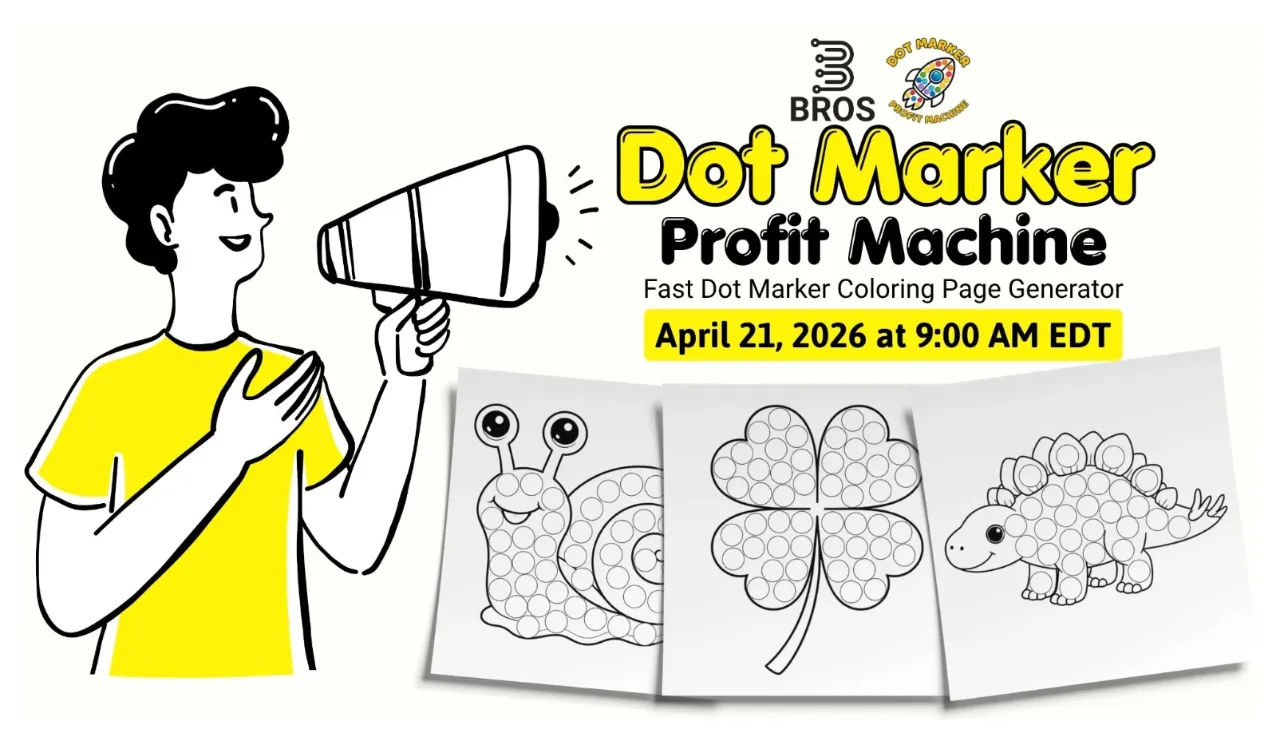
This is a web-based tool that takes your line art images and automatically places dot marker circles inside them. You upload a simple black-and-white drawing. The software analyzes the shape and fills it with evenly spaced dots.
That is the core function.
But the real product is not just the generator. It is a bundle of five things:
The dot marker page generator tool
A step-by-step video course (for beginners)
A commercial license (sell everything you make)
A bonus pack of 200 pre-made line art images
Dedicated support
The current price is $27. The regular price is listed as $97. The sales page clearly states they plan to move to a monthly subscription in the future.
That last part matters. A lot.
My 48-Hour Testing Process
I wanted to simulate what a real user would experience. Not a power user. Not a designer. Just a normal person who wants to publish a dot marker book on KDP.
Hour 1: Onboarding and First Impressions
I logged in. The dashboard was clean. No annoying popups. No “upgrade now” buttons.
I watched the first video tutorial. It was 6 minutes long. The audio was clear. The screen recording was not shaky. That sounds like a small thing, but most tool tutorials are unwatchable.
Then I uploaded my first image from the bonus pack. I chose a simple apple.
I clicked “Generate.”
The tool took about 5 seconds. It placed roughly 25 dots inside the apple shape. The dots were aligned in rows. The spacing was even.
I was genuinely surprised. I expected to spend 30 minutes fixing bad generations. Instead, I spent 2 minutes adjusting dot sizes.
Hour 4: First Complete Book
By hour four, I had 20 finished pages. I exported them as PDFs at 2K resolution. I uploaded one test page to KDP’s previewer. No errors.
I also tested the “Edit” mode extensively. You can select any dot. Move it. Delete it. Add new dots. The snap-to-grid feature keeps everything aligned.
This is where the tool shines. It gives you a finished layout, but you keep full control.
The Good Surprise
The bonus image pack is not junk. I have bought “200 premium images” packs before. They usually contain pixelated clip art from 2005. This pack had clean, bold line art that worked perfectly with the generator.
The Bad Surprise
I tried uploading a complex image. A dragon with small wings and scales. The tool placed dots in almost every open space. The result was too dense. A toddler could not color it without frustration.
I had to delete over 40 dots manually. That took 10 minutes. At that point, manual placement would have been faster.
The tool works best with simple, bold shapes. Animals. Fruit. Vehicles. Basic characters. Keep it simple.
Feature Breakdown: What You Actually Get
Let me translate the feature list into real benefits. No marketing speak.
Automatic Dot Placement
The tool analyzes your image and places dots for you. This saves roughly 80% of your time. You go from 10 minutes per page to 2 minutes per page.
Full Editing Controls
You can select, add, delete, and snap dots into place. You are never stuck with a bad automatic layout.
Shape Size and Spacing Controls
You can adjust dot sizes to match real marker pens. You can also control the spacing between dots. This prevents bleeding and makes your pages look professional.
2K Export (PNG or PDF)
Your files export at print-ready resolution. I tested this on KDP. No low-resolution warnings. That alone is worth the price.
Multiple Book Sizes
The tool supports popular KDP sizes like 8.5×8.5 and 8.5×11. You can also set custom margins.
Commercial License
You can sell everything you create. Individual pages. Full books. On Amazon. On Etsy. On your own website. No royalties. No restrictions.
Bonus Resource Pack
200 line art images with full commercial rights. This gives you a starting point if you have zero design skills.
Video Course
Short tutorials covering every feature. A beginner can go from zero to first book in one afternoon.
The Honest Pros and Cons
I do not do fake pros and cons. Here is my real list after 48 hours of testing.

Pros
Saves massive time on simple images (80% faster)
Excellent dot alignment (no crooked spacing)
Beginner-friendly interface (no design skills needed)
One-time payment at launch ($27)
Commercial license included (no upsells)
Bonus images are actually usable
Clean 2K exports that pass KDP checks
Snap-to-grid editing keeps layouts professional
Cons
Web-based only (requires internet)
Struggles with complex or highly detailed images
Manual cleanup needed for dense artwork
No bulk generation mode (one page at a time)
The video course is helpful but basic
The Verdict on Cons
None of these cons are deal-breakers for the target user. If you are making simple toddler-friendly dot marker books, the tool works perfectly. If you want to make intricate adult coloring books, look elsewhere.
Pricing and Value Analysis
Price: $27 (one-time during launch)
Regular price: $97 (or monthly subscription in the future)
Let me help you decide if this is worth your money.
The Time-Saving Math
A manual dot marker page takes me roughly 8-10 minutes in Canva.
With this tool, the same page takes me 1-2 minutes.
For a 30-page book, manual takes 240-300 minutes (4-5 hours).
With the tool, 30 pages take 30-60 minutes.
That is 3-4 hours saved per book.
If you value your time at $20 per hour, you save $60-$80 per book.
The tool pays for itself on the first book.
The Skill Replacement Value
You do not need to learn Photoshop. You do not need to understand vector graphics. You do not need to master spacing and alignment.
The tool replaces those skills with simple sliders and buttons.
If you have tried and failed to learn design software, this tool removes that barrier.
Who Should Buy This
New KDP publishers who want to enter the dot marker niche
Experienced publishers who want to scale production
Teachers or parents making custom activity books
Freelancers selling coloring book services to clients
Anyone tired of manual dot placement in Canva or Photoshop
Who Should Skip This
Professional illustrators who draw faster manually
People who do not believe in the dot marker niche
Someone looking for a complete “done-for-you” business
Those who only create complex, highly detailed coloring pages
How It Compares To Alternatives
I have used three common methods for dot marker books. Here is how they compare.
Manual Method (Canva / Photoshop)
Time per page: 8-10 minutes
Cost: Free (if you already own the software)
Learning curve: Moderate to high
Quality: Depends on your skill
This tool is much faster but requires a $27 investment.
Freelancers (Fiverr / Upwork)
Time per page: 1-2 days for delivery
Cost: $2-$5 per page
Learning curve: None (you hire it out)
Quality: Inconsistent
This tool costs less than 10 pages of freelancer work and gives you unlimited pages forever.
Free Web Generators
Time per page: 2-3 minutes
Cost: Free
Learning curve: Low
Quality: Poor (uneven dots, bad spacing, low resolution)
This tool is worth the $27 just for the professional quality and KDP-ready exports.
Final Verdict
The Dot Marker Profit Machine is not a magic button. It will not do your keyword research. It will not guarantee sales. It will not make you rich overnight.
What it does do is remove the single most frustrating part of creating dot marker books. The manual dot placement.
If you have been avoiding this niche because the production work feels tedious, this tool solves that problem.
If you have a half-finished dot marker book on your computer right now, this tool will finish it.
If you are already publishing in this niche, this tool will 5x your output.
Is it worth $27?
Yes. For the time savings alone.
But the launch window matters. The team has stated they will move to a monthly subscription. If you buy during this one-time payment offer, you lock in lifetime access.
That is the real value. Not the features. Not the bonuses. The ability to use this tool forever without another bill.
Here is the link to the Dot Marker Profit Machine. The launch pricing may not last long.
Create your first book this weekend. Worry about the rest later.
Bonus: Quick Start Checklist
If you buy the tool, here is my recommended workflow to get your first book done in one day.
Open the bonus image pack. Select 30 simple line art images.
Upload the first image to the tool. Click Generate.
Adjust dot sizes and spacing. Use the snap-to-grid for alignment.
Delete any crowded dots. Add dots to empty spaces if needed.
Export as PDF at 2K resolution.
Repeat for all 30 images.
Combine PDFs using a free tool like Canva or Adobe Acrobat.
Upload to KDP. Set your price. Publish.
That is it. No design degree required. No weeks of manual work. Just one focused day.