1$ Etsy Photo Machine Review: A Dollar for 3D Mockup Prompts
I paid one dollar for the 1$ Etsy Photo Machine and spent an afternoon generating mockup prompts. Here is what it does, what it misses, and whether the savings are real.
I was staring at my tenth Etsy listing photo that looked like I had taken it with a webcam from 2009. Flat, lifeless, and the lighting made my product look like a cereal box that had been left in the sun. I knew the listings with the clean 3D studio shots were getting the clicks. I also knew I was not paying a photographer or learning Blender just to sell a mug.
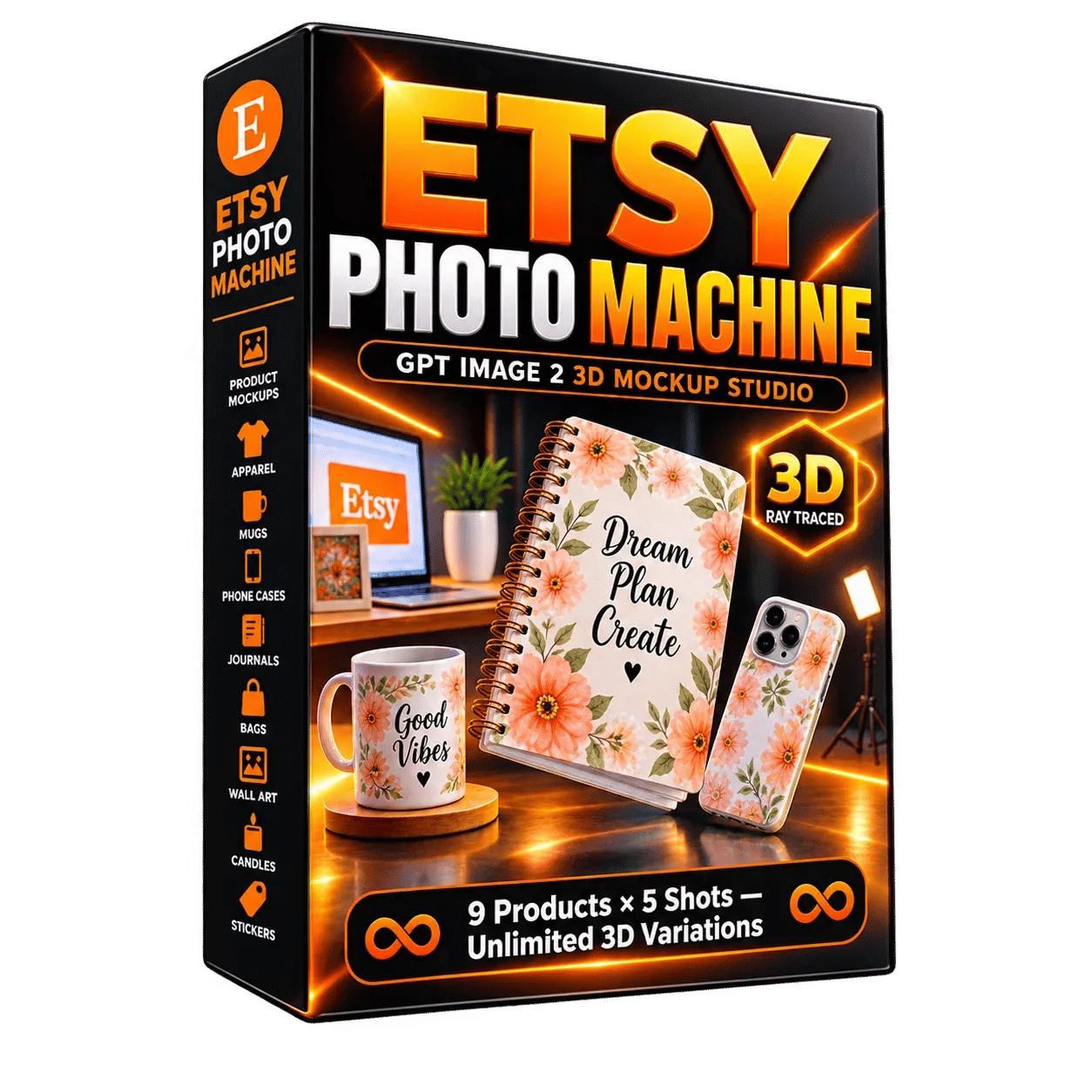
That is when I found the 1$ Etsy Photo Machine. The premise is simple: it generates a detailed prompt you paste into GPT Image 2, and that AI produces a 3D mockup of your product with studio-quality lighting and materials. For one dollar, I figured even if it was rubbish, I had lost less than the price of a coffee.
It does not generate the image itself. It is a prompt machine. That distinction matters, and I will get to it in a moment.
Our Verdict
1$ Etsy Photo Machine
A genuinely useful prompt generator for GPT Image 2 that saves you from writing studio specifications by hand, for the price of a dollar.
One-time payment, no subscription
What You Actually Get
When you pay the dollar, you land on a page with a grid. Nine products sit on the left: journal, wall art, mug, phone case, sticker, t-shirt, tote bag, candle, and I think a poster or framed print. You pick one, then you pick a shot type from five options.
The interface asks what your product looks like. You type in the colour, the design, the text if there is any. Then it writes the prompt. There is a "seed" button that regenerates a fresh version each time, so you are not stuck with the same composition forever.
The prompt output is not a single line. It is a full paragraph of scene instructions: camera angle, lighting setup, the surface the product rests on, depth of field, and the material specs. The materials part surprised me. It names things like 120gsm paper for prints and kiss-cut vinyl for stickers, not the vague "premium texture" nonsense I expected from a one-dollar tool.
Key Features
The product breakdown from the sales page is sparse but accurate. There are 9 product types and 5 shot types per product. That gives you 45 base templates. The "unlimited angles" bit comes from the seed button, which alters the composition each time you hit it.
The template system is the real time-saver. Instead of writing "a candle on a wooden table with soft window light" and hoping for the best, you get a structured prompt that includes the physical properties of the material you are selling. For a journal, it specifies the paper weight. For a sticker, it mentions the vinyl finish and the cut edge. Those details are what make the final image look like a professional product shot rather than an AI slop picture.
There is also an Etsy tags system built in. It generates a list of tags for your listing, with a history of the last five. The copy button pastes them straight into your Etsy draft. I could take or leave the tags, honestly, the prompt generation is the feature that matters.
Actually Using It
I run a small shop selling illustrated prints, so I started there. I chose wall art, picked a "room scene" shot type, and described my print: an A4 fox illustration with warm orange tones. I clicked generate and got a paragraph describing a framed print on a linen-textured wall, with a potted plant blurred in the foreground and a specific time of day for the light.
I copied that into GPT Image 2 and waited. The first result was close but wrong, the frame was black and I sell white frames. I went back, edited my product description to say "white wooden frame, thin profile" and generated again. Second attempt nailed it. The whole process took maybe four minutes.
Then I tried the mug. My mistake was not specifying the glaze. The prompt assumed a glossy ceramic finish, and my mugs are matte. Again, a quick edit to the description fixed it. The tool is only as good as the details you feed it, and it does not read your mind about your specific product finish.
The interface itself is fast. No loading screens, no account creation beyond your email for the purchase. The sales page claims you can open it and generate in five seconds. That is roughly accurate if you already know what your product looks like.
I generated prompts for about forty minutes across a journal, a sticker, and my prints. In that time I got three images I would actually use in a listing, after some back and forth with the image generator. The session cost me a dollar for the tool plus whatever GPT Image 2 credits I burned. Three usable listing photos for that price is a steal.
The one thing that annoyed me: there is no batch mode. You generate one prompt at a time, copy it, and go to the image tool. If you have twenty products, you are doing this twenty times. That is the trade-off for the one-dollar price tag.
Dollar-priced prompts for your listings
Prompt generation only, GPT Image 2 access sold separately
Pricing and Value Analysis
The price is one dollar. Not one dollar a month, not a trial that upgrades to forty dollars, but a single one-time dollar. I did not spot any upsell on the checkout flow, which surprised me given this is a WarriorPlus product.
For an alternative, you could write the prompts yourself. I did that for months, and the results were inconsistent because I did not know the material specifications to include. I would say "nice lighting" and get a flat image. This machine says "ray-traced reflections on a matte ceramic surface under a 45-degree key light" and that specificity changes the outcome.
Here is how the cost breaks down in practice:
| Method | Cost | Time per Mockup | Result Quality |
|---|---|---|---|
| 1$ Etsy Photo Machine + GPT Image 2 | $1 tool + image credits | 2 to 4 minutes | Consistently strong |
| Handwritten prompt | $0 | 10 to 15 minutes | Hit or miss |
| Professional photographer | $100+ per session | Days for turnaround | Best, but heavy cost |
At one dollar, the value equation is not even close. The tool pays for itself with a single listing photo that performs better. Even if you only use it once, you have spent less than you would on a fancy coffee.
Pros and Cons
Pros
- One-time payment with no subscription
- Saves real time writing studio-grade prompts by hand
- Includes specific material specs that make AI images look professional
- Generates Etsy tags with a history of the last five
- Works with any GPT Image 2 version, not locked to a subscription
Cons
- Requires GPT Image 2 access, which is not included
- No batch generation for multiple products at once
- Output quality depends heavily on how well you describe your product
- Limited to 9 product types, so niche items may not fit
Who This Is For
If you sell on Etsy and your product fits one of the nine categories, this is a no-brainer. Journal sellers, sticker shops, mug makers, and print artists will get value from the first prompt. The one-dollar price removes any risk.
It also works for anyone who sells physical goods on other platforms and wants better mockup images. Nothing about the prompts forces an Etsy aesthetic, despite the name. The tags are Etsy-specific, but the prompts are general product photography.
Who Should Skip It
Skip this if you already have a reliable prompt template that gives you the images you want. You would not gain anything.
Skip it if you sell products outside the nine categories, like jewellery or handmade soap. The templates will not fit, and you would be fighting the tool.
Most importantly, skip it if you do not have access to GPT Image 2 or an equivalent image generator. This machine makes prompts, not pictures. Without the image tool, you are just reading paragraphs of camera directions.
Frequently Asked Questions
What is the 1$ Etsy Photo Machine?
It is a prompt-generation tool for GPT Image 2. You select your product type and shot style, describe your item, and it produces a detailed 3D mockup prompt with studio lighting and material specifications. It does not create images itself.
Is the 1$ Etsy Photo Machine a one-time payment?
Yes. The price is a single dollar with no subscription and no recurring fees. The sales page states it is a one-time payment for instant access, and I did not encounter any hidden charges during checkout.
Does the 1$ Etsy Photo Machine work without GPT Image 2?
No. The tool only writes prompts. You need access to GPT Image 2 or a similar AI image generator to turn those prompts into actual mockup photos. The tool is not affiliated with or endorsed by OpenAI.
What products does the 1$ Etsy Photo Machine support?
The tool supports nine product types: journal, wall art, mug, phone case, sticker, t-shirt, tote bag, candle, and poster or framed print. Each has five shot type variations, giving you 45 base templates with unlimited angle variations.
Will this guarantee better Etsy sales?
No. The tool only improves your listing photos. The sales page explicitly states it does not guarantee sales, ranking, or Etsy approval. Results depend on your product quality, listing text, pricing, and overall shop performance.
Can I use the prompts for products sold outside Etsy?
Yes. The generated prompts are general product photography instructions. The Etsy name refers to the included tag generator, but the mockup prompts work for any marketplace or even your own website.
Is there a refund policy?
I did not find a formal refund policy mentioned on the sales page. Given the one-dollar price point, I treated it as an experiment where the worst outcome was losing the cost of a vending machine snack.
Final Verdict
I went in expecting a low-effort prompt list and instead found a functional tool that improves my listing workflow. The one-dollar price means I am not protecting an investment, I am just using better prompts than I could write myself.
The limits are real: nine product categories, no batch mode, and you need your own image generator. But for anyone selling prints, mugs, stickers, or journals, this removes the most tedious part of making your shop look professional. I used it to generate three usable listing photos in under an hour.
If my shop starts selling candles, I will be back for the candle template.
Your first mockup prompt is a dollar away
Instant access after payment, no subscription