Kids Planner Studio Review: Is It Worth The Money?
I tested Kids Planner Studio to see if the modular AI system really speeds up making kids planners. Here is my honest take on the blueprints, design styles, and whether it is worth the money.
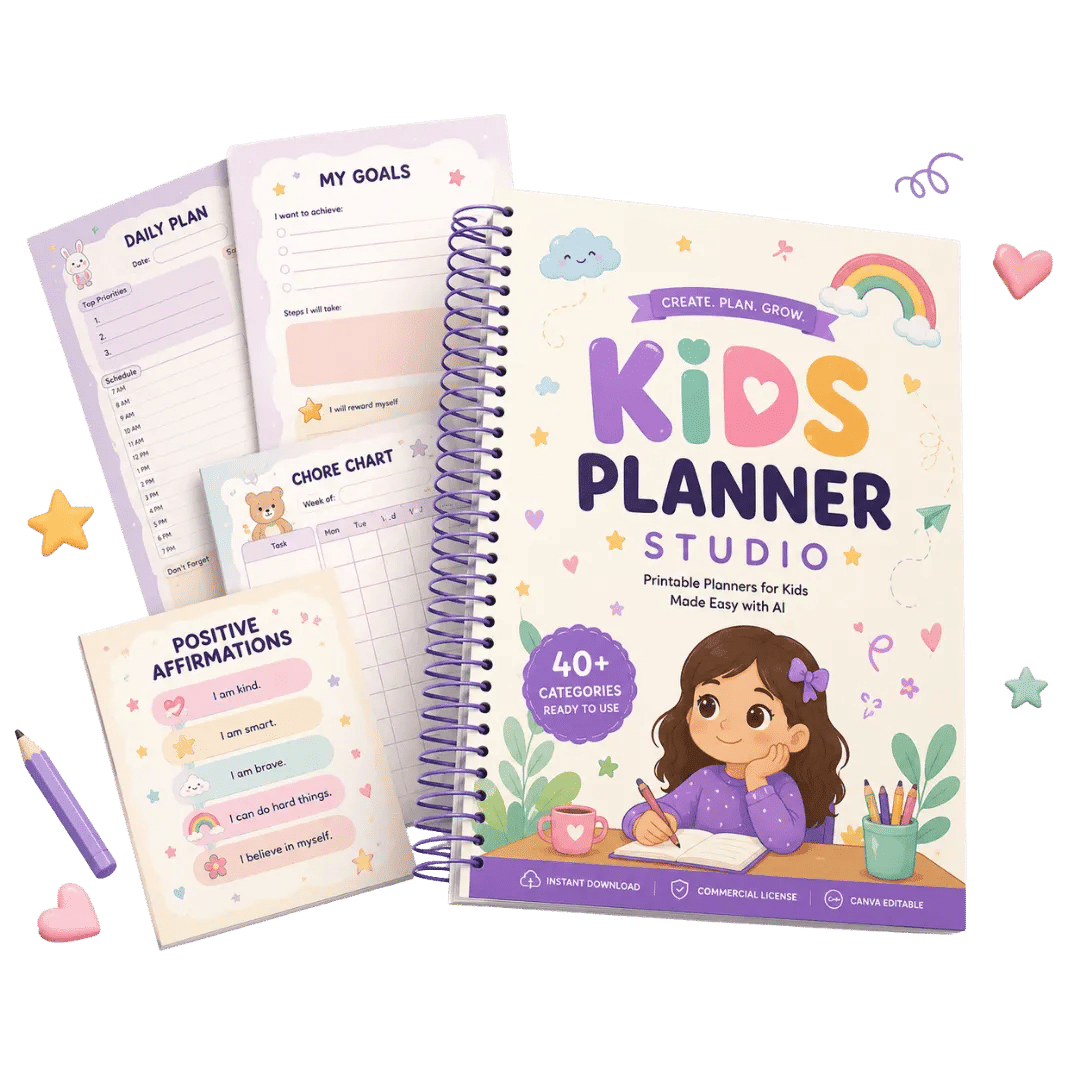
I spent last Tuesday evening staring at a blank Canva canvas, trying to design a weekly chore chart for my niece. I had the idea, I had the colors picked out, and I had already wasted an hour fiddling with a table layout that refused to align. I closed the laptop at 9pm with nothing to show for it. That is the exact moment I finally caved and bought Kids Planner Studio, mainly because the promise of never starting from scratch again sounded like a therapy session.
The price helped too. The sales page shows a total value of $446, but the checkout price I saw was $16.90. At that number, I figured the risk was basically the cost of a pizza, and if it saved me one evening of frustration, it had paid for itself. I was not expecting much. Most "AI creation systems" I have bought in the past turned out to be a folder of loose prompts that produced the same generic images over and over.
So I bought it, downloaded the files, and put it through a real test: making a printable daily routine planner from scratch in under thirty minutes. Here is what actually happened.
Our Verdict
Kids Planner Studio
A modular system that genuinely speeds up planner creation. Great for Etsy sellers and beginners, but you still need to check the AI output yourself.
Instant access + 30-day money-back guarantee
What You Actually Get
Kids Planner Studio is not a single template pack. It is three separate libraries that you are supposed to mix together like building blocks. The core system breaks down like this:
- 40 Planner Blueprints: these are the structural foundations. Routine charts, daily schedules, weekly layouts, chore lists, reading logs, that kind of thing. Each one defines the page order and the writing sections.
- 25 Design DNA Collections: this is the visual layer. It controls the typography, the borders, the color palettes, and the overall illustration style. Think Cute Pastel, Montessori, Boho, and similar styles.
- 20 Universal Themes: these are the topical skins. Dinosaurs, Princess, Robots, Woodland, Space, Ocean. You apply a theme on top of a blueprint and a design style to personalize it for a specific kid.
There are also three bonuses bundled in. The Etsy Growth Toolkit covers SEO and listing optimization, the Planner Business Launch Kit covers packaging and pricing, and the Success Guide walks you through the whole workflow. The sales page values those at $85 combined, but they are included free with the purchase. You also get a commercial license, which means you can sell the planners you make on Etsy, KDP, or anywhere else, and keep 100% of the profits.
Key Features That Actually Matter
The headline feature is the modular workflow. Instead of writing a fresh prompt for every single page, you pick a blueprint, pick a design DNA, pick a theme, and the AI does the rest. The selling point is the "unlimited combinations" claim, and it is not total nonsense. The math works out to 40 times 25 times 20, which is 20,000 possible combinations before any manual tweaking. I have not tried all of them, obviously, but the range is real.
The system was validated using GPT Image and Google Gemini specifically. The sales page says the prompts were tested across those two models, and also checked against other leading AI models where possible. That matters because a lot of AI prompt packs fail immediately when you paste them into a different tool. This one seems to have been built with compatibility in mind.
There is also a lifetime access angle here. You pay once, download the files, and they are yours. No subscription, no monthly fee. The system is described as "future AI ready," which means the prompts are designed to work with newer models as they come out, not just the ones that exist today.
Actually Using It
I followed the three-step process exactly as the sales page describes it. Step one was picking a Planner Blueprint. I went with the Daily Routine option because that is what I originally wanted to make. The blueprint file gives you the full structure: which pages to include, what writing sections to put on each page, and the order everything goes in. This was the biggest time saver for me. I did not have to think about what a "daily routine planner" should contain. The structure was already decided.
Step two was choosing a Design DNA. I picked the Cute Pastel style because my niece is eight and that is her whole vibe right now. This part of the system defines the illustrations, the colors, the typography, and the decorations. The prompt for this stage is quite long, and it is very specific about visual consistency. You are not just saying "make it cute and pastel." You are giving the AI a full design brief in a structured format.
Step three was the Universal Theme. I chose the Princess theme, mainly because I knew it would amuse my brother. The theme prompt adds themed illustrations and personality on top of the design style. Once I had all three selected, I pasted the combined prompt into ChatGPT with GPT Image enabled and hit generate.
The first result was surprisingly close to what I wanted. There was a minor issue with the text on one of the sections, it rendered a "Morning Routine" header as "Momng Routine," which was annoying. I regenerated that single page rather than the whole planner, and the second result was clean. I printed the whole thing out on my home printer to check the layout. It took about forty minutes total from opening the folder to holding a finished paper planner in my hands, including the regeneration mishap.
There are some quirks. The file organization is not the most intuitive. Everything is split across multiple folders, and you have to read the Success Guide to understand how the pieces fit together. The prompts themselves are also long, so pasting them into an AI chat interface can look intimidating if you are not used to working with complex inputs. And the output quality is still dependent on the AI model you are using. The system increases your odds of a good result, but it does not guarantee a perfect one every time.
Skip the blank canvas, build a real planner
One-time payment, lifetime access
Pricing and Value Analysis
The price I paid was $16.90, and that matches the operator notes. The sales page shows a regular price of $249, although the same page also lists individual module values of $99, $97, $90, $75, and $85 for the bonuses, which adds up to a claimed total of $446. Those "regular" prices feel inflated, which is standard for this type of product, but they do give you a sense of how the creator values each component.
| Option | What You Get | Price |
|---|---|---|
| Kids Planner Studio | 40 Blueprints, 25 Design DNA, 20 Themes, Commercial License, 3 Bonuses | $16.90 |
| Individual Module Value | Blueprint Library only | $99 (claimed) |
| Individual Module Value | Design DNA Library only | $97 (claimed) |
| Individual Module Value | Universal Theme Library only | $90 (claimed) |
There is a 30-day money-back guarantee mentioned on the sales page, which is decent. If you make one planner and decide the workflow is not for you, you can get a refund. There is also a PLR upgrade mentioned, which gives full Private Label Rights, but I did not buy that, so I cannot speak to the price or the specifics of what it unlocks.
Pros and Cons
Here is the honest breakdown after spending real time with the system.
Pros
- Genuinely fast workflow: 40 minutes for a full planner
- Massive combination count: 20,000+ variations possible
- Commercial license included at the base price
- Beginner friendly: no design skills needed
- Works with ChatGPT, Gemini, and other major AI models
- One-time payment, no subscription
Cons
- Requires an AI model subscription, you still need ChatGPT Plus or similar
- Output quality varies by model, check every result
- File structure feels disorganized at first
- Prompts are long and complex to paste
- The $249 regular price feels inflated
Who This Is For
This is for people who want to sell printables but do not want to spend ten hours designing each one. Etsy sellers and KDP publishers are the primary audience here, and the workflow genuinely fits that need. If you are a teacher or a parent who wants to make custom planners for your own kids, it works for that too, and the commercial license means you can also sell the results if you change your mind. Beginners with zero design experience will get the most value because the system removes the hardest part: the structural thinking.
Who Should Skip It
Skip this if you expect the AI to do literally everything with no oversight. You still need to check the output for spelling errors and layout issues, and you need to know how to use an AI image generator in the first place. Skip it if you already have a huge library of planner templates that you are happy with. And skip it if you are looking for a fully automated done-for-you business. This is a creation tool, not a money-printing machine.
Frequently Asked Questions
What is Kids Planner Studio?
Kids Planner Studio is a modular AI creation system that includes 40 planner blueprints, 25 design DNA collections, and 20 universal themes. You mix these three libraries together using AI prompts to create professional printable kids planners without starting from scratch each time.
Does Kids Planner Studio work with any AI model?
The system was tested and validated using GPT Image and Google Gemini. The prompts are also designed to work with other leading AI models and are described as future-ready for new models like Nano Banana. You do need access to an AI image generator to use the prompts.
Can I sell the planners I create?
Yes, a commercial license is included with the base purchase. You can sell your creations on Etsy, Amazon KDP, or your own website, use them for client projects, and keep 100% of the profits. You cannot resell the Kids Planner Studio system itself or share the source files.
Is there a refund policy?
The sales page mentions a 30-day money-back guarantee. If you purchase and find the system does not work for you within the first 30 days, you can request a refund. I recommend using that window to make at least one full planner to test the workflow.
Do I need graphic design experience?
No. The entire system is designed to be beginner friendly. You follow a three-step process: choose a blueprint, choose a design style, choose a theme, then paste the generated prompt into an AI tool. The AI does the heavy lifting on the visual design.
What is the difference between Kids Planner Studio and a PLR pack?
Kids Planner Studio gives you a creation system with prompts and libraries, plus a commercial license for the planners you create. A PLR pack usually gives you finished products you can rebrand and sell. There is an optional PLR upgrade available if you want full Private Label Rights, but the base version covers most selling needs.
How long does it take to create one planner?
In my test, I created a complete daily routine planner in about 40 minutes. That included picking the blueprint, design style, and theme, generating the pages with AI, fixing one spelling error on a single page, and printing the result to check the quality.
Final Verdict
Kids Planner Studio surprised me. I bought it expecting another folder of generic AI prompts, but the modular structure actually solves a real problem. The separation of structure, visual style, and theme means you can reuse your best work instead of rebuilding everything from zero. The commercial license at this price point is the standout feature, because it makes the tool genuinely viable for a small printable business.
The limitations are mostly about the AI layer that sits on top of this system. You still need a subscription to an AI image generator, and you still need to check every output for errors. But the time I saved on structuring the planner alone was worth the $16.90. If you have been staring at blank canvases and losing evenings to layout struggles, this is worth a look.
Get the planner system that saves you hours
30-day money-back guarantee, so the risk is low