I Tested PatternProfit AI for 72 Hours. Here’s My Honest Take.
Can AI really turn your pattern ideas into print-ready Etsy products in under an hour? I tested PatternProfit AI for 72 hours. No hype. Here's what actually works, what doesn't, and who should buy it.
It was 9:47 PM on a Sunday. I had four browser tabs open. Midjourney was generating my seventeenth attempt at a seamless floral pattern. YouTube was playing a tutorial about DPI settings I didn’t fully understand. Etsy was showing me competitor shops with thousands of sales. And my coffee was cold.
I had been trying to launch a digital pattern collection for three weeks. Not because the idea was complicated. Seamless patterns are simple in concept. Create a tileable design. Sell it as a digital paper pack. Fabric designers buy it. Scrapbookers buy it. POD sellers buy it. One design, hundreds of sales. The math works.
But the actual process was breaking me.
Every weekend, the same cycle. Research niches on Etsy for hours, trying to spot what was actually selling versus what was just oversaturated. Write prompts for Midjourney, tweak parameters endlessly, generate fifty images, maybe get five that didn’t show obvious seam lines. Then Photoshop. Hours of manually upscaling from 72 DPI to 300 DPI, checking repeats, exporting, renaming files. By the time I finished one collection, I was too exhausted to write decent SEO titles or create attractive mockups.
The gap between “I have a creative idea” and “I have a print-ready product ready to list” was filled with technical friction, research paralysis, and software learning curves. And every failed weekend made me less likely to try again.
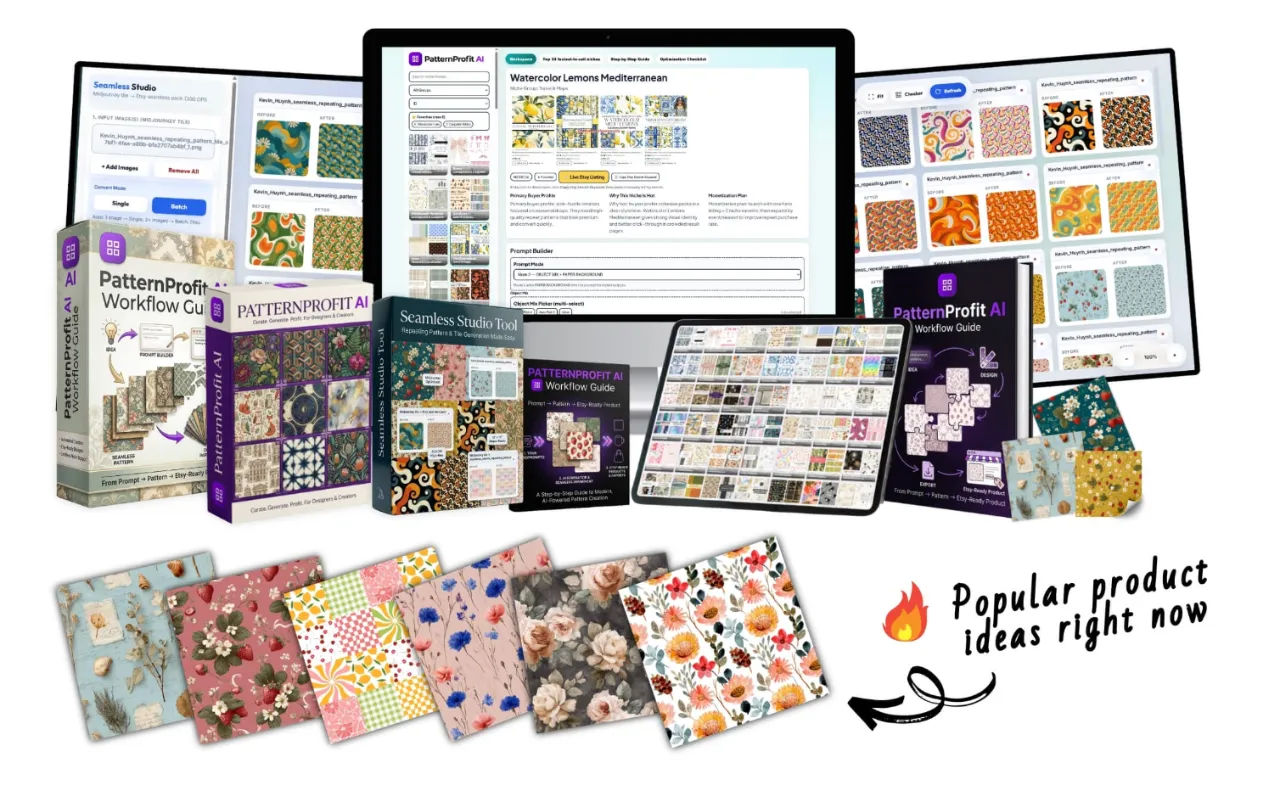
Then I saw PatternProfit AI. Launched just a few days ago. Claiming to compress that entire workflow into under one hour.
I was skeptical. Deeply skeptical. I’ve bought enough “game-changing” tools to know that most of them are just repackaged PDFs with obvious advice.
But two things pushed me to actually buy.
First, the structure was different. This wasn’t just a prompt library or a guide. It included a browser-based batch processing tool specifically for 300 DPI export. That’s the single biggest technical hurdle for pattern sellers, and they had built a solution for it.
Second, the price was low enough that the risk was almost nonexistent. With the launch code, it came to $22. Less than one hour of my time. If it saved me even one weekend of frustration, it paid for itself.
So I decided to test it properly. No shortcuts. No assumptions. Just 72 hours of real use to see if it actually delivered.
You can see what I tested here.
What PatternProfit AI Actually Does
Before I share my experience, let me be clear about what this product is and isn’t.
PatternProfit AI is not an image generator. You still need Midjourney or a similar AI tool to create the actual pattern artwork. What PatternProfit AI provides is the production system between your idea and your finished product.
The system has three components that actually matter in practice.
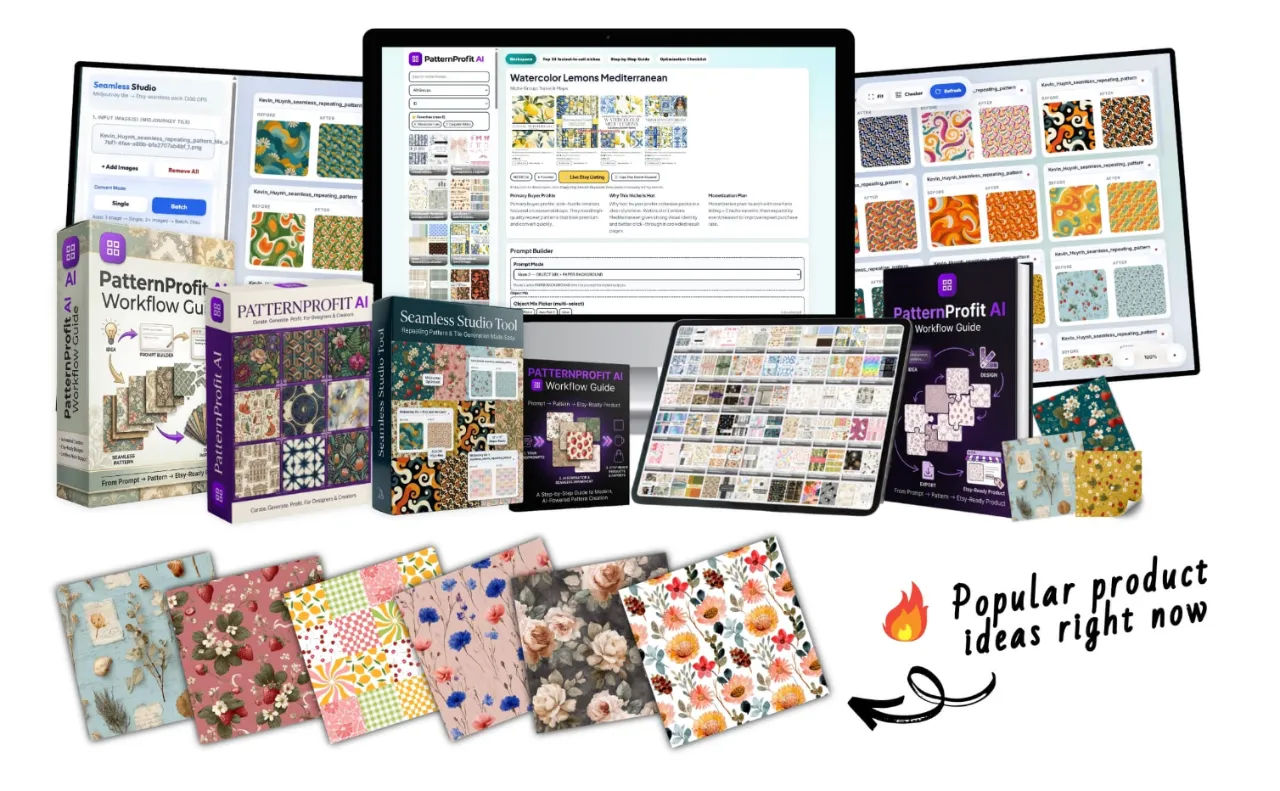
The Niche Library gives you 50 pre-researched categories with buyer personas, monetization plans, and live Etsy market links. Instead of guessing whether “cottagecore digital paper” sells, you open a niche profile and see exactly who buys it, what they pay, and what keywords they search. This alone saved me hours of research on my first test.
The Smart Prompt Builder lets you select motifs — mushrooms, ferns, woodland creatures, whatever fits your concept — and optionally add a paper background color. The system generates a fully optimized Midjourney prompt with all the correct parameters already included. No remembering –tile or –ar or –iw flags. No trial and error. No failed generations because you forgot a parameter.
The Seamless Studio is the technical powerhouse. This browser-based tool lets you upload your AI-generated tiles, preview the repeat in real time to verify seamlessness, and batch export at 300 DPI / 3600×3600 pixels. No Photoshop required. No complex upscaling workflows. No manual seam checking.
The Step-by-Step Blueprint ties everything together with a six-phase system covering market intelligence, AI generation, technical processing, visual marketing, Etsy listing setup, and analytics review.
What you don’t get is magic. You still need to put in the work. But the work becomes copying prompts, selecting options from dropdown menus, and clicking export buttons. Not fighting software or guessing what sells.
The complete feature list is available here.
My 72-Hour Test: Building a Collection From Scratch
I documented everything. No cherry-picking results. No skipping steps. Just following the workflow exactly as described.
Hour 1: Niche Selection
I opened the PatternProfit AI web app and started browsing the niche library. The interface is straightforward. No flashy animations. No complicated menus. Just categories with data.
I picked “Dark Academia” because I’ve seen this aesthetic growing across Pinterest and TikTok. The niche profile confirmed strong demand from stationery designers, book lovers, and vintage journal creators. It also included specific monetization ideas and live Etsy search links so I could verify demand myself.
The Smart Prompt Builder took me about two minutes. I selected three motifs from the Object Mix Picker: antique books, dried botanicals, and candle wax drips. I added a warm parchment paper background. Clicked generate. The system gave me a ready-to-use Midjourney prompt with –tile, –ar 1:1, and style parameters already included.
Hour 2: Generation
I copied the prompt into Midjourney. Four variations came back. Two were excellent — seamless, rich texture, no visible repetition. One had a subtle seam line. One was just not my style.
Instead of manually tweaking prompts, I used the Batch Generate feature to create fifteen prompt variants based on my original. Each variant swapped motifs and adjusted color weights while keeping the core Dark Academia aesthetic. The anti-repeat algorithm meant I wasn’t getting fifteen nearly-identical patterns. I got fifteen genuinely distinct tiles that still felt like a cohesive collection.
Ten minutes of Midjourney processing gave me fifteen usable tiles. I eliminated three that didn’t meet my quality standards and kept twelve.
Hour 3: Processing and Export
This was the part I was most skeptical about. I’ve used AI upscaling tools before. Most produce soft, muddy results that look fine on screen but fall apart when printed.
I uploaded my twelve tiles to Seamless Studio. The real-time repeat preview showed me immediately which tiles were perfectly seamless and which had issues. Two tiles had minor seam problems. I regenerated those specific prompts instead of redoing everything — a massive time save compared to my old workflow where I’d have to manually edit seams in Photoshop.
I set output to 12×12 inches at 300 DPI and clicked batch export. Seamless Studio processed all twelve tiles simultaneously. Total processing time: under three minutes.
I downloaded the ZIP file and opened the images. The upscaling quality genuinely surprised me. The algorithm is tuned specifically for patterns, not general images. The textures remained sharp. The colors stayed accurate. These were genuinely print-ready files.
What Surprised Me
What genuinely surprised me wasn’t any single feature. It was how little I had to think. My old workflow required constant problem-solving — fixing seams, adjusting DPI, researching keywords, testing prompts. This workflow just required following steps. The mental load reduction was significant.
What surprised me negatively? The Seamless Studio interface is functional but basic. If you’re used to polished software with beautiful design, this will feel utilitarian. It works perfectly. It just doesn’t look expensive.
I also wish the batch export had more format options for different marketplaces. JPG and PDF cover most Etsy use cases, but PNG support would be nice for transparent backgrounds.
Pros and Cons
Pros That Actually Matter
The niche library saves real research time. I’ve paid for Etsy keyword tools that gave me less actionable data than these fifty profiles. Each one includes specific buyer types and monetization angles — not just “this sells well” but “fabric designers buy this for apparel, scrapbookers buy this for journals, small businesses buy this for packaging.”
The Smart Prompt Builder eliminates the Midjourney learning curve. If you’ve ever spent an hour tweaking –tile and –iw parameters, you’ll appreciate this immediately.
Seamless Studio solves the 300 DPI problem. Most AI tools output at 72 DPI, which is useless for print. The upscaling algorithm is tuned specifically for patterns, not general images.
Batch processing at 300 DPI without Photoshop is the real value. Even if you know Photoshop well, processing twelve patterns manually takes thirty to forty-five minutes of focused work. This does it in seconds.
The commercial license means you can sell unlimited patterns. No royalties. No per-file fees.
Cons You Should Know
You need a Midjourney subscription. The prompts are optimized for Midjourney, and while they technically work with other generators, the quality difference is significant. Factor that monthly cost into your decision.
The interface is basic. If you care about aesthetic software design, this won’t impress you.
The Blueprint guide assumes you have basic Etsy familiarity. Complete beginners might need to supplement with YouTube tutorials for specific listing setup steps.
No built-in mockup generator. They include Canva templates as a bonus, which is helpful, but you still need Canva or similar software.
One honest limitation: if you already have a polished pattern workflow in Photoshop with custom batch actions and you already know exactly what sells on Etsy, this might not save you enough time to justify the cost. This is for people who are stuck, slow, or just starting.
Who Should Buy This
Perfect for:
Etsy sellers who want to add digital patterns but feel overwhelmed by the technical requirements. If you’ve been sitting on the idea for months without launching, this removes the friction points.
Print-on-demand sellers looking to expand into fabric, wallpaper, or gift wrap. The 300 DPI output is industry standard for printing.
Graphic designers who want to create passive income streams without spending weeks on each collection.
Beginners with a Midjourney subscription who need structure and guidance.
Skip this if:
You don’t have a Midjourney subscription and aren’t willing to get one.
You’re looking for a completely passive “set and forget” income solution. This still requires your time and effort.
You’re an established pattern seller with a highly efficient existing workflow.
Pricing and Value Analysis
Regular price is $27. With the launch code PATTERN5, it drops to $22. One-time payment. No subscription.
Let me translate that into practical terms.
My hourly rate for digital product work is roughly $50. If PatternProfit AI saves me thirty minutes per collection compared to my old workflow, it pays for itself in one collection. If it saves me two hours — which it did in my test — it pays for itself four times over in a single use.
The total stated value is $400. That’s marketing math. But the real value — the time and frustration saved — is easily worth $22 if you’re serious about selling patterns.
The 30-day refund guarantee significantly reduces risk. You can test it for two weeks, process a few collections, and decide whether the workflow actually saves you time. If it doesn’t, you email them and get your money back.
Check the current price and launch code here.
Final Verdict
PatternProfit AI is not going to replace creativity or automate your way to passive income without effort. No tool can do that.
What it does is remove the friction that stops most people from ever publishing their first pattern collection. The niche library eliminates research paralysis. The prompt builder eliminates technical frustration. Seamless Studio eliminates Photoshop dependency. The Blueprint eliminates guesswork.
Each component solves a specific bottleneck. Together, they create a workflow that actually delivers on the under-one-hour promise — at least for the technical parts of the process.
What convinced me to keep using this wasn’t any single feature. It was the realization that I finished a complete, print-ready, Etsy-ready collection in an afternoon. Something that previously took me a full weekend or more. The time saving is real. The reduction in mental friction is real. The quality of the final output meets professional standards.
For $22 with the launch code, the risk is minimal. Worst case, you’re out the cost of lunch and you use the refund guarantee. Best case, you have a repeatable system for creating sellable digital assets.
If you have Midjourney and you’ve been sitting on the idea of selling patterns but felt stuck — technically, creatively, or just in terms of knowing where to start — this is worth trying.