Promptcraft Review: I Turned One Etsy Listing Into a Printable
I fed Promptcraft one Etsy listing and let it plan a whole workbook with the words written in. Here is what the app does, what it does not, and whether $17 is fair.
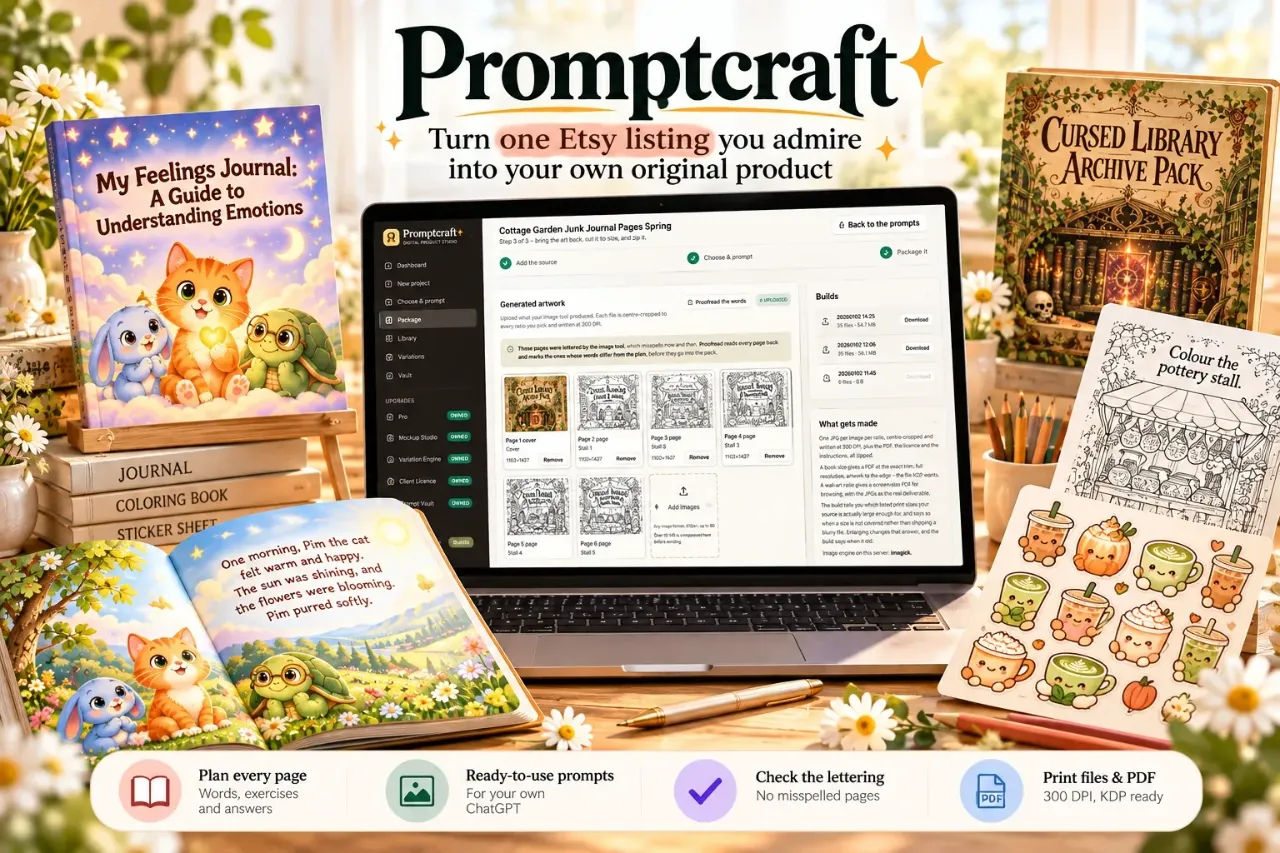
Promptcraft is the first tool I have tried that treats a printable as a planning job rather than a drawing job. I came to it after a bad week of trying to build a counting workbook with ChatGPT. Page one was lovely. Page two said "Trace the numbr 2". Page three had a fox that had changed from orange to brown. By the time I had an answer key half written and a page seven I did not understand, it was late and I had a folder of pictures and no listing. Same evening the Promptcraft sales page describes, almost word for word.
So I stopped asking ChatGPT for pictures and started asking it for pages. That is the whole idea behind Promptcraft: you give it one listing you admire, it reads the style off that listing, plans your own version page by page with every word already written, hands you a prompt for each page, then checks the lettering when your pictures come back and packages the lot.
I bought it at $17 and ran the sample workbook, then a storybook of my own. This is what actually happened.
Our Verdict
Promptcraft
A genuinely different answer to AI printables: it plans and packages so your ChatGPT can draw, and the proofreading step alone saves a redraw.
Launch price $17, rising toward $27 during launch week
What You Actually Get
Promptcraft is a web app, not a plugin and not a prompt list. You log in and you are working inside the tool. Nothing is fetched from Etsy and nothing is scraped: you save a picture of a listing you like and upload that picture. The picture is the whole input, and the app says it is never reused in your product.
On day one there is a sample project waiting for you, a six-page counting workbook. That is deliberate. You can walk the full loop, plan, prompts, uploads, proofread, build, without having to invent anything first.
The app gives you nine product types to plan for: wall art, planner, colouring book, sticker sheet, workbook, card or invite, journal, document and storybook. You can choose 6, 12, 20, 30, 45 or 60 pages. You pick the tool you will draw with and the size you will sell at, and every prompt is written for that size the way that tool wants it.
The output at the end is a zip. Depending on what you tick, that can include every page at your chosen size, a printable PDF with an index, the commercial licence, a how-to-print sheet, an answer key, the Etsy listing copy and the prompt pack. The sample run produced 29 files in about a minute.
There are no image credits to buy and no API key to plug in. The pictures are made in the ChatGPT, Midjourney or Stable Diffusion account you already have.
Key Features and What They Do For You
Reading the listing into fourteen traits
This is the part I did not expect to care about. You upload a listing picture and the app reads it into fourteen structured traits: style, line quality, palette, composition, margins, mood and who it is made for. The subject it finds is deliberately dropped before any prompt gets written. That is the difference between "make me one like this" and "make me something in this mood". The first gets you someone else's characters and someone else's idea, which you cannot sell. The second gets you a recipe. The analysis is saved, so you can plan from it again without re-uploading.
The page-by-page plan with words written in
Each page arrives with its scene described and its exact words already written. In the sample, page three reads "Trace the number 2. Then write it yourself. How many owls? Write the number," and the answer, 2, is stored for the answer key. A picture is not a worksheet. A page with an exercise and an answer is a worksheet. This is the feature that does the most work.
One-click prompts and a progress bar
Every page has its own Copy button, plus a Copy all and a .txt download. The app estimates the copy-and-paste time, about four minutes for the six-page sample. A progress bar fills as pages come back, so you can see exactly which ones you are still missing instead of squinting at a downloads folder.
Proofread
When your pages come back, Proofread reads every lettered page and compares the words to the plan. It marks the ones that differ before anything goes into the pack. On the sample, all six matched. On a storybook I ran, it flagged a "smellls" where the plan said "smells", which is exactly the silly, expensive mistake that gets you a one-star review on a lettering page. You redraw that one page and re-upload it. The rest of the book stays as it is.
There is also a "set by the app" mode. The prompts leave a clear band, and the app prints the words itself, so they cannot be misspelled. I have not leaned on this much yet, so I will not pretend to know how good the typography is across all nine product types.
Building the pack
Tick the sizes you want and tick the extras. The build handles KDP book trims, card sizes cut to an exact edge, or wall-art ratios that each cover a family of frame sizes. When a page is smaller than your size needs, which is normal for ChatGPT pages at print resolution, the build can enlarge it and re-sharpen the edges. It tells you how much it is enlarging and why. Line art takes this well, and the app is honest that it does not invent detail that was never drawn.
Actually Using It
I started with the sample rather than my own project, partly to see where all six of the walls the sales page lists would show up in practice. The first thing I noticed is that reading the reference picture is quick. The page claims 45 seconds and the plan at 50 seconds, and that matches my experience well enough that I stopped timing.
The plan screen is where you make the choices that matter. I picked workbook, twelve pages, and a KDP trim because I wanted to see whether the size would actually get written into the prompts. It does. Each prompt names the size the way the tool wants it, and the app warns you plainly when an image from your tool will come back too small for the size you picked. That warning is worth the price on its own if you have ever discovered a resolution problem at the upload screen. I had. Twice.
Then comes the boring part, and this is where I want to be straight with you. Promptcraft does not draw anything. You copy a prompt, paste it into your ChatGPT, wait for the picture, save it, upload it, tick it off, and do it again for the next page. The sales page estimates around eight minutes for twelve pages in ChatGPT. Mine ran longer because I was messing with one page about a fox that had come back a slightly different shade of orange than the cover. That is a ChatGPT consistency problem, not a Promptcraft problem, but it is the work that remains. Nobody has solved it. Promptcraft just keeps the words, the plan and the bookkeeping in order while you chase it.
When I dropped my twelve pages back in, they matched to their place in the plan by upload order and got centre-cropped to every size I had ticked. That took seconds. Proofread then flagged one page. I redrew it, re-uploaded it, and re-ran Proofread. The rest of the book was untouched.
The build itself was under twenty seconds and gave me printed pages, the PDF, the licence, the how-to-print sheet and the answer key. The answer key is the bit that actually makes a workbook saleable. Before Promptcraft I was hand-writing those in a notebook and hoping I had the numbers right.
The storybook option is the one that surprised me most, because a story needs a plot and a cast that stay consistent across eleven pages. The plan handled that: the same three friends, the same scarf, the same bow, planned from page one. What it did not do is stop ChatGPT returning slightly off pages. That is the same consistency problem again. Promptcraft catches the spelling ones. It cannot catch a red scarf that has become maroon unless the plan says so.
Two things I did not love. The front end packages wall art and storybooks; the other product types need Pro, which is a higher tier and I have not bought it, so I cannot say what the Pro packaging looks like. And if you have been sold the idea that this is a one-click product machine, it is not. It is a planning, checking and packaging assistant. You are still in the loop for every drawing.
Run the sample workbook yourself before you commit to a bigger one
Launch price, rises toward $27 as launch week goes on
Pricing and Value Analysis
The launch price is $17 and it rises with every sale during launch week toward $27. If you are reading this well after launch week, expect to pay the higher figure. The sales page also mentions $297 and $197 in places, and if you are wondering what those are, I honestly do not know from the page I read. They could be a bundle, a done-for-you tier or something else, and I am not going to guess in a review. Check the page before you buy if the number matters to you.
At $17 the value case is about time and the cost of mistakes. A commercial use image tool and a template pack can easily cost more than that. One redraw of a single misspelled page, caught only after a buyer complains, costs more in damage than the tool does in price.
| Option | Cost | Your job |
|---|---|---|
| Promptcraft | $17 at launch, rising toward $27 | Upload a reference, run the plan, paste prompts, upload pages, build the pack |
| Prompt lists and ChatGPT starters | Often $9 to $49 | You plan the pages, write the words, check everything and package it yourself |
| Template packs from marketplaces | Varies, often more than $17 | You edit the template and still need to write the content |
| Hiring a designer | Usually by the hour or by the page | None, but the cost is the highest of the four |
The comparison I keep coming back to is against a prompt list. A prompt list tells you roughly what to ask. Promptcraft tells you what to make, writes the words, stores the answers, checks the lettering and builds the files. That is a different level of doing. Whether that difference is worth $17 is the same question as whether you can get a listing finished without it. I could not.
The Pro tier is the honest unknown. If your shop lives on planners or colouring books rather than wall art and storybooks, factor the upgrade into what you are comparing. Promptcraft is not the cheapest way to make a picture. It is one of the cheaper ways to make a product.
Pros and Cons
Pros
- The page plan is the real product: exercises, words and answers written before you draw
- Proofread catches the lettering mistakes that cost you reviews
- No image credits, no API key, no lock-in to a single image tool
- The finished zip has the licence, the PDF and the listing copy ready to go
Cons
- It does not draw anything, so you still copy every prompt by hand
- ChatGPT consistency across pages is still on you
- Only wall art and storybooks are packaged on the front end
- The $297 and $197 figures on the page are not explained there
Who This Is For
Anyone with a folder of lovely AI pictures and no listing. If you have tried a printable before, got halfway through the answer key and given up, this fixes the half that was actually broken. It suits Etsy sellers on the printable side, KDP authors making workbooks or storybooks, and anyone who wants a planning tool that leaves the drawing to the tool they already pay for. Card makers and journal planners will get less out of it unless they are prepared to pay for Pro.
Who Should Skip It
If you want a tool that generates the pictures too, skip it. It does not, and the sales page says so plainly. If you are a one-man brand that already has a designer and a file packager, this is a solution to a problem you do not have. And if $17 is a stretch this month, the launch price is not a reason to buy something you will not use. There is no rush you have to be in.
Frequently Asked Questions
What is Promptcraft and who makes it?
Promptcraft is a web app that reads an Etsy listing picture, plans a product page by page with the words written in, gives you one prompt per page for your own image tool, proofreads the lettering when the pages come back, and packages the finished set into print files, a KDP PDF, a licence and Etsy listing copy.
How much does Promptcraft cost?
The launch price is $17 and it rises with every sale during launch week toward $27. The sales page also mentions $297 and $197 in places but does not explain what those are, so check the page before buying if that matters. There is a Pro tier for packaging product types beyond wall art and storybooks.
Does Promptcraft need an API key or image credits?
No. Promptcraft does not sell image credits and does not ask for an API key. The pictures are made in the ChatGPT, Midjourney or Stable Diffusion account you already have, so the quality of the drawings is whatever those tools give you. The app handles the planning, checking and packaging around them.
Is Promptcraft worth it for Etsy printables?
Yes, if your gap is the planning and packaging rather than the drawing. It writes every page's words and answers before you draw, catches misspelled lettering before the page goes into the pack, and builds licensed files ready to list. It does not draw the pages, so the copy-and-paste loop is still yours.
What are the alternatives to Promptcraft?
A prompt list is the cheapest alternative, but you plan the pages and write the content yourself. Template packs save design time but not content time. A designer gets you the highest quality and the highest bill. Promptcraft sits in the middle at $17 and the main trade-off is the manual copy-and-paste loop.
Is there a refund?
I did not see a refund policy in the part of the sales page I read, and I am not going to state a window that I cannot confirm. If that is a deal-breaker for you, check the terms on the Promptcraft page before you buy, or skip it and keep looking.
Can I use Promptcraft for KDP books?
Yes, that is one of its main uses. It reads the Amazon KDP trims into the plan and writes each prompt for your chosen size. The build can output a printable PDF with an index and an answer key at the KDP trim, which is the part most ChatGPT workflows never get to.
Final Verdict
Promptcraft does not solve AI printables. It solves the planning and packaging around them, and those are the parts that were stopping me from finishing anything. At $17 I think it is a fair buy for anyone selling, or trying to sell, workbooks, storybooks and wall art on Etsy or KDP. Pro is the unknown, and the copy-and-paste loop is real, so go in expecting to work. But if your last attempt ended at one in the morning with a folder and no listing, this is the tool that changes that evening.
You still have to draw the pages. Promptcraft makes sure they are the right pages.
Launch price $17, rising toward $27