StampVault AI Review: Faux Postage Stamp KDP Prompts
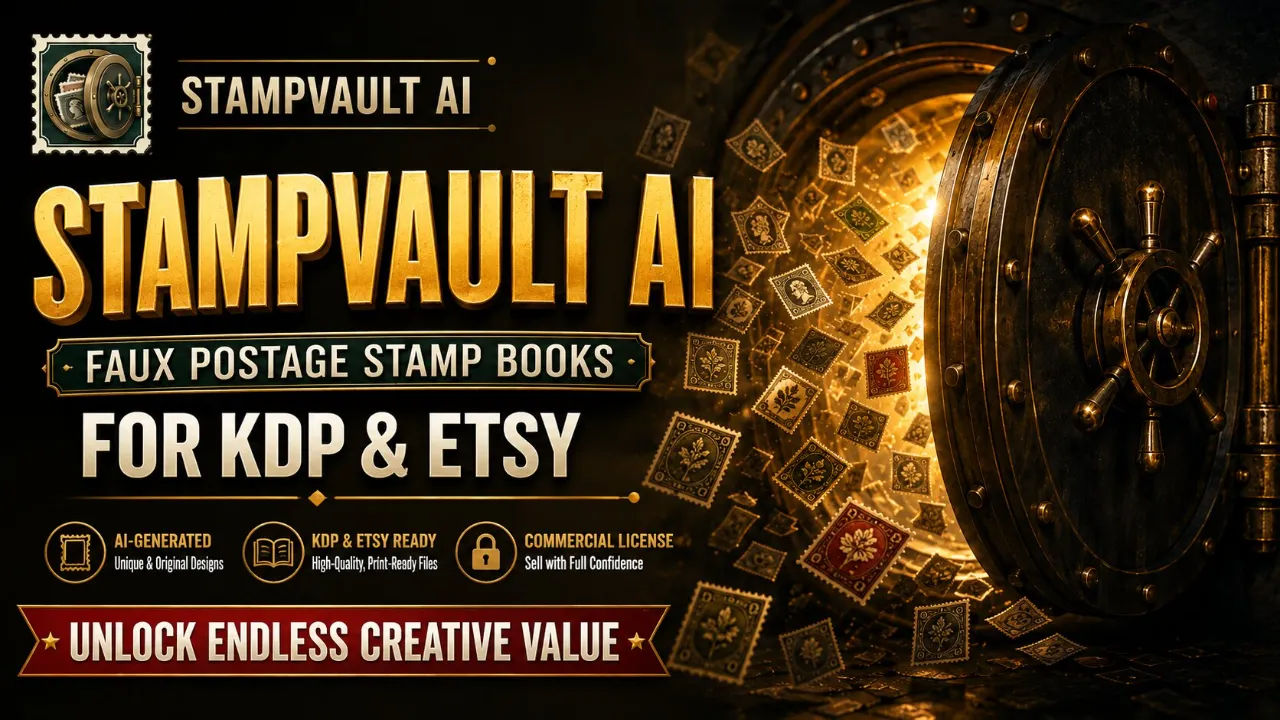
StampVault AI packs 346 faux postage stamp prompts with four tool versions each and 30 sample renders. I tested it for KDP and Etsy. Here is my honest verdict.
I had a fake stamp problem and did not know it until I tried to make one. I asked Midjourney for a vintage postage stamp of a peony, and it gave me a rectangle with a smooth border, a country name that did not exist, and so much white space around the flower that it looked like a sticker floating on a blank page. I spent another hour typing things like "with perforated edges please" and "no text" and got nowhere close to something I could print and sell on Etsy.
That is the exact moment I went looking for StampVault AI. It is a prompt pack, 346 prompts built for faux postage stamp sheets, and it sells for $17 at launch. I bought it, ran a bunch of the prompts through my existing image tool, and laid out a few test pages. Here is what actually happened.
Before I get into it, I should tell you that this is one of those products where the sales page does a lot of work explaining why the category exists. The core argument is that a fake stamp sheet is a consumable. The buyer cuts out the nine stamps, glues them into a junk journal, and the page is gone. That means they come back for volume two, volume three, and themed sets. I have seen enough Etsy shops with high sales counts in this niche to believe that argument, and I will show you what the prompts themselves are like in a moment.
Our Verdict
StampVault AI
346 faux postage stamp prompts in four tool versions, with 30 sample renders and a $17 launch price. Worth it if you already pay for an AI image tool.
Instant download with commercial licence
What You Actually Get
The download is a single HTML file, plus the same 346 prompts exported as CSV, Excel, and plain text. The HTML file opens in any browser, works offline, and does not phone home to any server. I tested that by disconnecting from Wi-Fi and opening the file again. It worked fine.
Here is the breakdown of what sits inside:
- 346 prompts across 7 themes, built around 102 distinct subjects
- 4 versions of every prompt: Universal, Midjourney, DALL-E/ChatGPT/Gemini, and Leonardo/SD
- 1,384 ready-to-paste prompts total, if you count all four versions
- 30 finished sample renders in PNG and JPEG, each named after the prompt that produced it
- A perforation score on every prompt, so you can filter to the ones most likely to give a clean punched edge
- A Top 50 flag marking the starter set, spread across all themes
There are also four bonuses. The 10-Minute Quick Start is exactly what it sounds like. The Canva Bulk Create Guide comes with a 100-row CSV with the Top 50 at the front. The Notion Database Template helps you track which prompts you have rendered and which book they went into. The Junk Journal Starter Kit has 20 print-and-cut sheets with tags, pockets, belly bands, and frames to sit under your stamps.
Plus a keyword file with 300 checked KDP search terms and a category guide. I have not verified every keyword myself, but the category advice matches what I have read recently about KDP, which is refreshing because most guides out there repeat things that stopped being true years ago.
Key Features
The thing that makes this pack different is that the prompts are written for the specific failures of AI stamp generation. The sales page names three of them, and they match my experience exactly.
First, no perforated edge. The scalloped border is what makes a rectangle read as a stamp, and plain prompts give you a straight edge or a drawn-on border. Every prompt here names the perforation as a real philatelic feature with a gauge and a notch shape.
Second, invented lettering. AI models put text on stamps because real stamps have text, and they make up countries and currencies. Every prompt carries a negative instruction that blocks text, lettering, and watermarks. That matters because a garbled word is the most common reason a print-on-demand interior gets rejected.
Third, the floating white square problem. A subject sitting small in the middle of a white background looks fine on screen but shows a grey halo when printed. These prompts frame the stamp so it fills the image with only a hairline margin.
I also like that each subject has three or four variants, and no two share both a medium and a style reference. So a peony drawn four times gives you four genuinely different stamps. The 62 style references are all public-domain masters who died more than seventy years ago, plus 12 generic styles. No living artist and no trademarked character appears anywhere.
Actually Using It
I opened the HTML kit and stared at the filter bar for a minute. You can filter by theme, medium, style reference, and perforation score. I set the theme to Birds and the perforation score to 98%, which is what the Quick Start guide recommends for a clean punched edge first time.
The guide says to copy twelve prompts, not nine, so you can drop the two weakest and still fill your sheets. I copied ten because I am lazy and wanted to see if I could get away with fewer. I could not, one of them came out with a smudged edge. That is on me, not the pack. Copy twelve.
I use ChatGPT, so I clicked the button for the DALL-E/ChatGPT/Gemini version of each prompt. These are written as full natural sentences rather than comma-separated tags, and the model followed them well. I got a robin, a kingfisher, a barn owl, and a heron. Every single one had a proper perforated edge, no text anywhere, and the bird filled the frame.
The renders took about 45 minutes for ten images, most of which was waiting for the tool. Laying them out in Canva took another half hour, and I used the bulk create CSV to do it instead of placing each stamp one at a time. Nine stamps per page, a thin white margin around each, and I exported a PDF that looked like a real product page.
One thing I noticed: the 30 sample renders are genuine proof, not stock art. Each one is named after the prompt that made it, so I could look up SV-G0007 in the kit, read the exact words, and see what those words returned. That is the honest way to sell a prompt product, because the thing being sold is text and the thing you want is a picture.
The samples are not licensed to you as artwork, which is correct. If they were, every other owner would have the same thirty files and you would all be publishing the same book. The images you generate are yours alone, and that is the point. I generated a set of moths that would not have come out the same way for anyone else, even with the identical prompt.
I will be honest about the limitations. You need an AI image tool that you already pay for. I use ChatGPT, which has a subscription cost. If you do not have one and do not want one, this pack is useless to you. Also, this is not a folder of finished PNGs ready to upload. You generate everything yourself. The pack gives you the words, the strategies, and the layout guidance, not the final files.
I also want to flag the time thing. The sales page says twelve renders is roughly 45 minutes, most of it waiting, and layout is another half hour. That matched my experience exactly. Anyone telling you a finished book takes ten minutes is selling you something else.
Ready to build your first stamp book?
Instant download, commercial use included
Pricing and Value Analysis
The regular price is $27. The launch price is $17. I have seen the page mention $17 five times, so I assume that is the current offer. There is also a higher tier called StampEngine, offered after purchase, which adds sheet templates, cover wraps, and pre-written listings. I did not buy that, so I cannot review it, but the front end stands alone.
Here is how the value breaks down against what you would otherwise do.
| Option | Cost | What you get |
|---|---|---|
| Write your own prompts | Hours of trial and error | Probably rejected interiors and garbled text |
| Hire someone to design stamps | $147 per book or more | Finished sheets, but you lose control of the process |
| StampVault AI front end | $17 launch | 346 prompts, 4 versions each, 30 samples, bonuses |
| StampEngine upgrade | Unknown until offered | Templates, wraps, listings, offered after purchase |
The $147 figure for hiring a designer is an estimate on my part, based on what I have seen freelancers charge for a single stamp sheet. The point is that one custom sheet costs about what this whole pack costs, and the pack gives you 102 distinct subjects on top of the 30 samples. Whether it is worth it depends entirely on whether you will actually publish something. If you are collecting tools rather than shipping books, save the seventeen dollars.
Pros and Cons
Pros
- Four versions of every prompt, so it works with any tool you already pay for
- Perforation score filter is genuinely useful for avoiding rejected interiors
- 30 sample renders named after source prompts, so you can verify quality before spending credits
- Commercial use included, keep 100% of earnings
- Bonuses are practical: Canva bulk CSV, Notion tracker, 20 junk journal sheets
Cons
- Requires an existing AI image tool with a subscription, not included in the price
- No finished artwork beyond the 30 samples, you generate everything yourself
- HTML kit is simple and functional but not fancy
- Copyright of AI-generated images still depends on your local law and tool terms
Who This Is For
You already have Midjourney, ChatGPT, Gemini, Leonardo, or Stable Diffusion open and you know how to list a product on KDP or Etsy. You want a niche where the customer uses your book up instead of shelving it. You are willing to spend 45 minutes generating images and 30 minutes laying them out to make a saleable product. This pack gives you the words and the workflow so you do not have to figure out the hard parts yourself.
Who Should Skip It
You want a folder of finished PNGs to publish directly. That is the wrong product here. You have no AI image tool and no interest in paying for one. You are not going to publish anything, even if the prompts are perfect. And if you were hoping for images that are licensed to you as stock artwork, the 30 samples are previews and proof, not something you should plan to sell. This is a tool for making, not a pack of ready-made goods.
Frequently Asked Questions
Do I need Midjourney to use StampVault AI?
No. Every one of the 346 prompts exists in four versions, including one written for conversational models like ChatGPT and Gemini, and another for tag-weighted engines like Leonardo and Stable Diffusion. Use whichever AI image tool you already pay for.
Will these prompts work in the free tier of my AI tool?
Possibly, but most free tiers have limits on image generation or do not include commercial use. The pack itself works with any tool that accepts text prompts, but you must check your tool's terms before selling anything made with it.
What is the perforation score on each prompt?
It is a score derived from the medium named in the prompt, telling you how likely it is to give a clean punched edge on the first attempt. Filter to 98% or above to surface the prompts most likely to avoid a print-on-demand rejection.
Can I sell the books I make with these prompts?
Yes. The commercial licence covers selling books on KDP, sheets on Etsy or Gumroad, print-on-demand products, and client work. You keep 100% of earnings. You cannot resell or share the prompt files themselves.
How long does it take to make a stamp book with this?
Realistically, about 45 minutes to generate twelve renders, most of it waiting on the AI tool, and another 30 minutes to lay them out nine per page. The sales page is honest about this, and my test matched it.
What is the difference between this and the StampEngine upgrade?
The front end gives you the prompts and the 30 sample images. The StampEngine upgrade, offered after purchase, adds sheet templates, cover wraps, and pre-written listings to turn your renders into an upload-ready paperback. It is not required to use the prompts.
Is there a refund if this does not work for me?
The sales page does not state a refund window in the material I reviewed. I would contact the seller directly before purchasing if you have any doubt, because the product is an instant digital download and the page is blunt about who it is wrong for.
Final Verdict
I went into StampVault AI expecting another generic prompt pack with a stamp theme bolted on. What I found is a carefully built tool that solves the three specific problems AI models have with stamps: no perforation, invented text, and floating subjects. The four tool versions mean I do not have to learn a new AI tool, and the 30 sample renders let me verify quality before I spent a single credit of my own.
The $17 launch price is fair for what you get. The $27 regular price is still reasonable, but the launch offer makes the decision easier. The real question is whether you will publish something. If you have an AI tool and a KDP or Etsy account, this removes the hard part of a niche that creates repeat customers. If you are just collecting tools, skip it.
I have already generated my first bird set and I am building a second theme this week. The prompts did what they said they would do, and that is rare enough in this space to be worth writing about. If you want to try it yourself, the link is below.
Stop fighting your AI tool and start printing
346 prompts, four versions each, instant access