Cozy Kitchen Printable Prompt Studio Review: The Prompt System That Finally Solved My Printable Artwork Bottleneck (After 2 Years of Wasted Generations)
Tired of AI images that look beautiful but can't be sold? I tested Cozy Kitchen Printable Prompt Studio – a $14 Custom GPT that creates print‑ready, sellable cozy kitchen artwork in minutes. Full hands‑on review for Etsy & KDP sellers.
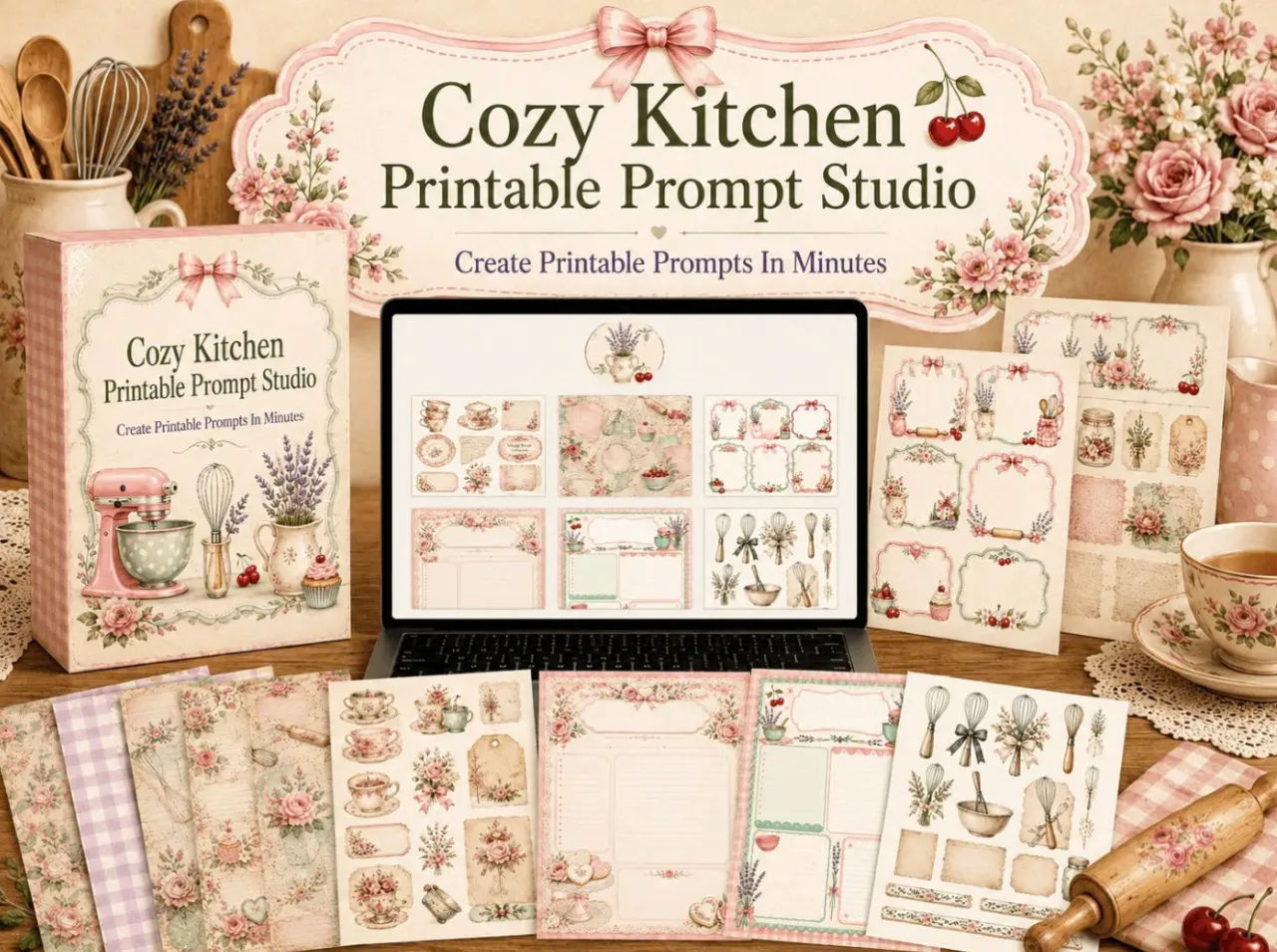
I remember the exact moment I realized AI image generators were not going to save me.
I had just spent 90 minutes prompting, regenerating, and tweaking a set of vintage kitchen recipe cards in ChatGPT. The images that came back were lovely — soft watercolor herbs, gentle cream backgrounds, delicate typography zones that looked hand-painted. I exported the best one, dropped it into Canva to add the recipe title, and stopped.
The “text-safe zone” I had asked for did not actually fit a readable font size. The border I specified existed perfectly on three sides but completely disappeared on the fourth. And the “warm cream” tone I had carefully described looked fine on screen but, against a standard Canva white text block, read as faintly dirty beige. I had a beautiful image I could not sell.
If you sell printable products — or if you have tried to — you know exactly what that moment feels like. You have probably lived it dozens of times.
That experience is the exact reason Cozy Kitchen Printable Prompt Studio exists. It is also why, after testing it across multiple product types and workflow sessions, I am writing this review not as a theoretical assessment but as a seller who has used the tool to make real, listable products.
The Problem: AI Beauty vs. Printable Utility
The gap that stops most printable sellers is not a creativity gap. It is a translation gap. You know what you want to make. You can describe it. But the AI interprets your description in visual terms, not production terms. It gives you something that looks good in isolation — and fails the moment you need it to function inside a product listing.

That failure usually shows up in predictable ways:
Wrong aspect ratio for standard print formats (US Letter, A4, square, half-page)
No clear, intentional space for text blocks — or a tiny sliver that cannot hold readable copy
Artifacts like fake watermarks, garbled text, or partial borders that ruin the “handcrafted” feel buyers expect
Inconsistent styling across variations that makes a cohesive product pack impossible to assemble
Most prompt guides try to solve this by giving you better descriptive language. They teach you how to say “cream” in five different adjectives. They do not teach you how to specify print-safe margins, bleed zones, negative constraints, or layout structures that actually work in Canva.
I tested dozens of these guides. None of them addressed the underlying structural problem. So I eventually built my own system, which locked in every variable a printable seller actually needs, based on hundreds of failed generations and a growing list of what finally made images usable.
Cozy Kitchen Printable Prompt Studio is that system — opened up as a guided Custom GPT that takes your vague product idea and turns it into a print-ready, calibrated prompt in minutes.
What the Tool Actually Is (and What It Is Not)
Let me be clear about the technical reality. This is a Custom GPT that runs inside ChatGPT Plus. You need an active ChatGPT Plus subscription ($20/month) to access it. The Studio itself is a one-time $14 purchase, which gives you lifetime access to the Custom GPT link and all included bonuses.
It is not a standalone app. It is not a Canva plugin. It is not a magic button that creates finished listings. It is a structured prompting system that guides you through a series of decisions and outputs a complete, ready-to-copy prompt — main image prompt, negative prompt, and Canva editing notes — all calibrated for the cozy kitchen, farmhouse recipe, and vintage printable niche.
The niche specificity is not a marketing angle. It is the entire foundation. Everything inside the tool — the 10 product types, 11 visual styles, 9 color palettes — is hand-picked to match what buyers in this market actually search for and purchase. The 134,000-review recipe card listing on Etsy did not happen by accident. The market exists. The tool is built to serve it.
If you are ready to see the guided workflow, you can check out the Studio here.
Inside the Workflow: How It Actually Functions in Daily Use
The first time I used the Studio, I picked a product type I had struggled with before: rustic parchment pantry labels with sage green accents and a clear handwritten-name zone. I typed one sentence describing what I wanted. The Studio did not give me a prompt. It asked me the first of ten guided questions.
Product type: pantry labels. Visual style: rustic parchment. Color palette: cream, sage green, muted olive. It asked about dimensions, text placement, decorative details, and whether I wanted a clean Canva layout or something more textured. Each question was small, obvious, and specific to the cozy kitchen niche. I was not choosing from generic style lists that included “cyberpunk” or “abstract minimalism.” I was choosing from a curated set of options that all belonged in the same aesthetic universe.
After about 7 minutes, I had a complete prompt package. I copied it, pasted it into ChatGPT’s image generator, and got a result. The first generation was slightly off — the text zone was positioned too high. The second generation was exactly what I needed. I followed the included Canva editing notes, added my text boxes, and had a listing-ready product in under 25 minutes total.
The feeling was not excitement. It was the quiet relief of watching a recurring, expensive frustration simply evaporate.
On a batch production day, I used the “quick mode” — you type “quick mode” and the Studio skips all questions, auto-selects optimized defaults, and generates a prompt instantly. That mode is not as precise, but for products where I already had a clear mental picture and trusted the defaults, it cut my prompt creation time to under 60 seconds per product. For a seller who needs to list consistently without burning out, that speed shift is transformative.
What Makes It Different: The Features That Actually Matter
I have tested enough AI tools to know that feature lists are mostly noise. Most features exist to fill a sales page, not to change a workflow. So I am only going to highlight what made a measurable difference in my own usage.
Print-format intelligence built in. The Studio knows the difference between US Letter, A4, square, and half-page formats. It specifies dimensions, margin zones, and text-safe areas automatically. You do not need to know what “bleed” means. The prompt handles it.
Negative prompt library that actually blocks common failures. Every output includes a negative prompt that rejects watermarks, logos, garbled text, blurry artifacts, multi-image grids, and partial borders. In my testing, this single feature eliminated at least 60% of the regeneration cycles I used to run through.
Canva editing notes attached to every generation. The Studio does not just hand you a prompt and wish you luck. It tells you where to place text boxes, how to preserve margin areas, and how to export for print quality. For sellers who live in Canva, this bridges the gap between AI artwork and finished product faster than any other tool I have used.
Fast mode for experienced users. When you know what you want and just need a clean prompt quickly, quick mode bypasses the questions entirely and uses smart defaults. This is invaluable for batch creation.
Niche-locked options reduce decision fatigue. Every style, palette, and product type is pre-vetted for the cozy kitchen and farmhouse market. You are not choosing from an infinite list of irrelevant options. You are choosing from what actually works for your buyers.
Structured, repeatable output format. Every prompt package follows the same structure: setup summary, main prompt, negative prompt, Canva notes. This consistency means you can produce cohesive product packs that look like they belong together — a detail that repeat buyers notice and reward.
An Honest Look at What Works and What Does Not
No review earns credibility by pretending a tool is flawless. Here is the balanced picture.
What I genuinely value:
The niche specificity eliminates the endless tweaking cycle. The tool knows what a sellable recipe card looks like because the creator sells in this market.
The negative prompt system alone saved me more time in one week than the tool costs.
The dual audience modes — Adult (elegant vintage) and Kid (bright playful cartoon) — produce appropriately distinct output without requiring separate prompt knowledge.
The one-time $14 price makes the decision easy. No subscription, no upsells, no recurring charges.
The included bonuses — 100 Etsy title templates and 5 listing description templates — address the two biggest post-artwork friction points: search visibility and conversion.
What you need to know before buying:
You must have an active ChatGPT Plus subscription. The Studio is a Custom GPT and does not function without it. If you are not already paying for Plus, your total monthly cost is $20 plus the one-time $14.
The tool is locked to the cozy kitchen, farmhouse, vintage, and cottagecore aesthetic. That is its entire value. If you sell in a different niche — modern minimalist stationery, boho celestial designs, dark academia — this tool is not built for you.
AI generation remains probabilistic. Even with a perfect prompt, you will occasionally need a second or third generation. The Studio reduces the failure rate substantially but does not eliminate it.
You still need to do the final assembly in Canva. The tool produces artwork prompts, not finished product listings. If you expect fully automated creation from idea to published listing, that expectation will not be met.
Pricing, Risk, and the ROI Equation
The launch price is $14. After the launch period, it goes to $154.
At $14, I do not need a complex ROI model to justify this purchase. If you sell printables, you know that two hours of wasted prompt experimentation is normal. This tool will save you those two hours in your first session. That alone puts the cost at roughly $7 per hour of time reclaimed — a rate far below what your time is worth if you value your business at all.
The bonuses have standalone value. The 100 Etsy title templates are SEO-optimized for kitchen printable searches, saving you the mental labor of crafting titles that rank. The listing description templates use a tested conversion structure that I have seen outperform generic copy. Together, they are worth more than the $14 entry price.
One important note: because you receive instant digital access to the Custom GPT link, all sales are final. The creator is transparent about this. Verify that you have an active ChatGPT Plus subscription and that you genuinely sell (or plan to sell) in the kitchen, recipe, farmhouse, or cozy home printable niche before purchasing.
You should buy this if:
You sell or plan to sell printable products on Etsy, Gumroad, Creative Market, or similar platforms in the cozy kitchen and vintage farmhouse niche.
You use ChatGPT Plus and are tired of wrestling with prompts that produce beautiful but unusable artwork.
You want a repeatable system that shortens your product creation cycle and reduces the mental exhaustion of trial-and-error prompting.
You value consistency across your product packs and want your shop to look cohesive and professional.
You should skip this if:
Your niche is entirely outside the kitchen, farmhouse, baking, or cozy home aesthetic.
You do not have and do not want a ChatGPT Plus subscription.
You prefer to create all artwork manually and have no interest in AI-assisted workflows.
Final Verdict: A Niche Tool That Delivers Exactly What It Promises
I have spent seven years reviewing digital product tools, AI assistants, and SaaS platforms. Most of them fail for the same reason: they solve a problem the creator imagined, not a problem real sellers actually have.
Cozy Kitchen Printable Prompt Studio does not make that mistake. It is narrow by design. It does one thing — generate print-ready, niche-specific image prompts for cozy kitchen printable products — and it does that one thing with the quiet competence that comes from lived experience.
The fact that the creator sells in this exact niche shows in every detail. The aspect ratios are correct. The negative prompts block recurring, real-world errors. The color palettes match what buyers in this market actually purchase. The Canva notes connect AI output to production reality in a way that generic prompt guides never attempt.
At $14, the decision is not complex. If you are a printable seller who has ever spent an evening wrestling with an AI image that looked beautiful but could not be used, this tool will give you that evening back.
Get instant access to Cozy Kitchen Printable Prompt Studio here.