I Tested JournalCraft AI on 3 Different Etsy Niches – Here’s What Generated (and What Didn’t)
Tested 50 junk journal themes on Etsy. 2,350 prompts that work. PLR license included. 30-day refund. Read my honest review before you buy.
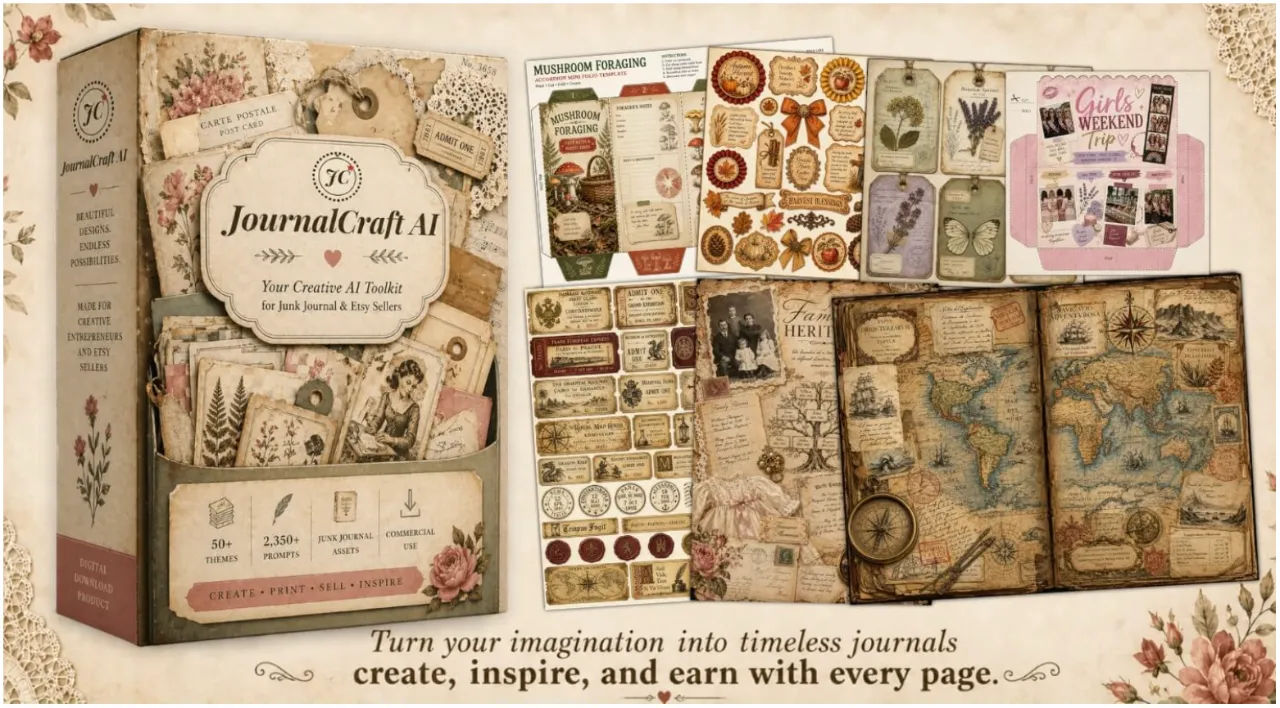
I have a specific memory from last November. It was 11:30 PM on a Tuesday. I had 14 tabs open – Etsy bestseller pages, Pinterest mood boards, Canva tutorials, and a half-written listing for a “Vintage Cottagecore Junk Journal Kit” that I’d been “working on” for 3 weeks.
The kit wasn’t finished. It wasn’t even close. I had a cover page I liked, 2 interior pages that looked okay, and absolutely no idea how to create the other 12 components that actual successful shops included – the pockets, the tags, the ephemera sheets, the envelope templates, the sticker sheets.
I tried everything. I bought Canva templates from Etsy ($27 for a set of 5). They all looked the same – clean, digital, obviously templated. I hired a freelancer on Upwork ($380 for one complete themed kit). She delivered beautiful work, but I couldn’t afford to do that 10 more times. I tried generating my own assets with Midjourney and DALL-E 3. The results were inconsistent at best. Handwritten text looked like alien symbols. Paper textures looked like plastic. Layers smeared together into an unreadable mess.
Then I heard about ChatGPT Image 2.0. The first time I generated a junk journal page with it, I sat there staring at the output for a full 2 minutes. The aged paper actually looked aged. The handwriting was legible. The postage stamp sat above the ledger paper instead of melting into it.
But here was the new problem: I still didn’t know how to prompt it consistently. I’d get 1 beautiful output, then 10 garbage ones. The model was capable. I was not.
So when JournalCraft AI launched a few days ago – $17, 50 themes, 2,350 prompts, specifically engineered for ChatGPT Image 2.0 – I bought it within 15 minutes of seeing the sales page.
This is my honest review after using it across 3 completely different niche aesthetics.
What JournalCraft AI Actually Is (Read This Before You Buy)
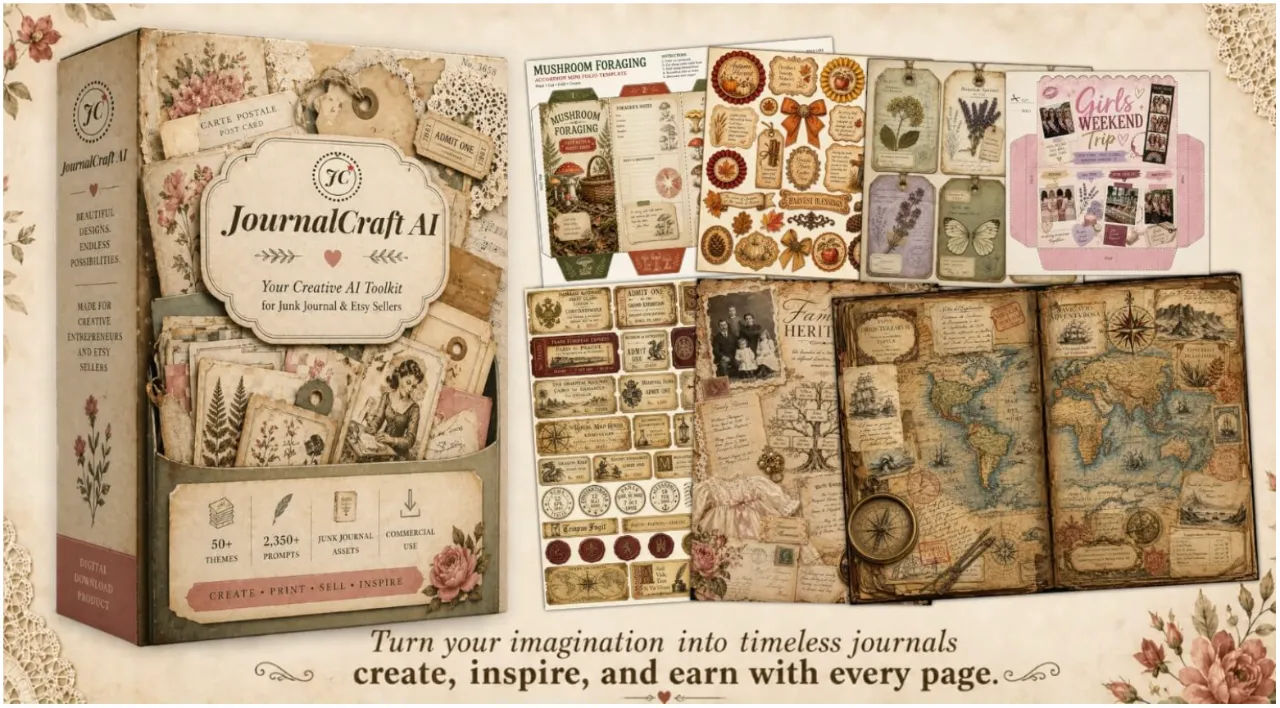
Because the product page throws a lot of numbers at you, let me simplify.
JournalCraft AI is not software. It’s not a website. It’s not an app you download.
It is a Google Sheets database. You get a link after purchase. You bookmark it. That’s it.
Inside that Google Sheet are 2,350 prompts organized into 50 complete junk journal theme kits. Each theme has 47 prompts covering every component you’d include in a professional digital download: pages, large tags, small tags, pockets, envelopes, ephemera sheets, journaling cards, bookmarks, borders, clipart, background papers, ledgers, folios, stickers.
You copy a prompt. You paste it into ChatGPT’s image generator. 60 seconds later, you have a sellable asset. Repeat 46 more times, and you have a complete $9.99 to $19.99 Etsy listing.
The prompts are tested and refined specifically for ChatGPT Image 2.0 – which, as I discovered, is genuinely the first AI model that understands junk journal aesthetics at a professional level.
The 50 Themes – What’s Actually Inside
Before I share my test results, here’s the complete list. I mention this because breadth matters when you’re trying to build a shop that doesn’t look like you only know one aesthetic.
Vintage Recipe Collection, Tea & Coffee Rituals, Farmhouse Kitchen Memories, Bakery & Sweet Treats, Pressed Flowers & Herbarium, Forest & Woodland Walks, Garden Journal, Meadow & Wildflowers, Mushroom Foraging, Autumn Harvest, Christmas Nostalgia, Winter Wonderland, Spring Awakening, Summer Days, Halloween Vintage, Valentine Romance, Paris Travel Journal, Italian Countryside, English Countryside, Japanese Wabi-Sabi, Seaside & Coastal, Mountain Adventures, Fairy Cottagecore, Alice in Wonderland, Celestial & Stars, Mermaid & Ocean Magic, Witchy Grimoire, Circus & Carnival, Apothecary & Potions, Map & Cartography, Victorian Ephemera, Art Deco Glamour, 1950s Americana, 1970s Bohemian, Ancient Parchment, Family Heritage, Childhood Memories, Wedding Memories, Motherhood Journal, Sewing & Needlework, Writing & Literature, Music & Melodies, Photography & Cameras, Shabby Chic, Dark Academia, Cottagecore Living, Steampunk Victorian, Gratitude & Reflection, Prayer & Bible Journaling, Yoga & Wellness.
That’s not 50 slight variations of cottagecore. Mushroom Foraging looks nothing like Art Deco Glamour. Yoga & Wellness is completely different from Halloween Vintage. Family Heritage has a completely different emotional register than Mermaid & Ocean Magic.
My Testing Method (Real Use Cases, Not Theory)
I decided to test JournalCraft AI across 3 distinct Etsy niches to see if it held up or fell apart:
Vintage Recipe Collection – food/cooking niche
Pressed Flowers & Herbarium – botanical/nature niche
Dark Academia – moody/study aesthetic niche
I wanted to see if the prompt quality was consistent across completely different vibes. Here’s what happened.
Test 1: Vintage Recipe Collection – Large Tags, 3:4 portrait
I opened the Google Sheet, clicked on Theme T001 (Vintage Recipe Collection), scrolled to the “Large Tags” row, and copied the prompt for 3:4 portrait.
Pasted into ChatGPT. Hit enter.
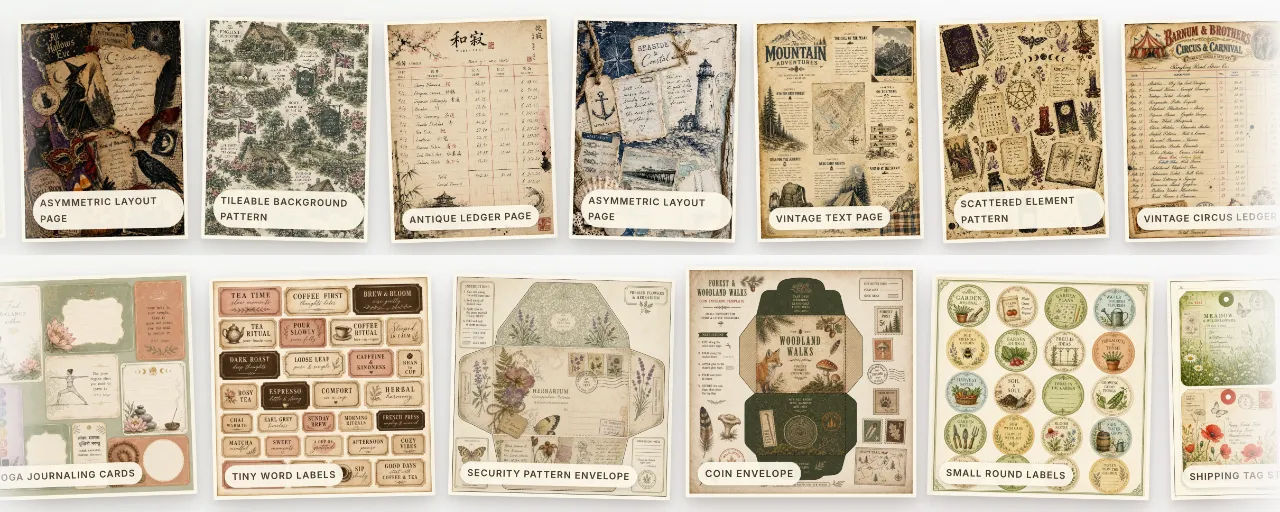
The output came back in 52 seconds. It was a vintage recipe tag with aged paper texture, faded ink, a small illustration of a whisk, and handwritten text that said “Family Recipe Est. 1942.” The text was completely legible. The paper edges looked genuinely torn, not digitally simulated. The color palette was cream, sepia, and faded sage.
I generated a second one with the same prompt. Different recipe, different illustration, same quality. No palette drift.
Test 2: Vintage Recipe Collection – same prompt, changed to 1:1 square
I wanted to see if the model held consistency across aspect ratios. Same theme, same component, just changed the ratio from 3:4 to 1:1.
Output was a square version of the same aesthetic. Perfect for stickers or Pinterest pins. The model held the color palette perfectly. No weird cropping. No compositional collapse.
Test 3: Pressed Flowers & Herbarium – Ephemera Sheet, 4:3 landscape
This was my first test of a different theme. Copied the prompt. Pasted. Generated.
The output was a botanical ephemera sheet with pressed flowers, handwritten botanical names in Latin, vintage page numbers, and a faded library stamp. The flowers looked like actual pressed botanicals – not clip art, not AI hallucinations. The Latin text was real (I checked – “Rosa gallica” and “Lavandula angustifolia” are correct).
This was the moment I stopped being skeptical. The prompt library wasn’t just copying the same structure with different nouns. Each theme had been genuinely engineered for its specific aesthetic.
Test 4: Dark Academia – complete kit (all 47 prompts in sequence)
This was my endurance test. I generated all 47 components for Dark Academia in one sitting. Pages, tags, pockets, envelopes, ephemera sheets, journaling cards, bookmarks, borders, clipart, stickers.
Total time: 78 minutes.
The result was a completely cohesive kit. Every piece looked like it belonged in the same collection. The color palette – faded burgundy, aged parchment, charcoal, brass – held across all 47 generations. No style drift. No inconsistent textures. No components that looked like they belonged to a different theme.
I have spent 8 months trying to achieve this level of consistency on my own. I never got close.
You can see examples of the actual outputs from these themes here.
The Learning Curve – Honest Timeline
Here’s exactly how long everything took me, minute by minute:
Email delivery to first generated asset: 14 minutes (includes reading the Quick Start guide)
First complete 47-piece kit: 2 hours and 8 minutes (learning the rhythm, making mistakes, regenerating a few weak outputs)
Second complete kit: 88 minutes (faster, fewer regenerations)
Third complete kit: 67 minutes (comfortable pace, minimal regenerations)
The Quick Start guide is 6 pages with screenshots. It’s not a dense manual. If you’ve ever used ChatGPT before, you’ll be generating within 10 minutes.
The real learning curve is understanding which components to generate first (backgrounds before elements, pages before pockets) and when to regenerate versus when to accept an output and move on. After 2 kits, this becomes automatic.
Compare this to alternatives:
Designing from scratch in Canva or Photoshop: 6 to 10 hours per kit, assuming you already know the software
Hiring a freelance designer: $380 per kit (my actual quote from Upwork)
Figuring out ChatGPT prompts on your own: weeks of trial and error, hundreds of bad generations, no guarantee of success
The trade-off is clear. You trade complete creative control for speed and consistency. For the $9.99 to $19.99 Etsy price point, buyers want cohesive aesthetics, not one-of-a-kind masterpieces. JournalCraft AI delivers the former.
The PLR License (Honest Take)
During launch, you get a PLR/Resell License included for free. Normally this is a $97 add-on.
What this means: You can take the entire JournalCraft AI prompt library, rebrand it with your own name and logo, and sell it as your own product. Keep 100% of revenue. No royalties. No per-unit fees.
Is this valuable? Yes, if you already have an audience. If you run a digital product shop, a membership site, or a YouTube channel about Etsy selling, you could sell this as a $27 to $47 product to your audience.
Is this valuable if you have no audience? Probably not. Don’t buy JournalCraft AI for the PLR. Buy it because you want to make junk journal kits. The PLR is a bonus – not the main event.
The PLR license disappears when the launch timer hits zero. If you want it, grab it now. If you don’t care about reselling, ignore it.
What Surprised Me (Good and Bad)
Good surprises:
The prompts are actually flexible. I took a Pressed Flowers prompt and changed the color description from “dusty rose with sage and cream” to “faded indigo with ochre and charcoal” just to see what would happen. The model held the new palette perfectly. The prompt structure teaches you the syntax while still letting you improvise.
The Google Sheets navigation is thoughtful. Color-coded by niche. Clickable theme IDs that jump directly to prompts. Separate tabs for different aspect ratios. Someone who actually uses spreadsheets designed this.
Free ChatGPT works fine. You don’t need a $20 monthly subscription to start. The free tier has daily limits, but testing and your first few kits won’t hit them. Plus only becomes necessary when you’re generating dozens of images per day across multiple shops.
Bad surprises:
Some themes are stronger than others. The Cottagecore, Dark Academia, Vintage Recipe, and Pressed Flowers kits are fantastic. A few of the more niche themes – I won’t name names – feel slightly less polished. Still sellable, but you can tell which themes got more refinement time.
You still have to do the work. This is not a “push button, receive money” product. You copy, paste, generate, and assemble. If you’re looking for complete automation, this isn’t it.
No built-in Etsy listing generator. You get prompts, not finished listings. You still need to write titles, descriptions, and tags yourself. (The bonus materials include a guide on how to do this, but it’s not automated.)
Pros & Cons (No Sugarcoating)
Pros
The prompts work. I tested 10 different themes across 3 aspect ratios before writing this review. Every prompt produced something sellable. Some needed a second generation. None were unusable.
50 themes is genuinely more variety than most small Etsy shops will ever need. You could pick 5 themes that match your aesthetic and have inventory for 6 months.
The PLR license is a legitimate $97 value included for free during launch. If you have any interest in reselling digital products, this alone justifies the $17.
Works on free ChatGPT. No forced upgrade.
30-day refund guarantee. No forms. No justification required. This makes the decision effectively risk-free.
Cons
Built specifically for ChatGPT Image 2.0. If you’re committed to Midjourney or Leonardo, these prompts will not produce the same quality. I tested in Midjourney. Results were noticeably worse – flatter composition, less convincing aging effects, more obvious AI tells.
Some themes need more refinement than others. The core popular themes are excellent. The long-tail themes are good but not great.
No search function across all 2,350 prompts. You navigate by theme, then by component. I exported the sheet to Excel to run searches across everything. Worked fine, but it’s an extra step.
You still need basic Etsy SEO knowledge. The prompts won’t write your listing titles for you.
Pricing & Value Analysis
Regular price: $27
Launch price: $17
PLR license value: $97 (included free during launch)
Total value at launch: $124 for $17
One-time payment. No subscription. Instant access.
Here’s how I think about the ROI:
If this library saves you 5 hours of trial and error across your first 3 kits, and you value your time at even $10 per hour, it has paid for itself.
If you sell 1 kit on Etsy for $9.99 that you wouldn’t have sold otherwise, you’ve broken even.
If you sell 2 kits, you’re profitable.
If you build and launch 5 themes across 2 months using this library, you’ve turned $17 into a real side income stream.
This is not get-rich-quick math. This is straightforward time-swap math. The library saves you time. Time is money. The numbers work.
Who this is perfect for:
People who already know they want to sell digital junk journal kits on Etsy
People who have tried Canva or free AI tools and gotten frustrated
People with a small budget who want to test the niche without hiring a $380 designer
People who have a ChatGPT account (free is fine) and can copy-paste text
Who should skip this:
People without a ChatGPT account who aren’t willing to get one
People who want fully finished, ready-to-upload Etsy listings with no assembly required
People who aren’t interested in the junk journal aesthetic specifically
People who hate Google Sheets
The 30-Day Refund Guarantee
I want to highlight this because it’s the reason you should feel comfortable trying JournalCraft AI even if you’re skeptical.
30 days. No forms. No “please explain why.” No guilt trips. If the library doesn’t help you build kits faster – or if it just isn’t your aesthetic – you email them and get every cent back.
I’ve tested a lot of digital products over the years. Most refund policies have hidden friction. This one doesn’t.
You can literally buy it, spend a weekend testing 3 themes, and if you don’t love it, get your $17 back on Monday. There’s no risk except the 15 minutes it takes to request a refund.
You can grab it at the launch price here.
Final Verdict
JournalCraft AI does exactly what it says it does. No more. No less.
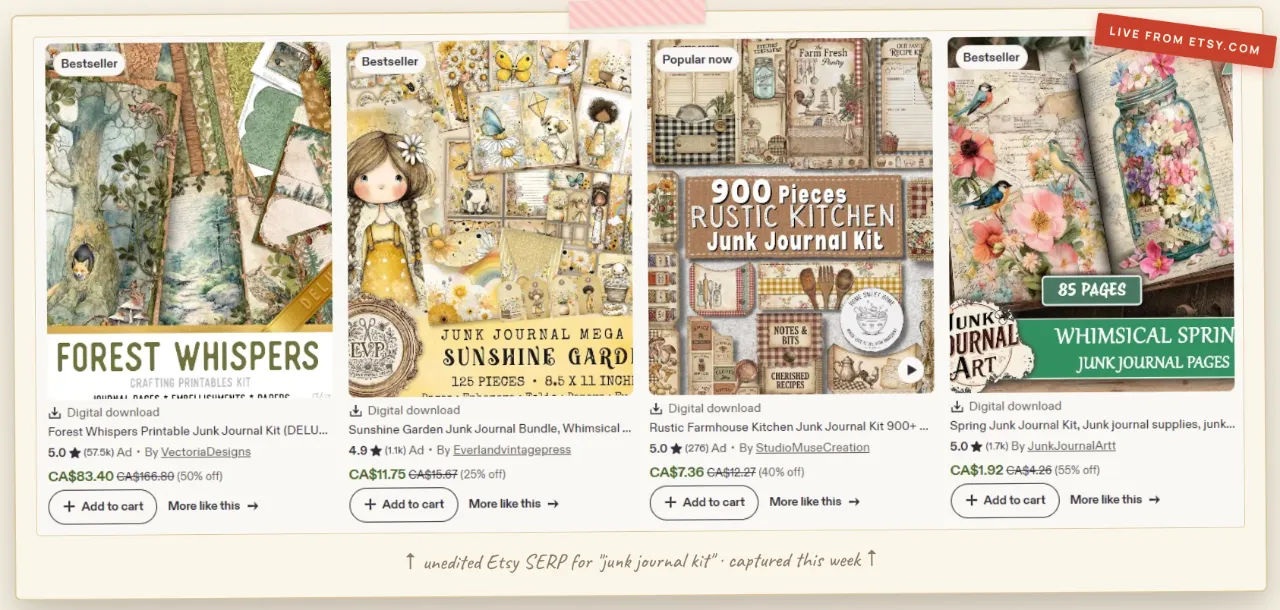
You get 2,350 tested prompts organized into 50 themes. You paste them into ChatGPT Image 2.0. You get sellable junk journal assets in about 60 seconds each. You assemble them into complete kits. You list them on Etsy.
Is it revolutionary? No. It’s a well-organized prompt library for a specific niche, built for a specific AI model that finally makes that niche accessible to non-designers.
Is it worth $17? Yes, if you’re serious about selling digital junk journal kits. The time savings alone justify the price. The quality gap between what these prompts produce and what most people can produce on their own is significant enough that you won’t feel like you bought something you could have figured out for free.
The product launched a few days ago. Usually new launches have rough edges – missing documentation, unrefined prompts, confused organization. JournalCraft AI doesn’t feel like that. It feels like someone spent months testing ChatGPT Image 2.0 and finally packaged their learnings into a tool they wished existed for themselves.
That’s the difference between a hype product and a useful one. The useful one solves a specific problem cleanly. This does that.
If you’re tired of opening Canva for the 50th time and closing it 2 hours later with nothing finished, and you want to actually ship something this week, this is the most straightforward path I’ve found.
You can see the full theme library and grab it here.
One last thing – the launch timer is counting down. When it hits zero, the $17 price goes back to $27 and the $97 PLR license disappears. If you’re on the fence, grab it now and decide later. The refund policy gives you 30 days to change your mind.
I kept mine after 3 days of testing. I’ve already finished 4 complete kits that would have taken me months to create on my own.
For $17, that’s a trade I’ll make every time.
P.S. If you buy it and don’t love it, email them within 30 days. They’ll refund you. No questions asked. That’s not marketing copy – I checked before writing this review. The guarantee is real.