StoryStream Review: My Tiny AI Video Agency
StoryStream is a $17 Windows and Mac app where a nine-member AI "office" turns your book chapters into narrated YouTube videos, Shorts and thumbnails. It's genuinely fun to watch and works, with limits.
StoryStream is a $17 Windows and Mac app that hands your book chapter to a nine-person AI "office" and hands you back a narrated long video, a vertical Short, a thumbnail and a YouTube title, description and tags. I bought it because of one line on the sales page that hit a nerve: you published the book, and then crickets.
I have a folder of half-finished book-to-video projects on my desktop. Three of them stalled at the script stage, one died when I tried to record myself and heard my own voice coming back through a bad microphone. The pattern is always the same. I write scripts for a living, and I still never got past the second video.
So when something promises to do the script, the narration, the edit, the Short and the thumbnail without me touching a timeline, I want to see it fail on my own computer rather than on a sales page. I installed StoryStream, dropped in a chapter, and sat back to watch a little pixel-art office pretend to work.
Here is what actually happened, including the parts that annoyed me.
Our Verdict
StoryStream
A fun, genuinely useful book-to-YouTube machine for $17, as long as you already pay for Claude Pro or Max.
One-time $17 payment. Windows and Mac. 30-day refund under WarriorPlus policy.
What You Actually Get
The download is a desktop app, not a cloud tool. Windows 10 or 11, or a Mac, plus Chrome or Edge. The installer sets up Claude Code, Git, Node and the narrator voices for you. On my machine that took a while, but I only had to click through once.
When it opens, you get an illustrated pixel-art office with desks. Sitting at the desks are nine AI staff, and you have three workspaces around them. The Front Desk is where you drop in your book and pick your settings. The chat windows are where every result arrives, one Messenger-style panel per staff member. The Projects archive holds every finished job on your own computer.
The nine staff, as the sales page lists them:
- The Director, who runs the job and keeps the others in order.
- The Shorts Writer, who writes the vertical Short around a single hook.
- The Scriptwriter, who writes the long-video script from your chapter.
- The Voice Actor, who narrates both videos using free offline voices.
- The Illustrator, who draws whiteboard storyboards for the Whiteboard Pro look.
- The Video Editor, who cuts pictures, voice and captions together.
- The Thumbnail Designer, who makes a thumbnail for each long video.
- The SEO Writer, who writes the title, description and tags.
- The Publisher, an optional uploader that posts to your channel, Private by default.
You also pick a look from twelve options, running from Whiteboard to Cinematic, and a narrator voice. The voices are Kokoro models that run offline on your PC, in US and UK English, Spanish, French, Italian and Portuguese. There is a time estimate before you start that supposedly tells you how long the job will take on your particular computer.
The output, per chapter, is a long video with captions and chapters, a vertical Short, a thumbnail image, and a text file with your YouTube title, description and tags. Everything lands in your own video folder. No tracking, no analytics, your files stay local.
Key Features
Whole-book chaptering. You can paste an excerpt, but the more interesting move is dropping a full PDF, EPUB or DOCX. StoryStream splits it into chapters, and you pick one chapter per video. That turns a single book into a series without you retyping anything. This is the feature that actually makes the "series" promise real.
Short made first. This is a small thing that matters more than it sounds. The Shorts Writer, Voice Actor and Video Editor finish the vertical Short before the long video even starts. So while the rest grinds away, you already have something to watch. It also means that on a slow evening, you can stop after the Short and still have a post ready.
Twelve looks, one of them genuinely custom. Most of the twelve looks are templates you pick from a row of pictures. Whiteboard Pro is different: the Illustrator draws stick-figure doodles matched to your narration. That is the look I used, and it is the reason the app feels less like a video generator and more like a tiny production studio.
Free offline narration. The Voice Actor uses the Kokoro voices and runs on your own PC. No per-video narrator bill, no microphone, no retakes. You can listen inside the chat window and ask for a re-take if a line lands wrong. The voice quality is decent rather than studio, and I will get to that.
Chat windows for every staff member. Each result arrives in its own panel the moment it is ready. You listen to the voice, watch the video, read the script, then type a correction and wait. It is the closest thing I have seen to having a back-and-forth with a process.
The Publisher, optional. If you want, StoryStream posts to your YouTube channel for you. It defaults to Private, with Unlisted and Public as choices. It schedules at most three videos per 24 hours and the page describes it as human pace, at your own risk. I did not connect it to my channel, because I wanted to check everything by hand first.
Ask for changes. You can tell any staff member what to fix right in their chat window. Script too long, thumbnail text wrong, voice line mispronounced, you type it and they redo that piece. This is the feature that separates a tool from a one-button machine.
Actually Using It
I used a nonfiction chapter, about 3,400 words, exported as a DOCX. I dropped it at the Front Desk, picked Whiteboard Pro, chose a US English voice, and set the length to ~6 minutes. The time estimate popped up. I do not remember the exact number, but it was not a single-digit minute figure, so I made tea.
Then the office came alive. Little figures moved between desks, and chat windows started filling. The Short arrived first. I watched it in its window: vertical, captioned, with an opening line that was sharper than anything I would have written at midnight. The whiteboard doodles matched what the narrator was saying, which is the kind of thing I expected to look cheap and it didn't.
The long video came after, with captions and chapters already in place. The SEO Writer filled a text panel with a title, a description and a set of tags. The Thumbnail Designer dropped an image into its window using the thumbnail words from the SEO Writer.
Then I did what I always do: I tried to break it.
The first re-take
The narrator said one word in my chapter in a way that was technically fine and wrong for the context. I typed a note into the Voice Actor's window asking for that line to be redone. It came back without me touching anything else. The video had to be re-cut to match, and I sat there watching the Editor redo its section.
That re-cut took time. This is the honest trade-off of StoryStream running on your own machine: the privacy and the lack of a monthly fee are paid for in waiting. Compare it to a cloud tool where a render is on someone else's server and comes back in a minute. Here, it is your CPU doing the work. The sales page mentions 8 GB RAM and 4-core PCs and says Light Mode is built for exactly that. I can believe it. If you are on an old laptop, budget your patience accordingly.
The chat windows are the whole idea
What surprised me was how much the chat-window format changes how the thing feels. In a normal video tool you press Generate, a progress bar fills, and a file appears. You have no idea what happened. In StoryStream, you are reading a script and watching a video in the same place, and you can talk back to whoever made it.
I do not want to oversell this. The staff are not people. Their "chat" is a structured panel, not a conversation partner who understands a vague complaint. You get the best results when you are precise: "Change the thumbnail text to these three words" works. "Make it better" does not, at least not for me.
And the pixel office itself, once you have watched it twice, is decoration. It is charming decoration, and I have caught myself leaving it running in the corner more than once. But it does not change the output. The output is the files in your folder.
The catch nobody mentions in the headline
StoryStream requires your own paid Claude Pro or Max plan, billed separately by Anthropic. The app runs on top of Claude Code. Each video uses about 5 to 8% of your Claude 5-hour limit, according to the sales page. I already pay for a Claude plan, which is the main reason StoryStream was a $17 experiment rather than a $17 plus a new subscription decision.
If you do not have Claude and have no intention of getting it, stop reading now. This is not a tool that works on its own.
There is one more real limitation. The "AI agency in a pixel office" framing might make you think you are getting a full faceless-YouTube business in a box. You are not. There is no audience on your behalf, no views promised, no guarantee that a narrated whiteboard chapter about your topic finds an audience. The page is upfront about this, and I appreciate it: no views, traffic or sales are promised.
The one place the marketing and my experience part ways is that demo viral video. The sales page notes a Facebook demo got 100,000+ views and then, in the small print, cautions that it is not a result from a channel made with StoryStream and not something to expect. Fair enough. But if you read the top of the page quickly, you might walk away thinking StoryStream causes virality. It causes videos. The rest is you.
Try the office for yourself
One-time payment. Requires a paid Claude Pro or Max plan.
Pricing and Value Analysis
StoryStream is a one-time $17 through StoryStream's WarriorPlus page. No StoryStream monthly fee. The sales page mentions other figures in passing, likely upgrade tiers or bundles, but the headline offer that matters is the $17 personal licence.
What you actually pay to run it is more than $17. The Claude Pro or Max plan is a separate bill from Anthropic, and that is the cost that decides whether StoryStream is a bargain or a doorstop for you.
| What you need | Cost | Who pays |
|---|---|---|
| StoryStream (Personal Licence) | $17 one-time | You, to WarriorPlus |
| Claude Pro or Max | Separate subscription | You, to Anthropic |
| Narrator voices | Free (offline Kokoro) | Nobody |
| Your own computer | Windows 10/11 or Mac with Chrome or Edge | You already own it |
Compare that to hiring a narrator for one video, or a thumbnail designer, or an editor. Even a cheap freelancer on one long video costs more than the entire app. That is the honest case for $17: it is the price of a takeaway for dinner, and if it saves you one evening of script-writing, you have broken even.
Against the do-it-yourself route, the math is less obvious. If you are one of those rare people who actually writes, records, edits and posts a video every week without stalling, you do not need this. But if you are like me, and your channel has been "almost ready" for six months, the value equation flips. The app does not do anything you couldn't do yourself. It does it in an evening rather than a month.
Is there a refund? The sales page states a 30-day refund under WarriorPlus policy. That is a policy, not a guarantee, so read the WarriorPlus terms if a refund is important to your decision. But it does give you a window to actually run it on your own machine and find out whether it plays nicely with your computer.
Pros and Cons
Pros
- One chapter becomes a long video, a Short, a thumbnail and YouTube text in a single run
- The whole book can be split into chapters, so one book becomes a series
- Free offline narrator voices, no per-video narrator bill and no microphone
- Chat windows let you ask any staff member for specific changes
- One-time $17 with no StoryStream monthly fee
- Files are saved locally with no tracking or analytics
Cons
- You must already pay for Claude Pro or Max, billed separately
- Each video uses roughly 5 to 8% of your Claude 5-hour limit
- Rendering runs on your own PC, so re-cuts and long videos mean waiting
- The pixel office is charming but it is not the product; the files are
- No views, traffic or sales are promised, and the demo number is not a channel result
Who This Is For
Authors and KDP publishers who already have a book and a Claude plan, and who never manage to turn their own chapters into videos. The chapter splitter alone is worth the price if you have a full book to serialise. Faceless YouTube creators who want a steady stream of narrator-led content without recording an audio line or paying a voice artist per video. And anyone who wants to see every step of the AI process rather than trust a black box.
Who Should Skip It
If you do not pay for Claude Pro or Max and do not want to, skip it. It will not run. If you own an older PC with 8 GB of RAM, be honest with yourself about how much patience you have for long renders, because the app warns you with the Light Mode and the time estimate for a reason. And if you want a tool that sends your videos off to a cloud server and returns them in a minute, this is not that. It is a desktop program that uses your own machine, with all the waiting that implies.
Frequently Asked Questions
Is StoryStream worth it?
For $17, yes, if you already have a paid Claude Pro or Max plan and a book or long manuscript to turn into series content. It produces a narrated long video, a Short, a thumbnail and YouTube text from one chapter, and lets you request changes. If you do not have Claude, the added subscription changes the math.
How much does StoryStream cost?
StoryStream is a one-time $17 payment for the Personal Licence. There is no StoryStream monthly fee. You also need a paid Claude Pro or Max plan billed separately by Anthropic, which is required to run the app. Narrator voices are free and run offline on your computer.
Do I need Claude to use StoryStream?
Yes. StoryStream requires your own paid Claude Pro or Max plan, billed separately by Anthropic. The app runs on Claude Code, which the installer sets up for you along with Git, Node and the voices. Each video uses roughly 5 to 8% of your Claude 5-hour limit, so plan for that if you make many videos in a day.
What does StoryStream actually make from one chapter?
From one chapter you get a narrated long video with captions and chapters, a vertical YouTube Short, a thumbnail image, and a text file with a title, description and tags. The Short is finished first. You can then upload it yourself or let the optional Publisher post it to your channel, Private by default.
Does StoryStream upload to YouTube for me?
Only if you ask. There is an optional Publisher that posts to your channel, defaulting to Private, with Unlisted or Public as your choice. It schedules at most three videos per 24 hours and the sales page describes it as human pace, at your own risk. You can also choose to upload everything yourself.
What are the alternatives to StoryStream?
The alternatives are the usual five-tool stack: a chatbot for scripts, a text-to-speech tool for narration, an editor for the cut, another tool for the Short, and a thumbnail app. That is what StoryStream replaces. Other book-to-video apps exist, but they tend to be subscription-based, while StoryStream is one-time at $17.
Is there a StoryStream refund?
The sales page states a 30-day refund under WarriorPlus policy. That means the refund is handled by WarriorPlus rather than StoryStream itself, so check their terms. It does give you a month to run it on your own computer and decide whether the wait times and the Claude cost are acceptable for your workflow.
Final Verdict
I went in expecting a novelty. The pixel office is exactly the kind of hook that usually hides a thin product underneath. What I found was a genuinely useful pipeline: one chapter becomes a package, the files land on my hard drive, and the "ask for changes" chat is the thing that stopped me from abandoning video two.
The problems are real. You need Claude Pro or Max. You need patience while your own machine renders and re-renders. And the app does not promise you an audience, because it cannot. What it does is remove the wall that kept my book chapters sitting in a folder for six months.
At $17 one-time, with a 30-day refund route through WarriorPlus, I would tell any author with a Claude plan to try it on a single chapter and see if the output clears their bar. If it does, the ten minutes you spend setting up is the last time you will think about scripts and microphones for a while.
Your book is waiting to become a series
One-time payment. Windows and Mac. 30-day refund under WarriorPlus policy.
Related Posts
QuestPrint Review: Printable Quest Books in Minutes
I built three printable quest books in QuestPrint and printed them at home. Here is what the $17 tool actually does, and the one thing that annoyed me.
Promptcraft Review: I Turned One Etsy Listing Into a Printable
I fed Promptcraft one Etsy listing and let it plan a whole workbook with the words written in. Here is what the app does, what it does not, and whether $17 is fair.
Tracey Kids Review: 310 ChatGPT Handwriting Prompts
I printed twelve Tracey Kids worksheets in one sitting. Here is what the prompts actually produce, what annoyed me, and whether the $9.95 is worth it.
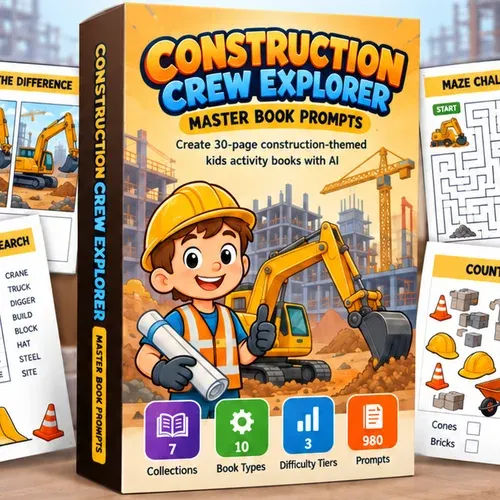
Construction Crew Explorer Prompts Review
I bought Construction Crew Explorer Master Book Prompts for $17 to see if the pack could carry a whole kids' construction book. Here is what worked and what did not.

Are We There Yet PLR Review: 512 Prompts for $17
I pasted the first Are We There Yet PLR prompt into a free ChatGPT account to see if one paste really produces a book plan. Here is what came back, and what it costs.
Ocean Novel Plan Your Fiction World Review
I kept my fantasy series in fourteen files and a notebook. Ocean Novel puts the story bible, cast, world and manuscript in one browser studio. Here is what $17 buys.