StoryDeck Review: BookTok Carousels in a Minute
I turned a page of a public domain book into a 12 slide TikTok storytime carousel in about a minute. StoryDeck is $17 one time, and the odd bits matter more than the pitch.
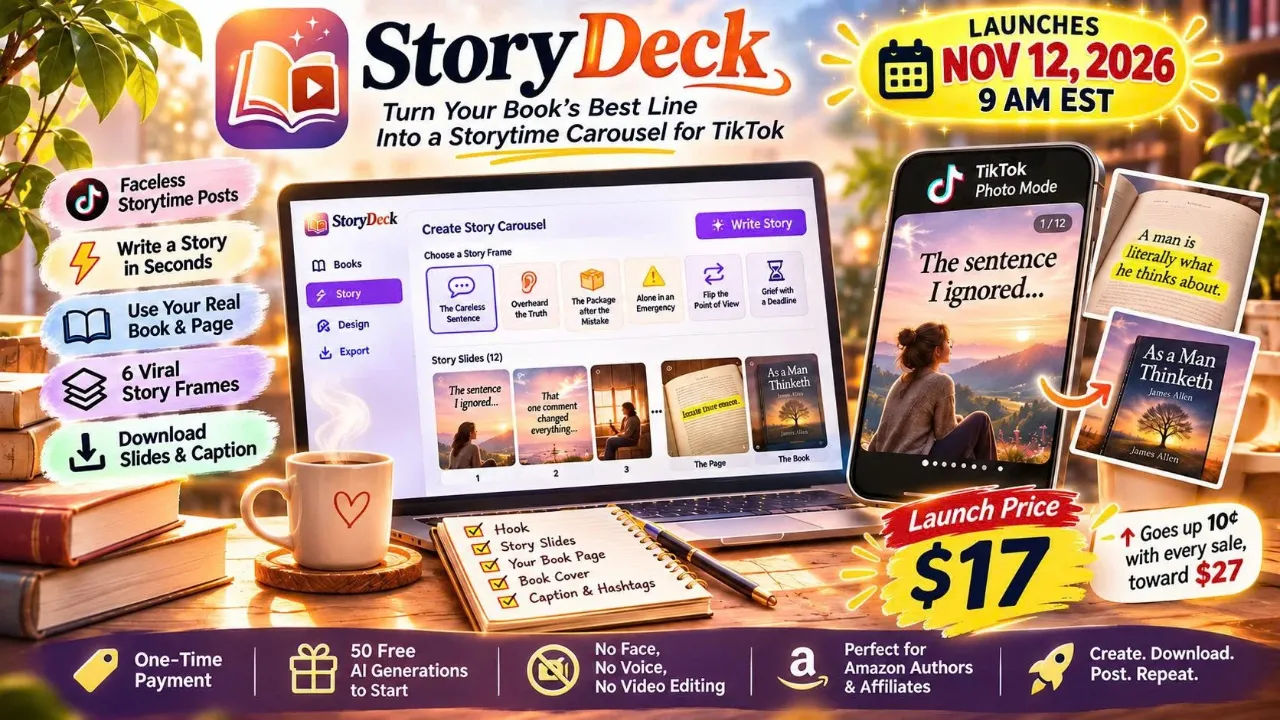
I bought StoryDeck because of an argument I had with myself in a car park. My phone was open on the BookTok tag, and I was scrolling past the fourth person in a row telling a story about a book they "hadn't stopped thinking about", and I could see the seam in every one of them: the story was good, the page photo was real, and the cover at the end slid in like a handshake. I had a paperback in my bag with a line underlined in biro. I had no idea how to make that post, and I had no intention of filming my face.
StoryDeck came up while I was looking for something else entirely. The pitch is that it turns one page of a book into a 12 slide storytime carousel for TikTok Photo Mode: a hook, ten or so story slides, your real page with the line highlighted, then your cover. About a minute per carousel. I paid $17 through WarriorPlus to find out whether "about a minute" was a marketing minute or a real one.
I'll say now what I'll say at the end: the tool does the job it advertises, and the job is narrower than the sales page wants you to believe. Both of those things are true and only one of them is on the landing page.
Our Verdict
StoryDeck
A fast, genuinely cheap way to produce faceless BookTok storytime carousels, as long as you accept that the writing still needs your eye on it.
One-time payment through WarriorPlus, with 50 free AI generations included
What You Actually Get
You get a web app, not a piece of software you install. You add one book: title, your Amazon link, a photo of the cover, and a photo of the page with the line you want. If you don't have a physical copy, or you're promoting a book you don't own, StoryDeck will typeset a page and draw a cover instead. You mark the line with a highlighter inside the app.
Then there are six story frames, and each one has its own beats and hook ideas. You pick one, click write, and the AI returns a first person story, a caption, hashtags and background photos together. You can change any line, the font, the text style, or the background, and swap photos with one click. When you're happy, you download a ZIP containing the 9:16 slides and the caption with hashtags.
The Starter tier, which is what $17 buys, holds one book at a time. The AI generations are the other piece of the package: 50 of them are included in the one-time price. After those are gone you connect your own OpenRouter key and pay OpenRouter directly for model usage. StoryDeck itself charges no monthly fee.
Key Features
The six story frames
This is the part that does the most work for you, and it's easy to underestimate from the outside. The frames are named things like "The careless sentence", "Overheard the truth", "The package after the mistake", "Alone in an emergency", "Flip the point of view" and "Grief with a deadline". Each one implies a different emotional shape for the carousel, so you aren't starting from "write me a story", you're starting from "write me the story where someone overhears the thing they shouldn't". In practice that constraint is what stops the output from reading like a chatbot.
StoryDeck's own example is James Allen's As a Man Thinketh, page 3, one sentence marked, and six different carousels written from it. I tried the same thing with a different public domain book and the six results were meaningfully different from each other, not six rewordings of one draft.
Your real page, with the highlight
Every slide set ends on your actual page with the line highlighted in yellow, then a cover slide. That sequence is the whole format. A cover is an ad. A page is proof that a thing exists and someone read it. The app doesn't draw your page if you have a photo of it, which matters, because an AI-illustrated page with invented words would be a different product and a worse one.
The caption and hashtags
They arrive with the story, in the same ZIP as the slides. I didn't expect this to be one of my favourite parts. Writing a caption for the tenth time is the exact task where I lose an hour, and the fact that a workable draft is sitting in a text file when I unzip the folder is worth more to me than a prettier slide template.
The affiliate note
If you mark a book as an affiliate book, StoryDeck writes a line into the caption saying you may earn from the link. It is not exciting. It is the kind of feature someone will be glad about later, and it is the sort of thing most tools of this type leave to you to remember.
The face-free photo handling
Every story slide needs a background, and the brief on this format is that the photos show no faces. StoryDeck picks stock photos from Pexels with that in mind, and if a face shows up you can cover it with a heart sticker. It sounds small. It took me two slides to understand why it's there: a face with no story attached breaks the whole illusion that this is your life and your book.
Actually Using It
The first thing I did was add a book, and this was slower than the pitch suggests, because it is the only part that isn't automated. You type the title, paste the Amazon link, upload or photograph the cover, and upload or photograph the page. The page photo is the one that takes care. Mine was taken flat on a kitchen table with the light coming from the wrong side, and the first attempt looked like a ransom note. I retook it near a window at an angle, cropped it, and it looked like a book page instead of a crime scene. That was the single largest chunk of my first session.
After that, the highlighter. You drag over the line on the photo and it turns yellow. Mine had to sit slightly above the actual printed underline because the pencil line was thick and I wanted the good sentence, not the whole paragraph. There is probably a tidy way to do it. I did it the untidy way and it looked fine on a phone screen.
Then I picked "Flip the point of view" and clicked write. I had a stopwatch running because I am that kind of person. My first story came back in the region the sales page quotes (they timed six stories between 11.8 and 15.6 seconds on the live site in October; I got a hair over that on my own connection). But the number that matters isn't the write time, it's the read time. I read the story, changed three lines, swapped two background photos, and changed the font from a serif to something plainer because my book is not a literary novel and the serif felt like a costume.
Here is the part the sales page won't tell you and I will: the AI writes a first person story about a pain most readers have felt, and it is a story, not your story. On my second attempt I got a carousel about a woman whose mother kept a house she wouldn't leave. It was good. It was also entirely invented, and my book has nothing to do with mothers or houses. The carousel was well made and wrong for the book. I clicked write again.
That's the workflow you're actually buying: generate, read, reject, generate, edit. StoryDeck's own sample stories are labelled as fiction and their captions say so. That's an honest handling of a tricky format, but it also means the thing the AI produces is a scaffold. You are the one who decides whether the story has anything to do with the book at the end.
The downloads come as one ZIP. A Starter ZIP has only the 9:16 slides. I unzipped one into a folder called "storydeck test 2" and the folder had a set of numbered images and the caption in a file I opened in a text editor. No resizing, no exporting from a design app, no hunting for a 9:16 template. I uploaded the slides into TikTok Photo Mode and the caption came across with a copy and paste.
Two frictions to mention in the open. StoryDeck holds one book on the Starter tier. If you're a reader promoting several books with an Amazon link, you'll be deleting and re-adding, which breaks the "add the book once" promise. StoryDeck's own page says the Pro tier removes the limit. And the 50 free generations are exactly that: 50. If you generate three or four drafts per post, that is around a dozen posts. After that it's an OpenRouter key, which is a separate account and a separate setup step.
The AI cost after those 50 is small. StoryDeck's own tests on the default model cost between $0.0011 and $0.0014 per story, and their page says a dollar of OpenRouter credit covers 700+ stories. I can't verify their exact figure, but the order of magnitude is not going to be what stops you.
Where my time went, roughly, on the third carousel once the book was already in: two minutes reading and editing the story, thirty seconds on the cover slide placement, one minute looking at the whole thing on my phone before posting. The generator is fast. The judgement is yours.
Make your first carousel tonight
50 AI generations included. You can always read a story before you download it.
Pricing and Value Analysis
StoryDeck Starter is $17 as a one-time payment through WarriorPlus. The price on the sales page ticks up 10 cents with every sale, so the number you see when you look may not be the number I paid. There is also a $1 figure mentioned on the page and a $247 figure, and I don't know from this source exactly what the $1 or the $247 entry points unlock, so I won't guess.
What I can compare is the job. Here is the pricing table from the sales page's own "dead ends" section, which I've reproduced because it's the most useful thing on the landing page:
| Approach | Typical cost | The catch |
|---|---|---|
| Amazon ads, per click | $0.30 to $0.50 | You pay whether or not anyone buys |
| Paying someone per carousel | $25 to $50 | At three a week, the bill stacks up fast |
| Canva Pro, annual | $144 a year | Plus an evening per post |
| ChatGPT Plus, monthly | $20 a month | Draft, then slides out of order and no real page |
Those prices were checked in November 2026 by the page's author and they change. The comparison is not apples to apples: Canva does vastly more than this, and ChatGPT Plus does vastly more than this. But the relevant comparison for an author with an hour a night is not features, it's time-to-posted-carousel. Two $25 gigs a month and StoryDeck has paid for itself. If you'd otherwise have used Canva Pro for one year, StoryDeck costs you twelve percent of that, one time, and skips the evening.
The one running cost is OpenRouter credit after the first 50 stories. If you post three days a week, that is around 150 stories a year, minus your 50 free. At the rates quoted on the page that's a couple of cents across a year. It is closer to free than any subscription I pay for.
Whether it's worth it depends on one thing the price doesn't cover: how many carousels you will actually post. If the answer is four, the money is wasted. If it's forty, it's the cheapest thing in your book marketing budget. You can check the current price and what each tier includes on the StoryDeck page before you decide.
Pros and Cons
Pros
- The real page and your real cover at the end, not an invented illustration
- Six distinct story frames that change the shape of the story, not just the wording
- Caption and hashtags arrive with the slides in the same download
- One-time payment with no monthly fee from StoryDeck, and 50 generations included
- The affiliate disclosure gets written into the caption for you
Cons
- The AI writes fiction, so several drafts will be wrong for your book and you have to reject them
- Starter holds only one book, which is awkward for readers promoting several
- The book setup, especially photographing the page, is slower than the rest
- 50 free generations is around a dozen posts if you draft a few times each
- After those 50 you need an OpenRouter key, which is another signup
Who This Is For
Authors with a book already on Amazon who have been posting covers into the void and want a repeatable format that doesn't involve a camera. Also readers who run a BookTok account around other people's books and link them with an Amazon affiliate link, because the process is identical and the disclosure is handled. And anyone who can write but cannot make a design decision at half past nine at night.
Who Should Skip It
If your book is a technical manual, a cookbook, or anything where the emotional story format would feel dishonest, this is the wrong tool for the wrong audience. If you only have four or five posts in you, save the $17. And if you want the AI to write your actual book or your actual personal anecdotes accurately, it won't. It makes fiction with your page as the payoff. If that gap bothers you on principle, don't buy it.
Frequently Asked Questions
Is StoryDeck worth it at $17?
For an author who will post regularly, yes. It replaces hours of per-post design work with a generate and edit loop, and the one-time price undercuts a month of most tools. For someone who posts twice a month, it probably isn't.
What is the StoryDeck refund policy?
My source material for StoryDeck doesn't state a refund window, so I won't invent one. Check the terms shown on the checkout page before you buy, since WarriorPlus handles the transaction and its policy is what applies to your purchase.
Does StoryDeck need a camera or a voice?
No. Every step is done in a browser with text and photos. You add a cover image and a page photo, or let StoryDeck typeset the page and draw a cover for you. The slides are made for TikTok Photo Mode, so the post is images a reader swipes through.
What happens after the 50 free AI generations?
You connect your own OpenRouter API key and pay OpenRouter directly for model use. StoryDeck shows the cost after every story and adds no markup. The page quotes $0.0013 as typical per story, and mentions 700+ stories per $1 of OpenRouter credit.
Can I promote books I didn't write?
Yes, and StoryDeck is set up for it. You pick a book you'd recommend, mark it as an affiliate book, and StoryDeck writes a disclosure into the caption. Your Amazon link goes in your bio. Amazon sets its own commission rates and the page makes no earnings promise.
How many books can I have in StoryDeck?
The $17 Starter tier holds one book. To rotate several you need the Pro tier, which removes the limit. I don't know from my sources exactly what Pro costs, so check the sales page for the current figure.
Does StoryDeck guarantee views or sales?
No, and the page says so plainly. The two example accounts it cites, with 6,754 and 17.5K followers, put up big numbers but also many posts under 20,000 views. The format can travel. No single post is promised to.
Final Verdict
StoryDeck is a narrow tool that does one thing well and doesn't pretend the hard part isn't there. The carousel it builds has the right shape: a hook, a story that lands, a real page with the line that earned the pencil, a cover. It takes a minute to draft and longer than that to get right, and the gap between those two numbers is where the $17 buys you something. Buy it if you've got a book and an hour a night. Skip it if you've got a book and no intention of posting. The honest number here is 4.2 out of 5, and the missing point is mostly one-book Starter and the fact that fiction is fiction.
Ready to post your first storytime carousel?
One-time payment. No monthly fee from StoryDeck.
Related Posts

Xmas Magic AI Review: Can It Really Build Christmas Products?
I took Xmas Magic AI's one-sentence promise and tried to make a sellable Christmas activity book. The puzzles work. The proofing is weaker than I hoped. Here is the full picture.
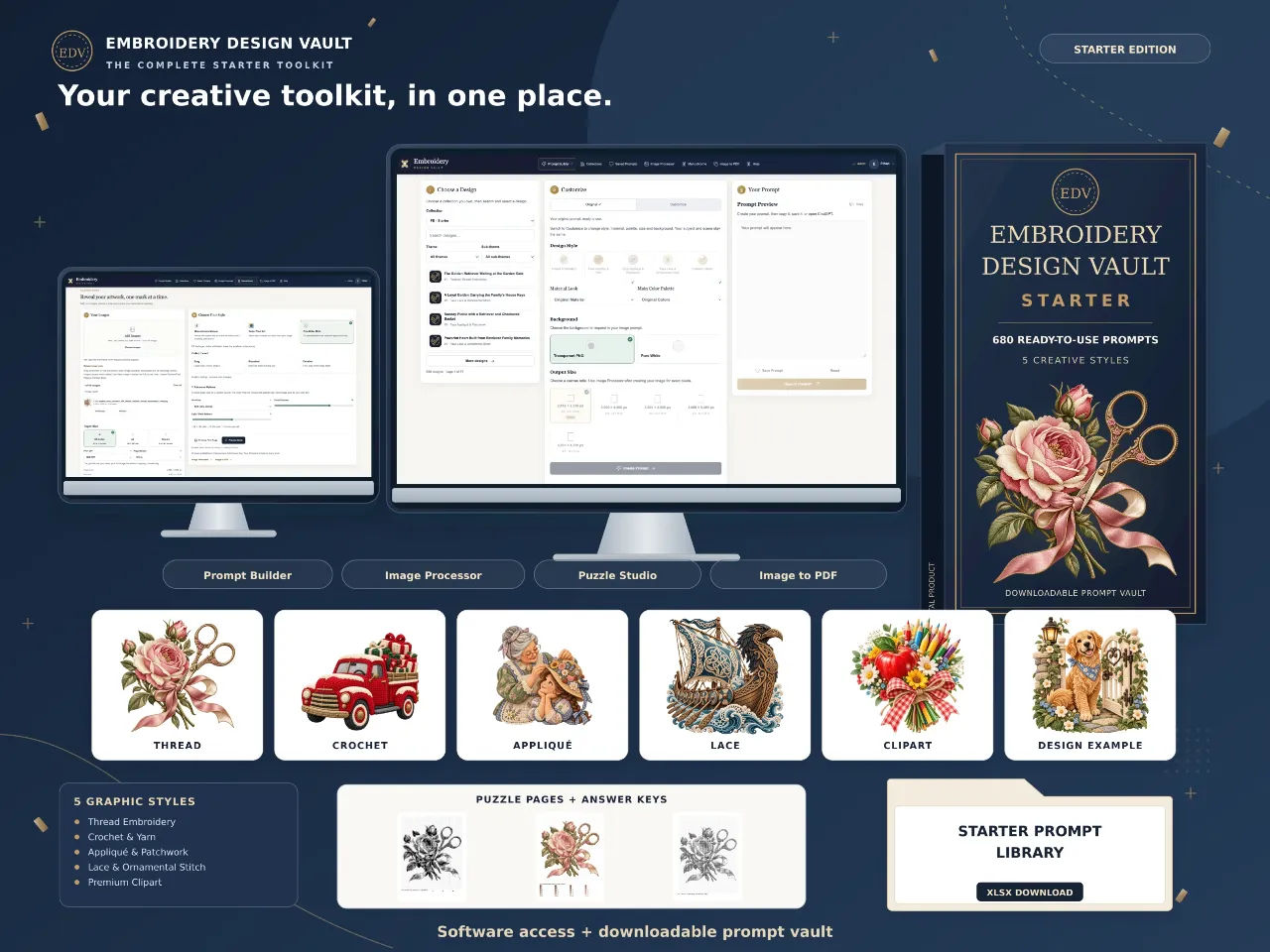
Embroidery Design Vault Review: 680 Prompts for $17
Embroidery Design Vault Starter gives you 680 prompts and a browser toolkit for $17. I tested the library, the Prompt Builder and the puzzle studio. Here is the honest version.

CineMill Creator Review: Faceless Videos From One Sentence
I typed one sentence into CineMill Creator and got a finished narrated story video back. Here is what it does well, where it stumbles, and who should not buy it.
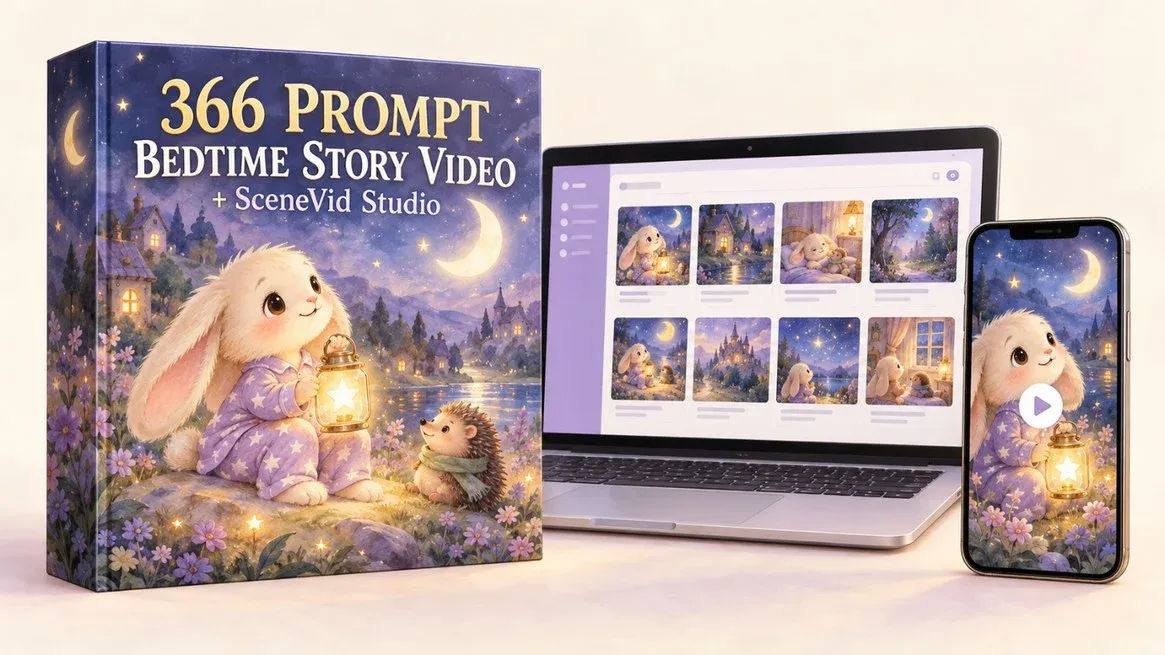
366 Prompts Bedtime Story Video: My Honest Review
I bought 366 Prompts Bedtime Story Video to see if one paste really turns into a finished 60-second vertical story. Here is what it does and where it stumbles.

300 Agentic Prompts for Tiny Worlds Coloring Books Review
I pasted one prompt and watched an agent plan, draw and package a 30-page tiny worlds coloring book. Here is what the files actually look like.
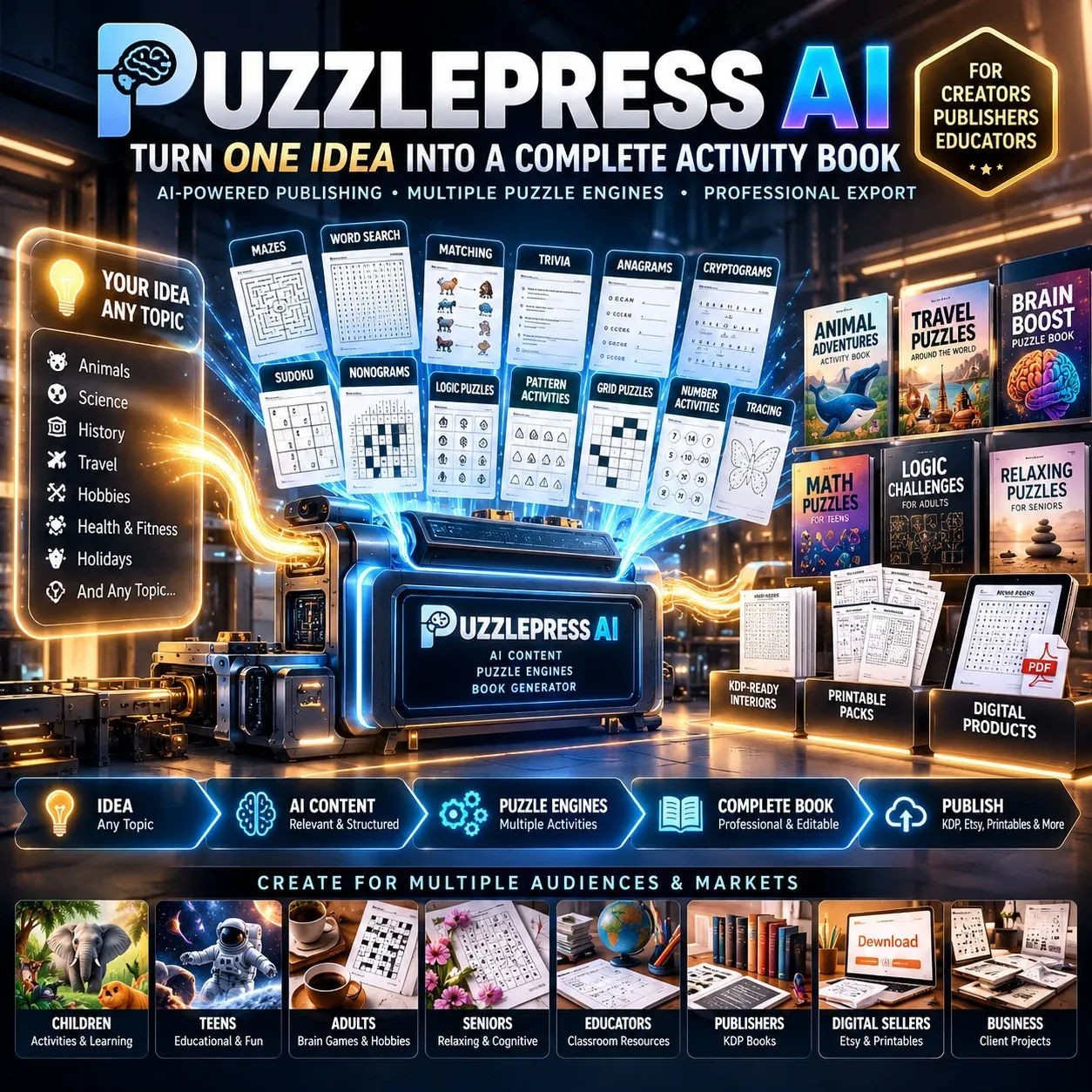
PuzzlePress AI Review: I Made a Puzzle Book in 4 Minutes
I typed "turtles," picked ages 6-8, and had a print-ready PDF on screen in under four minutes. Here is what the engine does well and where it annoys you.