NicheGoldmine AI Review: Build a Product Collection
I tested NicheGoldmine AI to see if it can turn one niche into a full collection of sellable journals and planners. Here is what $17.97 actually buys you.
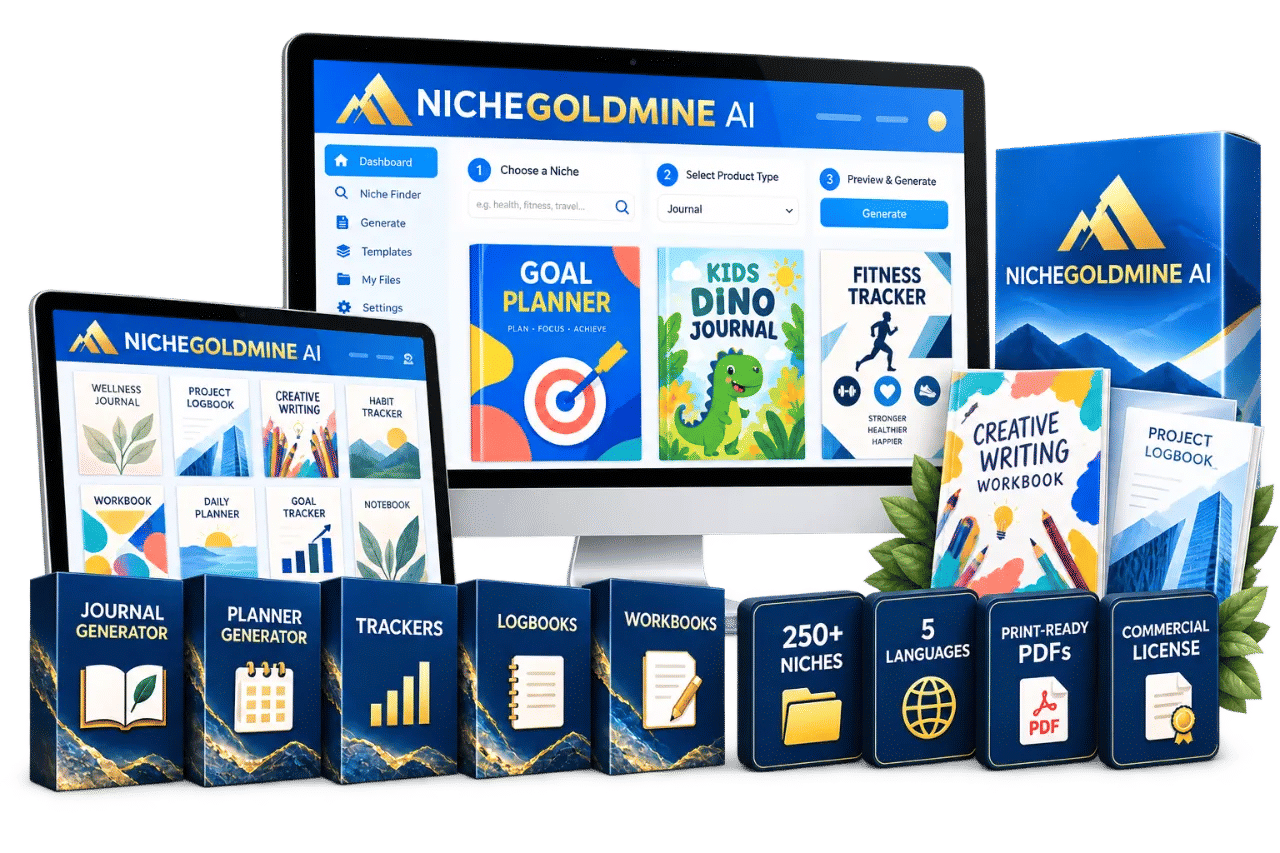
NICHEGOLDMINE AI landed in my inbox on a Tuesday, and I nearly deleted it. I have a folder full of digital product tools that all promise the same thing: pick a niche, click a button, watch the money arrive. Then I read the creator's name. Amber Jalink built Activity Book Generator, and I have used that one, so I gave this a fair look instead of a delete.
The pitch is different from the usual "make 100 products in a weekend" rubbish. NicheGoldmine AI wants you to stop hunting for a single winning idea and start building a collection around one audience. A journal, then a planner, then a tracker and a logbook and a workbook, all aimed at the same buyer. That is a smarter framing than most tools in this space bother with.
So I bought it, ran it through a few niches, and downloaded the PDFs. Some of it works well. Some of it is tighter than I would like. Here is the honest version.
Our Verdict
NicheGoldmine AI
A genuinely useful collection builder with hard build limits that punish anyone who wants to test lots of niches.
One-time payment, no subscription
What You Actually Get
For the $17.97 one-time price, the account includes two generators: a journal generator and a planner generator. Those are the two engines. Everything else is built around them.
You also get tools and built-in templates for creating related products: trackers, logbooks and workbooks. These are not separate generators in the way the journal and planner are, so set your expectations accordingly. They are template and tool based, which in practice means you are shaping them more by hand than you would a straight journal build.
The rest of the package is the stuff that decides whether the software is actually usable:
- More than 250 built-in niches, plus the ability to type in your own
- Letter and A4 print-ready PDF downloads
- A starter library of Amber's own templates
- Five-language support, with more stated as coming
- A commercial license, subject to the license terms
- 25 AI builds, one-time, never resetting
- 10 finished downloadable PDF products, also one-time and non-resetting
And if you buy during the launch period, you get access to the Calendar Generator BETA, which is scheduled for November 2026. The page is clear that this is BETA, that features may change, and that the bonus disappears when the launch ends.
Key Features and What They Do For You
The niche library and the collection thinking
This is the part I actually rate. You can start from one of the 250+ built-in niches, or bring your own audience. The software then generates niche-specific content and page structure rather than dumping the same generic prompts into every product.
The value is not the niche list itself. You can find niche lists anywhere. The value is that the tool is built around the idea of a collection. The sales page walks through nine examples, and each one shows five products for one audience. Puppies gives you a new puppy journal, a training planner, a habit tracker, a health logbook and a first-year workbook. Travel gives you a travel journal, trip planner, packing tracker, adventure logbook and destination workbook. Money, baby, pregnancy, teachers, self-care, weddings, small business. Same pattern every time.
Forty-five possible products out of nine niches is not a bad way to think about a store.
Journal and planner generators
These are the two workhorses. You choose your niche, choose what you want to create, and let the AI build the foundation using Amber's templates. You then review and personalise, and export.
Anyone who has bought one of these generators before knows the real question is how much editing the output needs. More on that below.
Letter and A4 export
Boring, but it matters. Interior files that are already sized correctly save you a formatting job, and having both Letter and A4 means you are not locked out of either the US or the European market. For Amazon KDP in particular, getting page size right before upload saves a rejected file and a wasted afternoon.
Commercial license
Included, subject to the license terms. Read those terms before you start listing anything. A commercial license that does not cover resale in the format you plan to sell in is worse than no license, because you find out after you have built the catalogue.
The build limits
25 AI builds and 10 finished downloadable PDF products. One-time, never resets. This is the single most important thing to understand before you buy, and I will come back to it in the pricing section, because it changes the maths.
Actually Using It
I started with the puppy niche because it is the one the sales page walks through end to end, so I could compare what I got against what was promised.
The first build took me under two minutes from selecting the niche to seeing generated content on screen. The structure was the part that surprised me. It did not produce a random pile of pages. It produced something with a beginning, a middle and an end: opening pages, recurring spreads, sections that repeated on a sensible rhythm. That is the difference between a template and a generated interior, and it is clearly where Amber's years of making publishing products show up.
Then I read the content properly, and the editing began.
It was not bad. It was generic in places. Prompt lines that could have belonged to any puppy journal, a few section headings I did not love, a couple of reflection questions that felt like filler. I rewrote maybe a fifth of the text. That is a normal ratio for this kind of tool, and it is faster than writing it from scratch, but if you go in expecting a finished product with zero input you will be disappointed. The sales page is honest about this. It says to review and refine every PDF before using or publishing it, and it means it.
The second build was the planner for the same niche. This is where the collection idea clicked for me. Because the tool already knew the audience, the planner came out with a different job to do than the journal: goals, schedules, sessions, weekly planning. Same buyer, different product. I did not have to sit and think about what else a new puppy owner might want, which is normally the bit where I stall.
I ran two more niches after that. One was a market I typed in myself, and it handled it fine. The other was from the built-in list, and the content was noticeably tighter, which makes sense given the templates were presumably built with those niches in mind.
The tracker, logbook and workbook side is where I slowed down. These are built from tools and templates rather than being full generators, so you are doing more of the construction yourself. If you are comfortable in a design tool you will be fine. If you bought this specifically because you do not want to touch a design tool, this is the part that will test you.
Export was painless. Letter and A4 both came out clean, and I opened the files in a couple of different readers to check nothing had shifted. Nothing had.
The thing that annoyed me: the build counter. Every time I tried a niche just to see what the output looked like, I was spending a build. By the time I had explored four niches properly and made a few false starts, I had burned through a chunk of my 25. There is no obvious way to preview a niche's output without spending one. That is a real design decision and I do not love it.
Twenty-five builds and ten PDFs, one time
One-time payment during the launch period
Pricing and Value Analysis
The regular price is stated as $47. The launch price is $17.97 one-time, and the page frames that as a $29.03 saving. No monthly subscription, no recurring fees, immediate access.
The bonuses are where the page does its loudest talking. Seven of them, listed with individual values: $67, $47, $17, $67, $67, $27 and $37. That adds up to over $327, and the page says exactly that. I would treat those numbers as the seller's own valuation rather than what you would pay for the same guides elsewhere. Bonus guides like these are usually thin PDFs. Whether they are useful depends on how new you are to selling digital products. If you have already published on Etsy or KDP, "Don't Get Rejected" and "Publish Day, Simplified" will tell you things you know. If you have never listed a digital product, the idea pack and the title formulas are probably worth the price of entry on their own.
| What | Price stated | Note |
|---|---|---|
| NicheGoldmine AI regular price | $47 | Stated as the non-launch price |
| NicheGoldmine AI launch price | $17.97 | One-time, no subscription |
| Stated saving | $29.03 | Difference between the two |
| Bonus bundle (7 guides) | Over $327 | Seller's own valuation |
| Calendar Generator BETA | Included | Launch purchases only, November 2026 |
Now the limits, because this is where the value maths gets real. You get 25 AI builds and 10 finished downloadable PDF products. Neither resets.
Ten PDFs sounds like a lot until you plan a five-product collection and want to iterate on it. If you are selling on Etsy, a listing needs a decent cover and mockups, and every version you export to check formatting eats into the ten. Twenty-five builds across a five-product collection gives you five attempts per product, which is workable but not generous.
At $17.97 for the software plus limits that will not renew, the maths only works if you finish things. The people who will get value from this are the ones who pick one niche, build the five products out of their ten, and list them. The people who will not are the ones who want to explore fifteen niches before deciding. You cannot do that here without running dry.
Compared with what is out there, $17.97 sits well below a lot of AI writing and design subscriptions, and you are paying once instead of monthly. If you plan to build more than one collection, the ceiling will frustrate you. If one good collection out of ten PDFs covers your entry cost many times over, it does not matter. For extra detail on what is included, the full NicheGoldmine AI package breakdown covers the list.
Pros and Cons
Pros
- The collection framing is genuinely useful and stops the endless single-idea hunt
- Journal and planner output has real structure, not just a pile of pages
- 250+ built-in niches plus your own, so you are never stuck for a starting point
- One-time $17.97 with no subscription
- Letter and A4 export saves a formatting job before you publish
- Commercial license included, subject to the terms
Cons
- 25 AI builds and 10 PDFs are one-time and never reset, which is tight
- You cannot preview a niche's output without spending a build
- Tracker, logbook and workbook creation is template based, so it needs more hands-on work
- Generated content still needs real editing before it is sellable
Who This Is For
Someone who already sells digital products, or wants to, and has been stuck on what to make next. If you have a store and one or two listings and you cannot work out how to build a range around them, this is aimed squarely at you. The collection framing does the thinking that most people skip.
It also suits anyone who wants to serve one specific audience properly. If you know your buyer, a first-time puppy owner or a couple saving for a wedding or a teacher who never switches off, the software gives you a fast route to five products for that person instead of one.
Who Should Skip It
Skip it if you like to explore. The 25 builds and 10 PDFs are fixed, and half the fun of a tool like this is poking at niches to see what comes out. That habit will cost you here.
Also skip it if you want finished, listable products with zero input. The output needs reviewing and refining, and the page says so. And skip it if you already have a strong catalogue and a system that works, because the build ceiling will get in your way long before the novelty wears off.
Frequently Asked Questions
Is NicheGoldmine AI worth it?
At $17.97 one-time it is worth it if you will finish at least one collection. The journal and planner generators produce genuinely structured interiors, and the niche library removes the blank page problem. The catch is the 25 builds and 10 PDFs, which never reset. Explore too many niches and you will run out before you ship anything.
How much does NicheGoldmine AI cost?
The regular price is listed as $47, and the launch price is $17.97 as a one-time payment. There is no monthly subscription and no recurring fee. Buying during the launch also includes Calendar Generator BETA access, which the page states arrives in November 2026.
What are the build limits?
Your account includes 25 AI builds and 10 finished, downloadable PDF products. Both are one-time totals that never reset or expire. Plan what you want to create before you start generating, because trial runs spend the same builds as finished products.
Do I need design experience to use it?
No. The software generates the content and page structure using Amber's templates, and you can export Letter or A4 PDFs without designing from a blank canvas. You will still need to review and refine the wording before publishing. The tracker, logbook and workbook side is more hands-on than the journals and planners.
Is there a refund?
I could not find a refund window stated on the page I reviewed, so I am not going to invent one. Check the terms on the official NicheGoldmine AI page before you buy, along with the commercial license terms.
Can I sell what I create?
A commercial license is included, subject to the license terms. Read those terms before you list anything, because they define what you can and cannot do with the PDFs. The page also notes that selling through Etsy, Amazon KDP or your own store is subject to each platform's own rules.
What are the alternatives?
The nearest comparison is Activity Book Generator, also from Amber Jalink, which focuses on activity books and printables. General AI writing tools can generate journal prompts but will not give you the page structure or the ready-to-export interiors. If you want a done-for-you collection builder, this fills a specific gap.
Final Verdict
NicheGoldmine AI does one thing well, and it is the thing most tools in this space ignore. It makes you think in collections instead of one-off products, and it backs that up with journal and planner generators that produce genuinely structured interiors rather than random pages.
The limits are the trade-off. Twenty-five builds and ten PDFs, never resetting, means you need to decide before you start. Used carelessly, you will explore your way to an empty account. Used with a plan, one niche and a five-product collection, the $17.97 is not a difficult decision.
If you know who you want to create for, buy it and build the whole collection in one go. If you are still shopping for a niche, use the 250+ list to decide first, then buy.
One niche, five products, one payment
Immediate access, no recurring fees